
Google’s AI Will Now Answer Your Customers’ Messages From Search and Maps. Here’s How to Make Sure It Says the Right Things
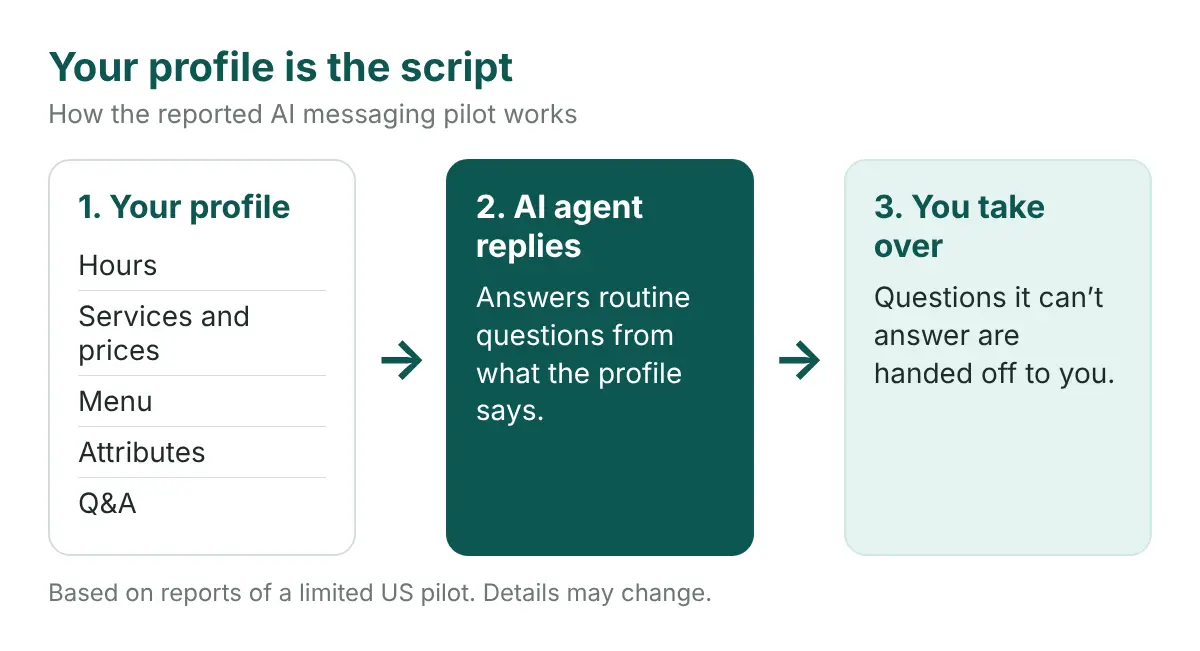
Bottom line first: Google is testing a way for customers to message a business from Search and Maps, and an AI agent replies first. Reports say it answers routine questions from what your Business Profile says and hands the rest to you. So your profile is now the script for a customer’s first conversation. If it is thin or out of date, the agent has little to work with. Fill it in before the pilot reaches you.
Messaging is back on Google Business Profiles. This time the first reply may not come from you.
This guide covers what Google is testing, who can get it, and seven steps that make your profile complete enough for an AI agent to answer correctly.
Before you start: what Google is testing
Here is what has been reported so far. It comes from a limited pilot, so details may change.
- What changed. Customers can message a business from Search and Maps. An AI agent answers first.
- What the agent reads. Your listing: hours, services, menu, attributes and Q&A. It answers simple questions from that data.
- What it hands off. If the agent can’t answer, it passes the question to you. Reports say you can take over a conversation at any time, and messages show in your Business Profile.
- Google’s example. A restaurant. The agent shows menu items with photos and prices, then offers open reservation times.
Who has it, and when
Not most businesses yet.
- The test is in the United States and focused on restaurants.
- It is invite-only. Some owners have reported invitation emails, and pilot businesses may see a red dot on Messages in their profile.
- The agent reaches customers whose phones and carriers support RCS. Other customers get regular texts, and standard messaging rates may apply.
- The pilot is free. It isn’t clear what happens to pricing afterward, and no wider rollout date has been announced.
Google has shipped messaging before. Its earlier Business Messages feature was shut down on July 31, 2024. An AI agent section that appeared in the dashboard months earlier was also pulled after a few hours. Treat this as a test, not a launch.
What it means in Toronto
I couldn’t find anything that names Canada in the reports. RCS has been in Canada for years, and Rogers launched it back in 2016. But I couldn’t confirm which Canadian carriers support it today. So don’t plan around a Canadian launch date. Plan around the profile work, because it pays off whether or not the pilot reaches you.
The risk
The agent answers in your name, using what your profile says.
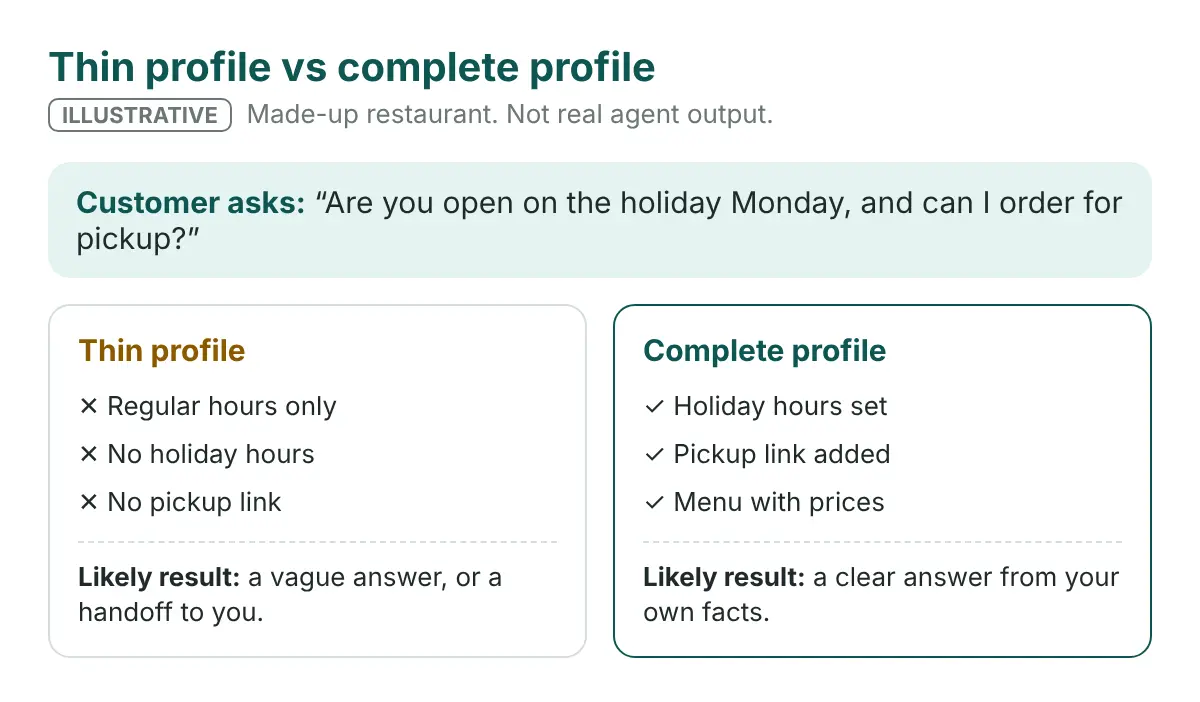
A missing holiday schedule becomes a vague reply. An old price becomes a wrong one. A blank attribute becomes a “not sure” to a customer who wanted a yes.
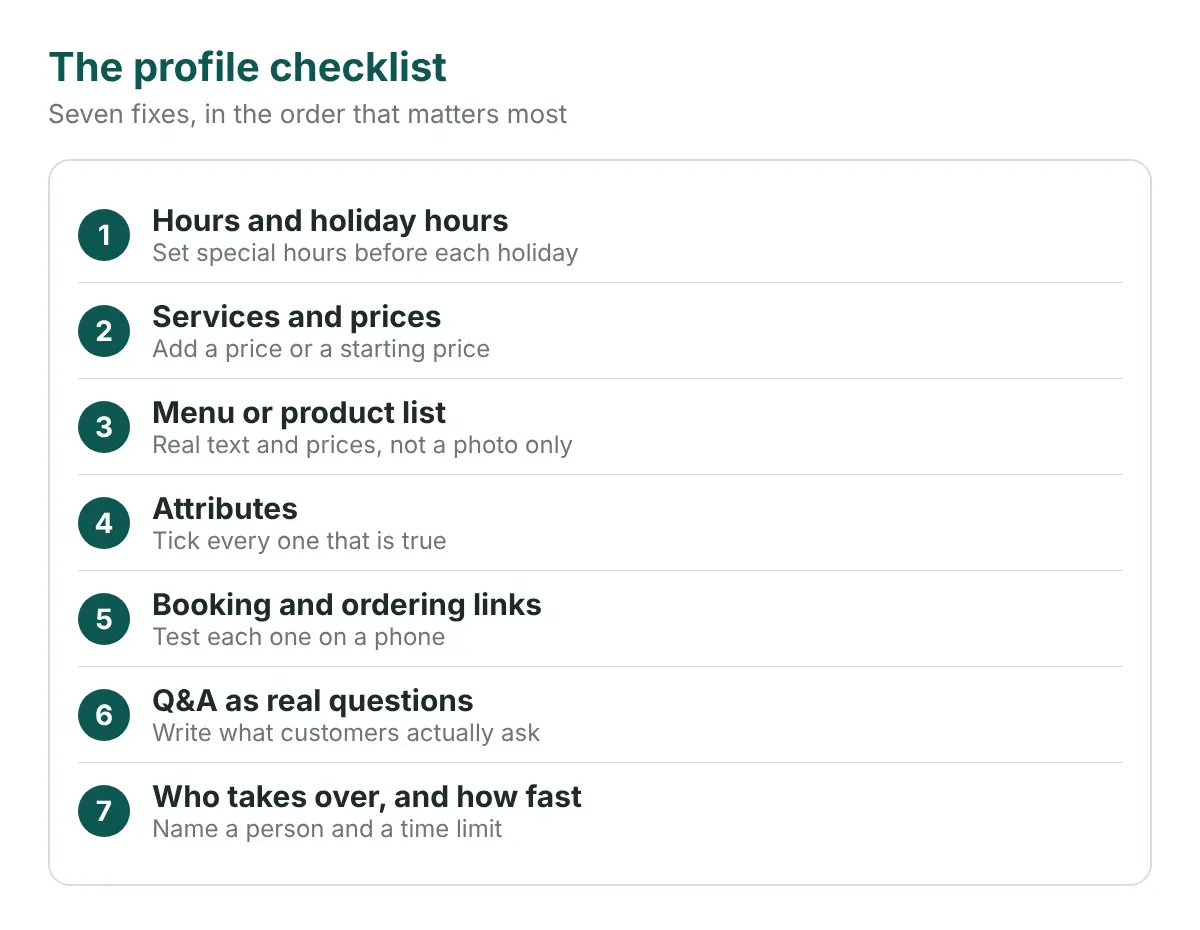
Seven steps to make your profile the script
Do these in order. The first four take about an hour. Check each one on your live profile, not from memory.
- Fix your hours, including holiday hours. Check regular hours first. Then add special hours for every upcoming holiday and event. “Are you open Monday?” is one of the most common questions a business gets.
- List every service with a price. Add each service you offer. Where a fixed price isn’t possible, give a starting price or a range. A reply of “contact the business” is a lost customer.
- Add your full menu or product list. Use real text with prices, not only a photo of a printed menu. Remove items you no longer sell. Restaurants should start here, because the pilot is restaurant-first.
- Fill in every attribute that applies. Tick the ones that are true: outdoor seating, wheelchair access, delivery, takeout, dietary options. Skip the ones that aren’t. If you serve halal, kosher or gluten-free dishes, here is how to tag them on your profile.
- Add booking and ordering links that work. Tap each link on a phone. Make sure it opens the right page and doesn’t send orders somewhere you didn’t choose. Restaurants should also read how Google’s ordering button picks a provider. AI tools that book on a customer’s behalf also depend on a working booking page, as covered in our guide to AI booking agents.
- Write Q&A as real customer questions. Think of what people ask at the counter and on the phone. “Do you take walk-ins?” “Is there parking?” “Can you handle a group of ten?” Answer in one or two plain sentences, with the facts first.
- Decide who takes over, and how fast. The agent hands off what it can’t answer. Someone has to be there to catch it. Name one person, turn on message notifications on that phone, and set a reply time you can keep, such as the same business day.
Why a fast handoff matters
I couldn’t confirm that Google uses reply speed as a ranking factor, so I won’t claim it. What is clear is simpler. A customer who asks something the agent can’t answer is waiting on you. A slow human reply cancels the benefit of a fast AI one.
Common mistakes
- Stale holiday hours. They are easy to forget and are the first thing customers ask about.
- Prices only inside an image. A photo of a menu is harder for a system to read than text.
- Q&A written like an ad. “We pride ourselves on quality” answers nothing. Answer the question that was asked.
- Ticking attributes you can’t back up. If the agent says you have a patio and you don’t, you disappoint a customer.
- Nobody watching Messages. The handoff only works if a person sees it.
- Waiting for an invite. The profile work helps in Maps and AI answers today.
The bigger picture: one cleanup, many places
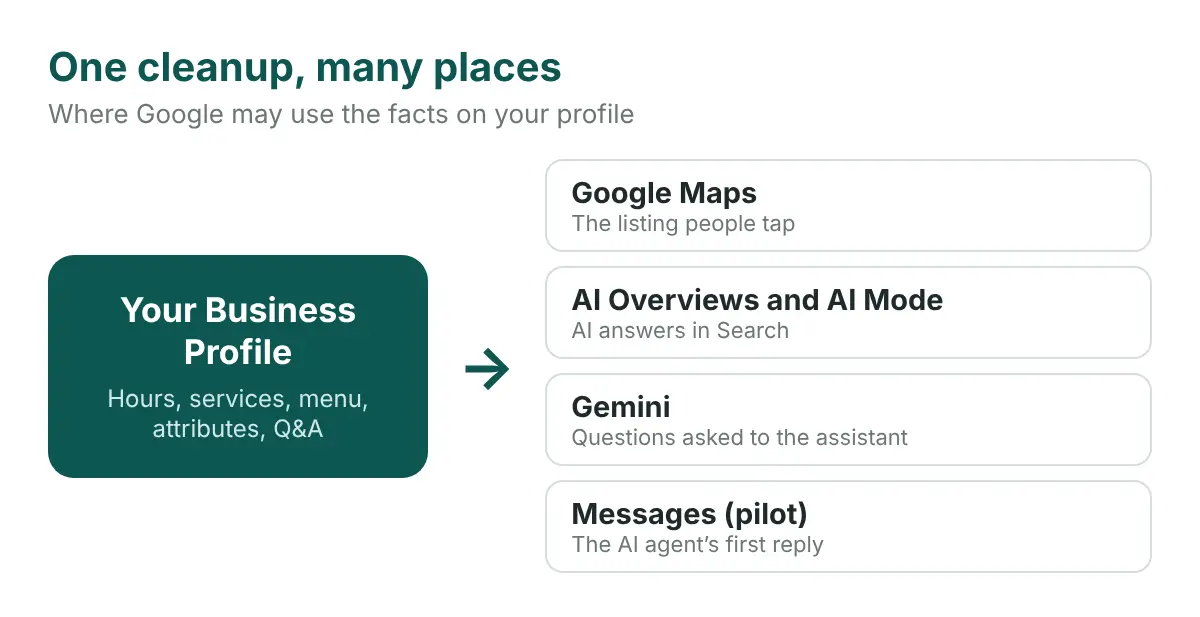
The same facts may be used in more places than messaging. Google may draw on your Business Profile in Maps, in AI Overviews and AI Mode in Search, and in Gemini answers. A profile that is complete and consistent gives all of them the right facts. A thin one gives all of them the same gaps.
That is why this work sits inside generative engine optimization (GEO). Our AI search optimization services start with the facts about your business that AI systems read. Profile work is a practical place to start. Read our Google Maps case study for a Toronto example.
Quick recap checklist
- Regular and holiday hours are correct
- Every service has a price or a starting price
- Menu or product list is current and in text
- Attributes are ticked only where true
- Booking and ordering links work on a phone
- Q&A answers real customer questions
- One named person owns Messages
Frequently asked questions
Can I turn on Google’s AI messaging agent for my business?
Not on request. It is a limited US pilot, focused on restaurants, and some owners have received invitations. No wider rollout date has been announced.
What does Google’s AI messaging agent use to answer customers?
Reports say it uses the data in your Business Profile, such as hours, services, menu, attributes and Q&A. That is why a complete, current profile matters.
What happens when the AI can’t answer a question?
Reports say it hands the question to you, and you can take over a conversation at any time. Messages appear in your Business Profile.
Will it work for businesses in Toronto?
It isn’t confirmed. The test is in the United States and the reports I found don’t name Canada. The agent reaches customers on RCS-capable phones and carriers, so check your own phone and carrier. The profile work is worth doing either way.
Is the profile work worth doing if I never get the pilot?
Yes. The same profile facts can be used in Maps, AI Overviews, AI Mode and Gemini, so a more complete profile helps customers find the right answer in each.
Your profile is the script
Customers may soon start their first conversation with you by talking to an AI that reads your profile. Give it the right words.
Write the profile like you’re answering every customer yourself.
See what AI says about your business before a customer asks
A thin profile can leave AI guessing about your hours, services and prices. Radar shows you what it says today.
Run a free Radar scan in about 30 seconds. See whether AI recommends you, who it names instead, and three quick wins to fix it.
No sign-up. No email. Instant results.
Run my free Radar scan →
About the author
Simar Singh is the founder of Digital 6ix, a Toronto SEO, GEO and content marketing agency. He works on how local businesses show up in Google Maps and in AI answers from ChatGPT, Gemini and Google’s AI Overviews. Digital 6ix publishes its audit and content-planning templates for free at digital6ix.ca/templates. Connect with Simar on LinkedIn.
Sources
- Search Engine Roundtable: Google Business Profiles AI-Powered Messaging Expands
- Partoo: Google brings back messaging on business listings, this time with an AI agent
- Search Engine Roundtable: Google Business Profiles Message Button & AI Agent On Dashboard
- TechCrunch: Google brings RCS to Rogers customers in Canada (2016)
- Google for Developers: Business Messages shutdown notice
Check your AI visibility
Radar checks what AI says about your business. See if it recommends you, who it names instead, and three quick wins.
Run my free scanBook a free audit call
Want a hand with your Business Profile? We will review it with you and map out where to start.
Book my call