
Google Now Lets Restaurants Switch Off Uber Eats and DoorDash on Their Business Profile. Here’s How to Make Google’s Order Button, and Its AI, Send Orders to You
Bottom line first: Google lets you switch off each ordering app on your Business Profile yourself, for pickup, delivery or both. The old route was a removal request that Google’s help page gave providers five business days to handle. Do the 10 minute audit below, decide which apps stay, and make sure your own ordering link is one Google can show. Do not switch off Accept orders, because that hides your own link too.
Google has added a switch. Restaurants can now turn off an ordering provider on their own profile.
Google’s Lisa Landsman shared the update on LinkedIn, and Search Engine Journal and Search Engine Roundtable covered it. The providers named include Uber Eats, DoorDash, Instacart and Grubhub. Before this, you asked each provider to remove its link, and Google’s help page gave them five business days to do it.
That is a real change for a Toronto restaurant. It is also a bigger one than it looks. The order button is no longer only for people tapping a screen.
Why the order button is now an AI question
Google rolled out ordering in Ask Maps on August 6, 2026. It is US only for now. Square and Toast were live at launch, and Uber Eats was listed as coming later.
A customer can ask for a dish near them. The assistant builds the cart. The customer reviews it and pays.
Toast says orders placed this way go through its ordering system and carry no third-party commission fees. That is Toast’s own statement, so check it against your plan.
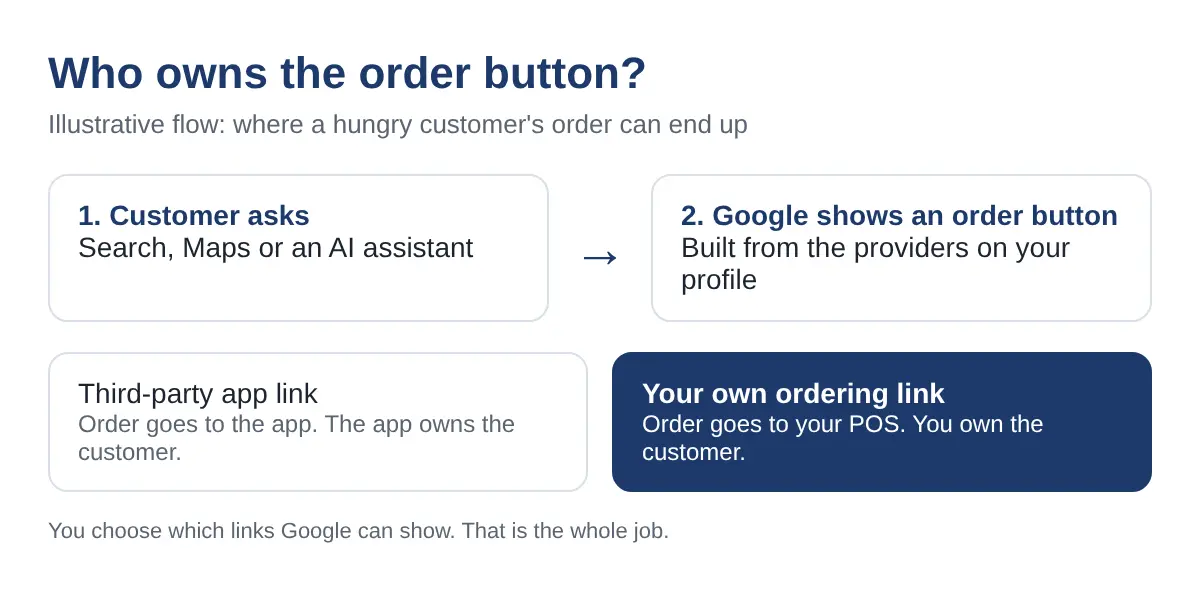
Here is why this matters for you. The links on your profile are the raw material. Google may use them in Search, Maps and its AI features. Whoever owns the link may get the order.
Ask Maps ordering is not in Canada yet. The habit it teaches is. If you run your profile well now, you are ready when it arrives.
Booking works the same way. See how AI agents now book tables and rooms for the same logic on reservations.
Group 1: See what Google shows (10 minutes)
Start with the facts. Do not change anything yet.
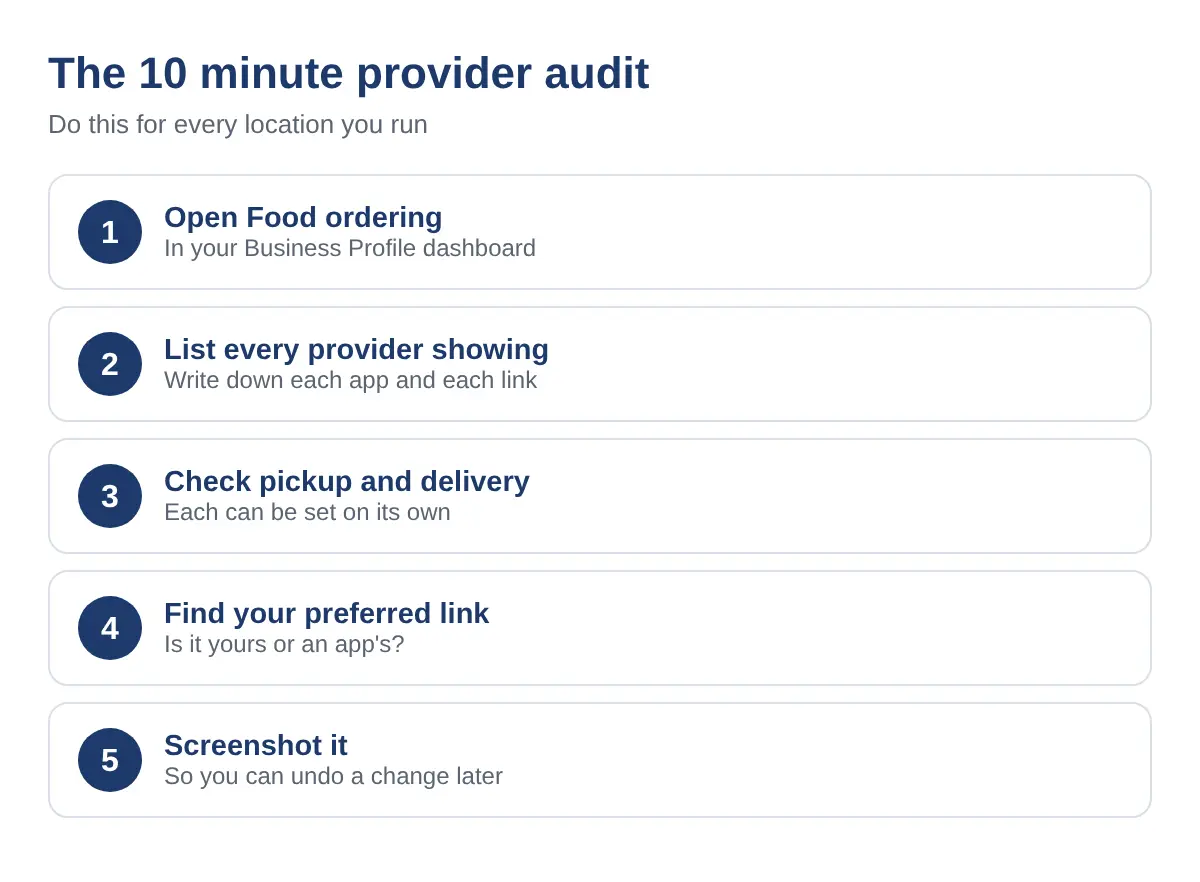
- Open Food ordering. Sign in to the profile and find the Food ordering section.
- List every provider. Write down each app and each link, such as Uber Eats, DoorDash, SkipTheDishes or Instacart.
- Check pickup and delivery. Each provider can show for pickup, delivery or both.
- Find the preferred link. Check which link is marked as preferred for pickup and for delivery. Is it yours?
- Take a screenshot. You will want it if a change goes wrong.
Run the audit for each location. Chains often find one branch looks very different from the next.
If you want a second pair of eyes on the whole profile, our marketing for restaurants in Toronto team does this every week.
Group 2: Keep, cut or prefer
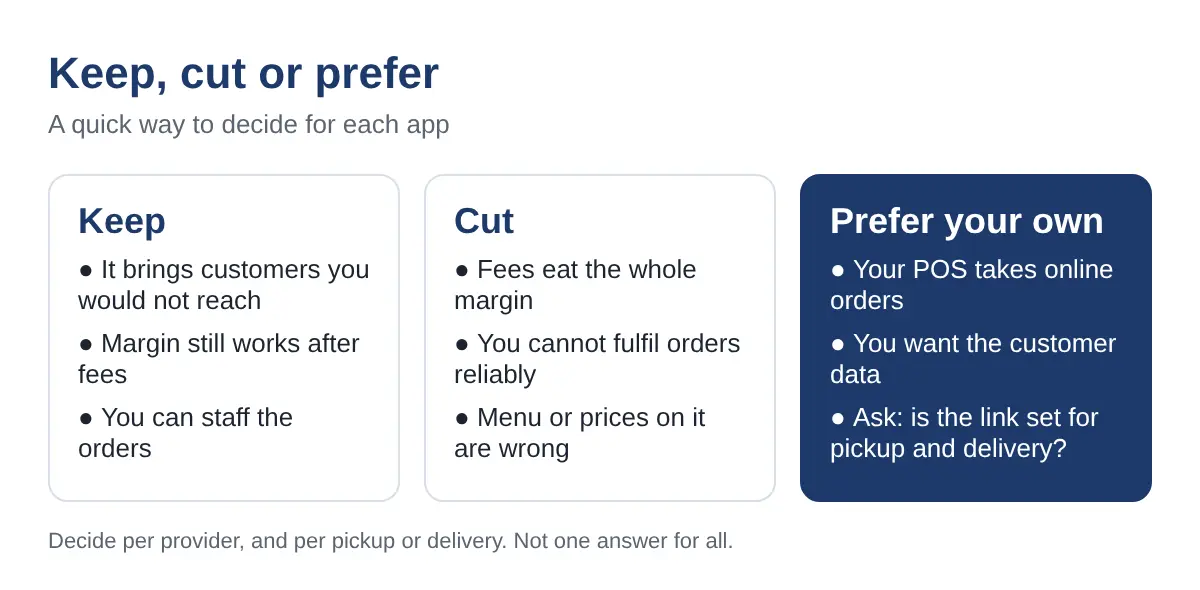
Now decide. Do it app by app, and for pickup and delivery separately.
| Your situation | Do this | Why |
|---|---|---|
| An app brings orders you would not get otherwise, and the margin works | Keep it | It is extra reach. You decide on price, not on habit. |
| Fees eat the margin, or you cannot fulfil the orders well | Cut it for that channel | A late or wrong order costs more than a missed one. |
| Your POS already takes online orders | Prefer your own link | The order, the customer and the data land with you. |
| An app lists wrong prices or an old menu | Cut it until fixed | Customers blame you, not the app. |
Pickup is often the easy win. A customer collecting the order does not need a courier, so your own link can carry it. Delivery may still need an app.
Switching off a provider is not a punishment. You can turn it back on.
Group 3: Avoid the toggle traps
The new switch is simple. The traps are not obvious.
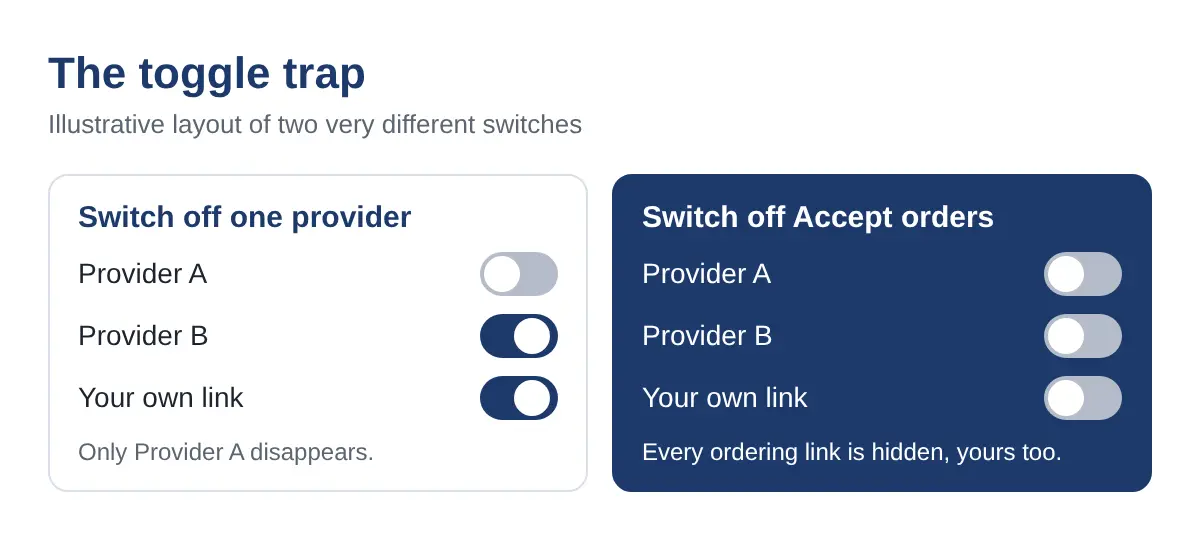
- Do not turn off Accept orders to remove an app. Google’s help page says every ordering link on the profile is hidden, first-party ones included.
- Do not change pickup and delivery together by habit. Check each one.
- Do not forget the provider list after a POS change. A new tool can bring a new link.
- Do not remove an app and leave nothing in its place. Add your own link first, then cut.
Check your own dashboard. This is a new control. The screens and options may differ between profiles and over the next few weeks.
Group 4: Make your own ordering page AI-ready
Having your link on the profile is half the job. The page behind it has to be easy for a person and a machine to read.
- Put the menu in plain text. A PDF or a photo of a menu is hard for AI to read.
- Match hours and prices everywhere. Your site, your profile and every app should say the same thing.
- Add Menu and Restaurant schema. It gives machines a standard way to read your menu, hours and address. Our technical SEO work covers this. It supports the page. It does not guarantee anything.
- Use a POS that connects. Square and Toast were the two live at the Ask Maps launch.
- Tag what matters. Dietary tags help too. See how to show up for halal, kosher and gluten-free searches.
How to score yourself, and what to fix first
Give yourself one point for each. There are ten.
- I opened Food ordering for every location.
- I listed every provider showing.
- I know the preferred link for pickup and for delivery.
- Each app has a reason to stay.
- My own link is added and, where I want it, preferred.
- Accept orders is still on.
- I checked pickup and delivery separately.
- My menu is plain text.
- Hours and prices match everywhere.
- My POS connects, and I have Menu or Restaurant schema.
9 or 10: You are ready. Recheck monthly.
6 to 8: Fix the traps first, then the page.
0 to 5: Start with Group 1. You cannot choose what you have not seen.
Want an outside check of how AI describes your restaurant today? Run the free AI Visibility Check.
What to watch next for GTA restaurants
Ask Maps is available in Canada, but agentic ordering is US only for now. There is no date for Canada that I could confirm.
Prepare anyway. A clean provider list, your own link, a plain text menu and a connected POS are all work you can finish this month.
Watch two things. Whether Google brings ordering to Canada, and which POS and delivery partners it supports when it does.
Frequently asked questions
Can I turn off Uber Eats or DoorDash on my Google Business Profile now?
Yes. Google now lets restaurants switch off individual ordering providers in the Business Profile dashboard, for pickup, delivery or both. Open the Food ordering section and check your own profile, because the options you see can differ.
What happens if I turn off Accept orders?
Google’s help page says all ordering links you added to the profile are hidden, your own link included. If you only want to remove one app, switch off that provider instead.
Will Google’s AI send orders to my restaurant?
Google’s Ask Maps can order food for users in the US, with Square and Toast live at launch. It may use the ordering links and menu information it can find, so a clear own-ordering link and a readable menu give it something to use. Canada does not have agentic ordering yet.
Do I need Menu schema to show up in AI answers?
No one can promise that. Menu and Restaurant schema help machines read your menu, hours and address in a standard way. They work best when the visible page says the same thing in plain text.
How often should I check my Food ordering list?
Check it every month and after any change to your apps or POS. A provider can be added by a partner you forgot about, and a quick look keeps the list honest.
Own the button
You can now remove an app in minutes. The harder part is making sure your own link is ready to take its place.
The order goes to whoever owns the button.
See whether AI sends diners to you or to an app
Customers now ask Maps and AI where to eat and what to order. Your profile, menu and ordering link shape what they hear back.
Run a free Radar scan on your restaurant. It takes 30 seconds, and shows who AI names instead of you.
No sign-up. No email. Instant results.
Check my restaurant with Radar →
About the author
Simar Singh founded Digital 6ix in Toronto. His team works on local search, SEO and GEO, so restaurants and other local businesses show up, and are described correctly, when customers ask Google Maps or an AI assistant. Digital 6ix publishes its working audit and content-planning templates for free at digital6ix.ca/templates. Connect with Simar on LinkedIn.
Sources
- Search Engine Journal: Google Lets Restaurants Directly Opt Out Of Ordering Providers
- Search Engine Roundtable: Google Business Profiles adds third-party ordering controls
- Google Business Profile Help: Manage online ordering options
- MacRumors: Google Maps can now order your dinner
- PPC Land: Google Maps gains food ordering through Square and Toast
- MobileSyrup: Ask Maps and Gemini in Google Maps
Instant AI visibility scan
Test your restaurant with Radar in 30 seconds. See if AI names you, who it names instead, and three quick wins.
Run my free scanBook a free audit call
Want us to look at your profile and ordering setup? We will go through what Google and AI show, and where to start.
Book my call