
Gemini Now Picks Restaurants and Shops From Your Customers’ Own Google Maps Saves. Here’s How to Be on Their List
Bottom line first: Gemini can now use a person’s own Google Maps searches and saved places, and pair them with Calendar, to answer “where should I go?” So two customers can ask the same question and get different businesses. Google has not said that saves help a business get picked. But the places a customer has searched, saved or visited now look like the shortlist, and your job is to be on it.
For years, local marketing meant ranking for everyone who typed the same words.
That goal is not gone. But Gemini is starting to answer from the customer’s own history first.
This guide covers what changed, what Google has and has not confirmed, and what a local business can do about it this month.
What changed this week in Gemini and Google Maps?
Two things landed within days of each other.
- October 22: 9to5Google reported that Gemini’s Personal Intelligence can now use your Google Maps searches and saved places, and combine them with Calendar. The example given is asking for the best place after today’s meetings. Gemini checks where your last meeting is and picks from places you have saved nearby.
- October 20: Google began rolling Personal Intelligence out to Gemini in Android Auto. Cars with Google built-in are expected to follow in the coming months.
Personal Intelligence itself is not new. It reached the Gemini app in Canada in April 2026. What is new is that Maps history now feeds it.
Why does the same question now get different answers?
A normal local search tries to give everyone the same ranked list. Distance and a few signals shift it a little, but the idea is one list for the question.
Personalized answers work the other way. Gemini starts from what this person has searched, saved and scheduled.
So the question “where should I eat after work?” has no single winner. Each customer gets an answer built from their own places.
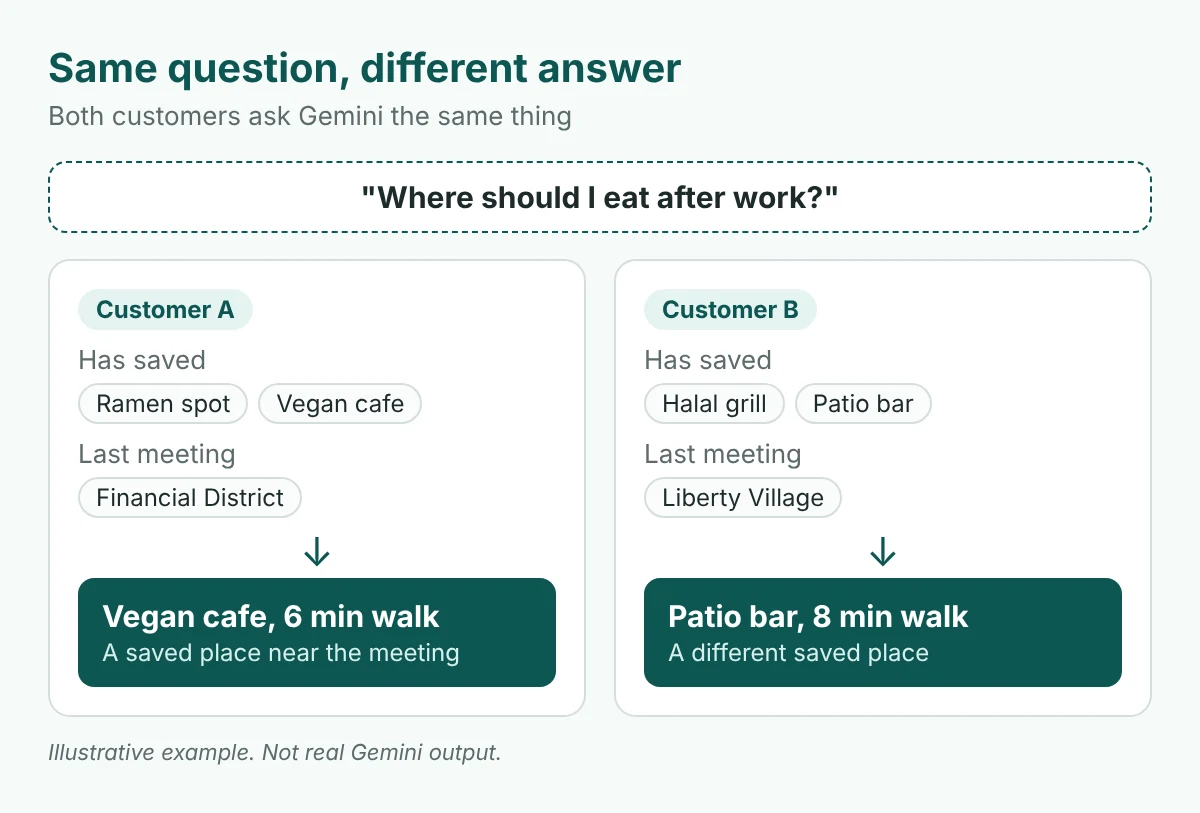
That is a real change for a business that has relied on ranking well. It is also a chance. A smaller business that a customer already likes can beat a bigger one that ranks higher but has never been saved.
If you want help working out where you stand across AI answers like this, our AI search optimization services start with exactly that question.
What has Google confirmed, and what hasn’t it?
Be careful here. Most of what is public comes from news reports on the rollout, not from a full Google help page.
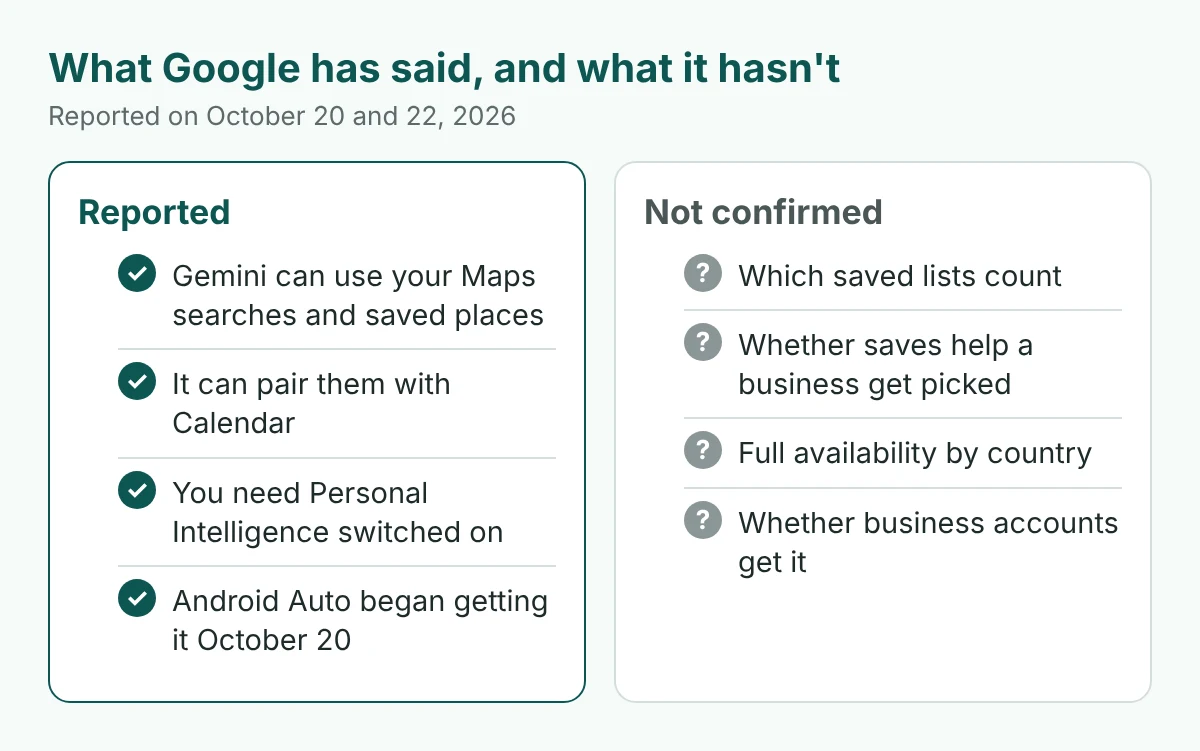
- It is opt-in. The feature needs Personal Intelligence switched on. For Android Auto, reports say it is off by default.
- It is for personal accounts. Reports say it is limited to personal Google accounts and users 18 and older, and not to Workspace business or school accounts.
- Availability is unclear. One summary lists the EEA, Switzerland, the UK and Nigeria as excluded. I could not find a Canada-specific confirmation for the Maps piece or for Android Auto.
- No help page says which saved lists count. An older Google help page said Gemini could not use saved places except Work and Home. That does not match the new reports, so treat the help page as out of date until Google updates it.
- Nothing says saves are a ranking factor. Gemini picking from your saved places is not the same as Google ranking businesses by how many people saved them.
Read this twice: everything below is a reasonable response to a stated change, not a proven ranking tactic. We are not claiming saves boost visibility for everyone. We are saying a saved place is the one a personalized answer can reach.
How do you get saved, not just found?
A customer cannot save you if they never think to. So ask, in a place they already look.
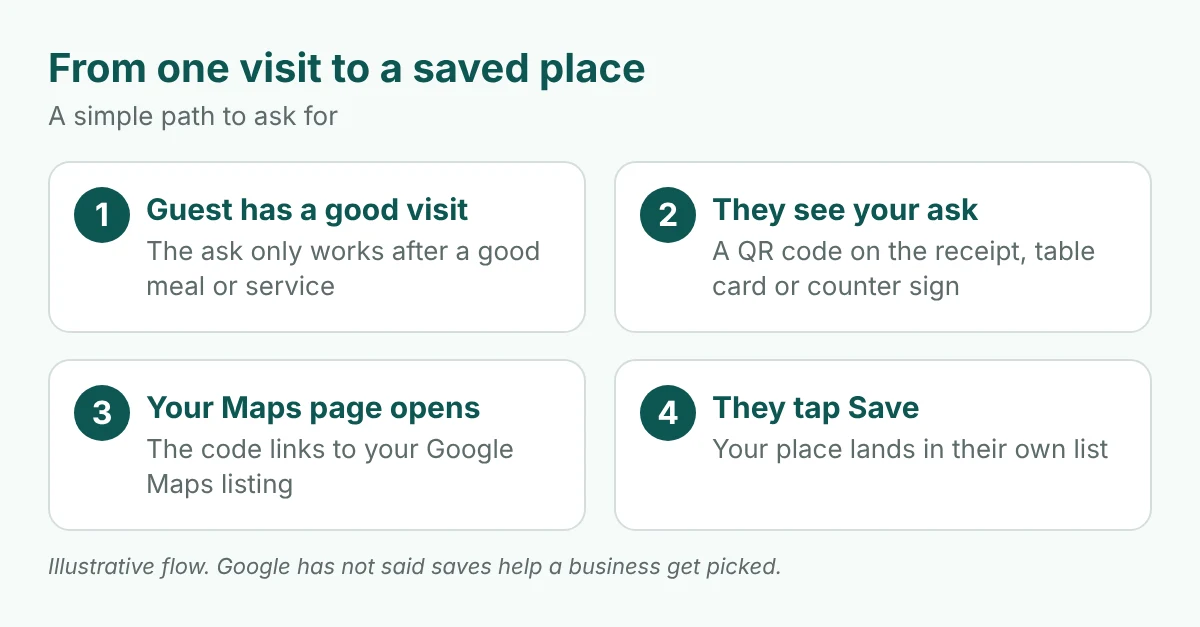
- Put a QR code on the receipt or table card. Link it to your Google Maps listing, where the guest can tap Save. Google also has its own review link and QR code feature, which you can create from a computer. A review code is for reviews, so use a plain Maps listing link for the save ask.
- Add one short line. Something like “Liked it? Save us on Google Maps for next time.”
- Ask at the end of a good visit. After the dessert or the finished job, not at the door.
- Never pay for it. Google bans incentives for reviews. We would not offer a discount for saves either.
Repeat customers matter more here. Someone who has searched for you, saved you and come back is the person a personalized answer is most likely to name.
Our own Google Maps case study shows how we approach Maps work for a local business. Saves are one more thing to build on top of it.
How do you feed the preferences Gemini remembers?
Personal Intelligence is meant to remember things about a person. If a customer always searches for halal food or patios, a match is easier when your listing says so clearly.
Make your facts easy to read in two places: your Business Profile and your own website. Say the same thing in both.
- Dietary badges. If you serve halal, kosher, gluten-free or dairy-free food, set the badges. Our guide to dietary badges in Google Business Profile walks through it.
- Seating. Indoor, patio, bar seats, groups. Say what you have.
- Price range. One clear range, matching your menu.
- Hours. Including late nights and holidays. A wrong closing time can cost you the pick.
- Attributes. Wheelchair access, parking, reservations, takeout. Fill in every one that is true.
On your site, put the same facts in plain text, not only in images or a PDF menu.
What does this look like in Toronto?
Here are three patterns to watch. These are our reading of the change, not things Google has confirmed.
- After-work picks near downtown offices. A person with a late meeting in the Financial District may get places they saved nearby. If your bar or restaurant has never been saved by anyone who works there, you are not on that list.
- Drive-time picks on the 401 and DVP. With Personal Intelligence now in Android Auto, drivers may ask for a stop along the way. Clear hours and a pinned location matter more when someone is deciding at a red light.
- Neighbourhood regulars. A corner cafe in Leslieville or the Junction wins on being the place people already go. That is the group most likely to have saved you.
If you run a restaurant or hospitality business, our restaurant and hospitality marketing page covers how we approach this.
How can you test it yourself?
You do not need a tool. You need a personal Google account and about 20 minutes.
- Turn on Personal Intelligence. Use the Gemini app settings and connect the services you are comfortable with, including Maps and Calendar.
- Save a few spots. Save two or three places in Google Maps, including one of your own competitors or your own business.
- Ask local questions. Try “best dinner near my last meeting” or “where should I get coffee this afternoon?”
- Log what changes. Note who Gemini names, then save or unsave a place and ask again.
- Repeat from a second account. Same question, different history, different answer.
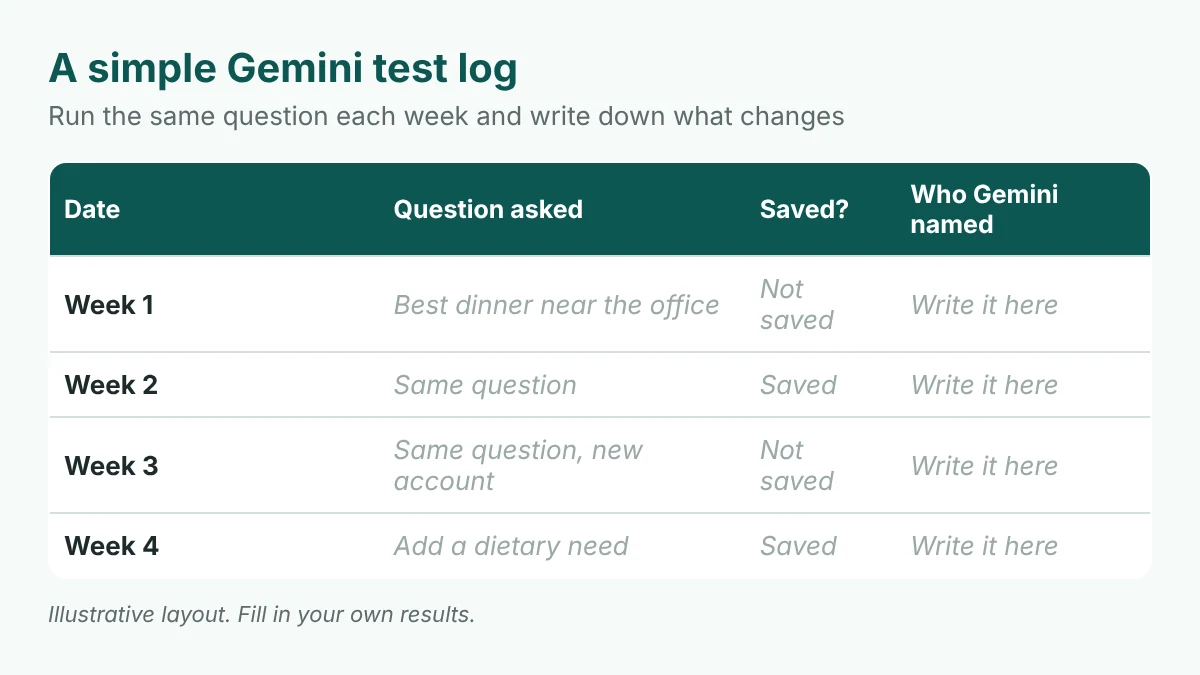
This is a small test, not a study. Treat what you see as a clue. To see how AI tools describe your business to people with no history, run a free AI visibility check.
The goal is shifting
Ranking for everyone still matters. Being the place a customer already knows now matters too.
Be the place they searched, saved and came back to.
See whether AI names your business when customers ask
Personalized answers start from what a customer already knows. Before you work on saves, find out how AI tools describe you to people who have never heard of you.
Run a free Radar scan in about 30 seconds. It shows whether AI recommends you, who it names instead, and three quick fixes.
No sign-up. No email. Instant results.
Run my free Radar scan →
About the author
Simar Singh runs Digital 6ix, a Toronto agency for SEO, GEO and content marketing. His work helps local businesses show up in Google Maps and in AI answers from ChatGPT, Gemini and Perplexity. The agency shares its audit and planning templates free at digital6ix.ca/templates. Find Simar on LinkedIn.
Sources
- 9to5Google: Gemini app expands Google Maps Personal Intelligence (Oct 22, 2026)
- 9to5Google: Google upgrading Gemini for Android Auto with Personal Intelligence (Oct 20, 2026)
- Google: Gemini Personal Intelligence in Android Auto and cars with Google built-in
- iPhone in Canada: Google brings Gemini and Personal Intelligence to Android Auto
- Android Authority: Gemini Personal Intelligence on Android Auto
- MobileSyrup: Personal Intelligence in the Gemini app in Canada
- Google Business Profile Help: Create a Google link or QR code to request reviews
- Google Business Profile Help: Tips to get more Google reviews
Instant AI visibility scan
Check in 30 seconds whether AI tools name your business. Radar shows who they pick instead and what to fix first.
Run my free scanBook a free audit call
Want a person to look at your local visibility? We will review your Maps and AI presence and suggest where to start.
Book my call