

Google Is Testing an Official Sites Box at the Top of AI Answers. Here’s How to Make Sure It Points to Your Website, Not a Middleman
Bottom line first: On October 15, 2026, Google announced a dedicated section for official websites in AI Mode and AI Overviews. Reports differ on how widely it is live, and Google has not said how it chooses which sites count as official. So the safe plan is to make your site the easy, obvious answer: one clear home base, pages that do the job, and profiles that all point back to you. This guide gives you a 12-point audit to run this week.
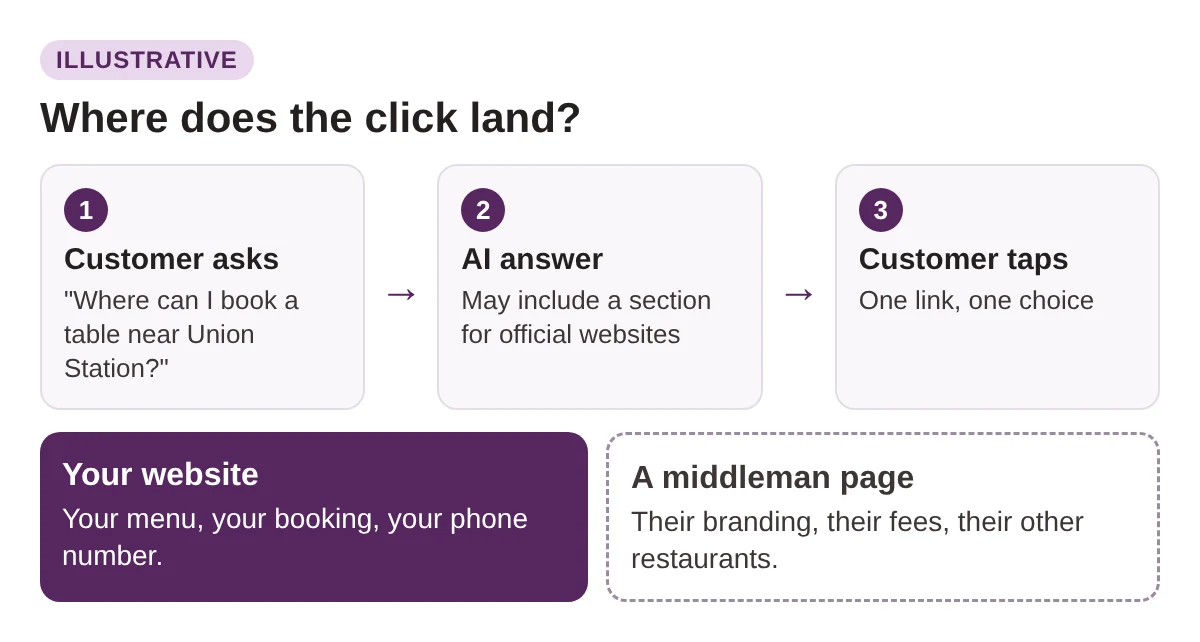
Picture a customer in Mississauga asking AI where to book a table. The answer shows an official sites section. Your restaurant is named, but the link goes to a booking platform, not to you.
The booking, the customer data and the first impression now belong to someone else.
That is the risk with an official sites box. It does not only decide whether you show up. It decides who gets the click.
What Google announced, and what is still unclear
On October 15, 2026, Google published an update to AI Mode and AI Overviews called “More ways to connect with the web from Search.” Most of it is about links:
- Inline links move higher up in AI answers and show more often.
- Creator profiles become clickable.
- News carousels and Preferred Sources expand to more places and languages.
- A dedicated section highlights official websites, to help people find exactly what they need.
The official sites section is the part that matters to a local business. Search Engine Land covered the update. One report describes the section as a test with no set timing, while Google’s own post presents it as an update.
Here is what we could not find:
- How Google decides that a site is official.
- Which searches trigger the section.
- When it reaches Canadian searches in every form.
So treat everything below as preparation, not a recipe. Nobody outside Google can promise you the slot.
Why middlemen are the real risk for local businesses
Most local businesses are known online through a platform:
- OpenTable, Resy or Tock for tables
- Uber Eats or DoorDash for delivery
- Yelp for reviews
- Booking apps for salons, clinics and trades
These platforms have large, well-linked pages with your name, address and hours on them. To a system looking for the official source, a listing like that may look as official as your own site.
AI Mode already sends people to platforms for bookings. Reports on its restaurant booking feature name partners such as OpenTable, Resy and Tock, and say the customer finishes the booking on the partner’s page (Android Authority). In April 2026 the feature expanded to more markets, including Canada (Winbuzzer). We covered the booking side in our post on AI booking agents for restaurants and hotels.
Illustrative examples (made up, not real businesses):
A Leslieville brunch spot: its Google Business Profile links to a booking platform, the menu is a PDF, and the most reviews sit on Yelp. Its own site is one slow page.
A Scarborough dental clinic: the website button on its profile opens a booking marketplace, and its homepage shows an old phone number.
In both cases, nothing tells a machine which page is the official one.
How the audit works: 12 checks, one point each
Set aside about 90 minutes. Open your website, your Google Business Profile and every platform that lists you.
Give yourself one point for each check you pass. Write down what fails. Our free SEO and GEO audit template is a good place to keep the list.
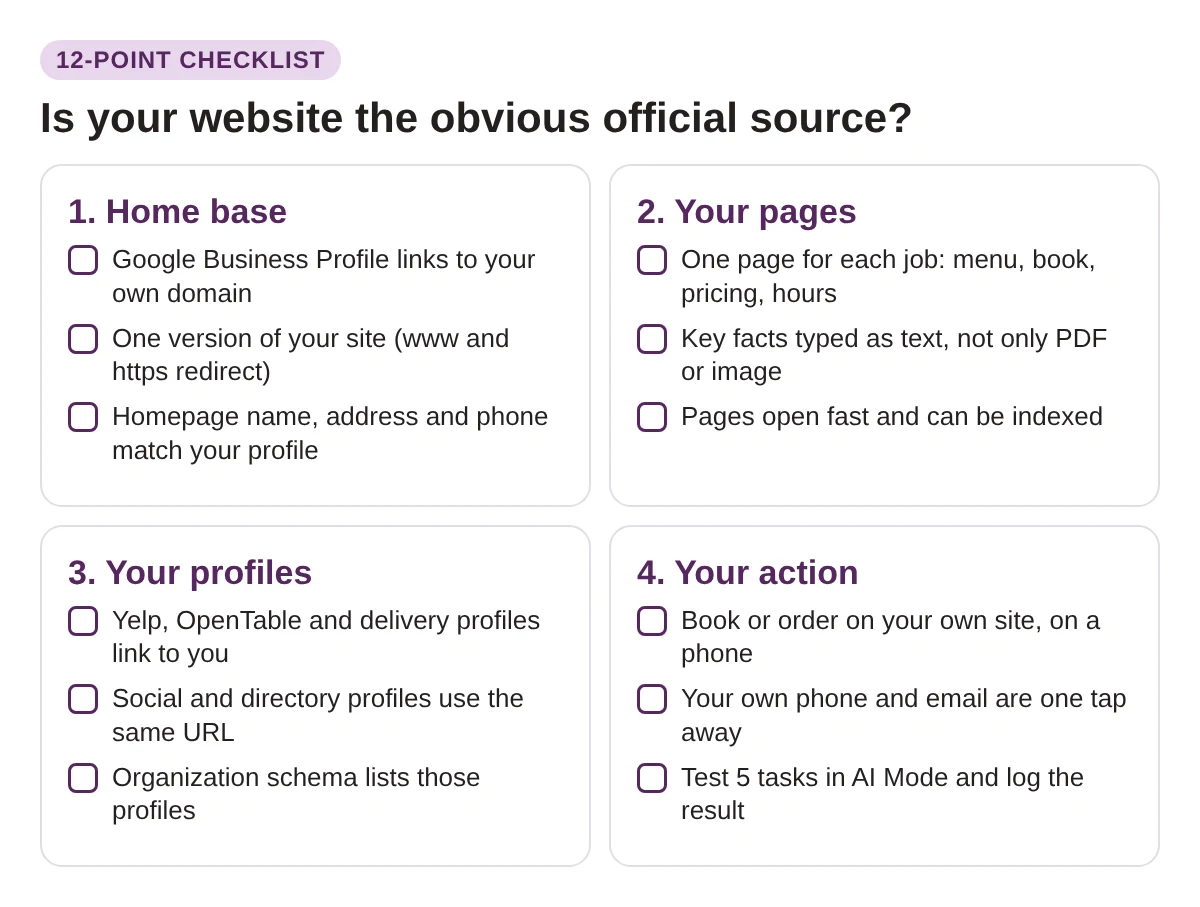
The checks fall into four groups: home base, your pages, your profiles and your action.
Group 1: Make one website your home base
- Check 1. Point your Google Business Profile at your own domain. Open your profile. If the website button goes to a booking, delivery or directory page, change it to your homepage. Where the profile has separate booking or menu links, use those for the platforms. Our Google Maps case study shows how we approach profile work.
- Check 2. Use one version of your site. The www and non-www addresses, and http and https, should all end up at a single address.
- Check 3. Match your details. Your name, address and phone number should read the same on your homepage, your footer and your profile. Look for old phone numbers and old suite numbers.
Group 2: Give every customer job its own page
- Check 4. One page for each job. If people ask AI to book, see a menu, check hours or get a quote, each one needs a page on your site that does it.
- Check 5. Type the facts. Put hours, prices, services and menu items in page text. A PDF menu or a photo of a price list is harder to read, for people on phones and for machines.
- Check 6. Make sure pages can be found. They should not be blocked by robots.txt or a noindex tag, and they should load fast on a phone. Search “site:yourdomain.ca” in Google to see what is indexed.
Group 3: Make every profile point back to you
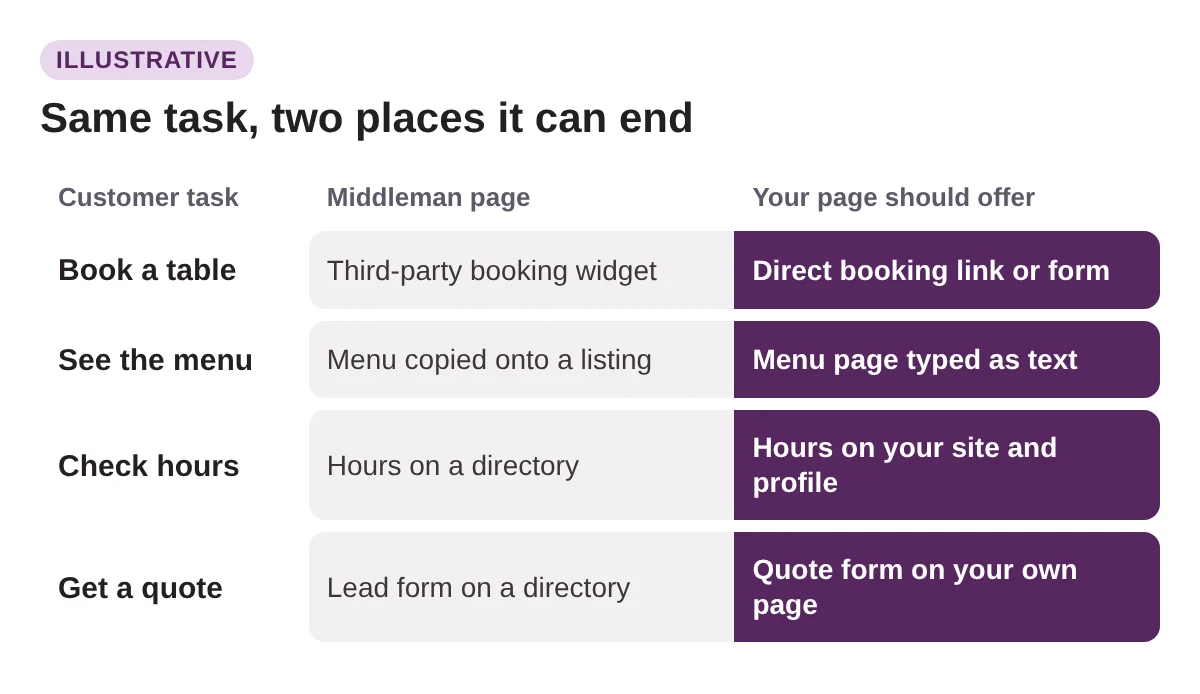
- Check 7. Update the platforms. On Yelp, OpenTable, Uber Eats, DoorDash and any booking app, fill in the website field, fix your hours and keep your name exactly the same.
- Check 8. Use one URL everywhere. Instagram, Facebook, LinkedIn and directories should all link to the same address, not three different ones.
- Check 9. Add structured data. Organization or LocalBusiness schema with a sameAs list names the profiles that belong to you. It will not guarantee anything. It removes some guesswork. Our AI search optimization services include this kind of clean-up.
Group 4: Make the main task work on your own site
- Check 10. Do the task yourself. On your phone, book, order or request a quote from your own site. If it takes more than a minute, fix that first.
- Check 11. Keep contact one tap away. Click-to-call, email and a map link should sit near the top of your main pages.
- Check 12. Test AI Mode. Ask five questions and write down which link shows first, and whether it is yours:
- Your business name.
- “Official website of [your business].”
- “Book [your type of business] in [your neighbourhood].”
- “[Your type] open now near [a nearby landmark].”
- Your menu, prices or services.
Score yourself and decide what to fix first
Add up your points. The bands below are our own guide, not a Google score.
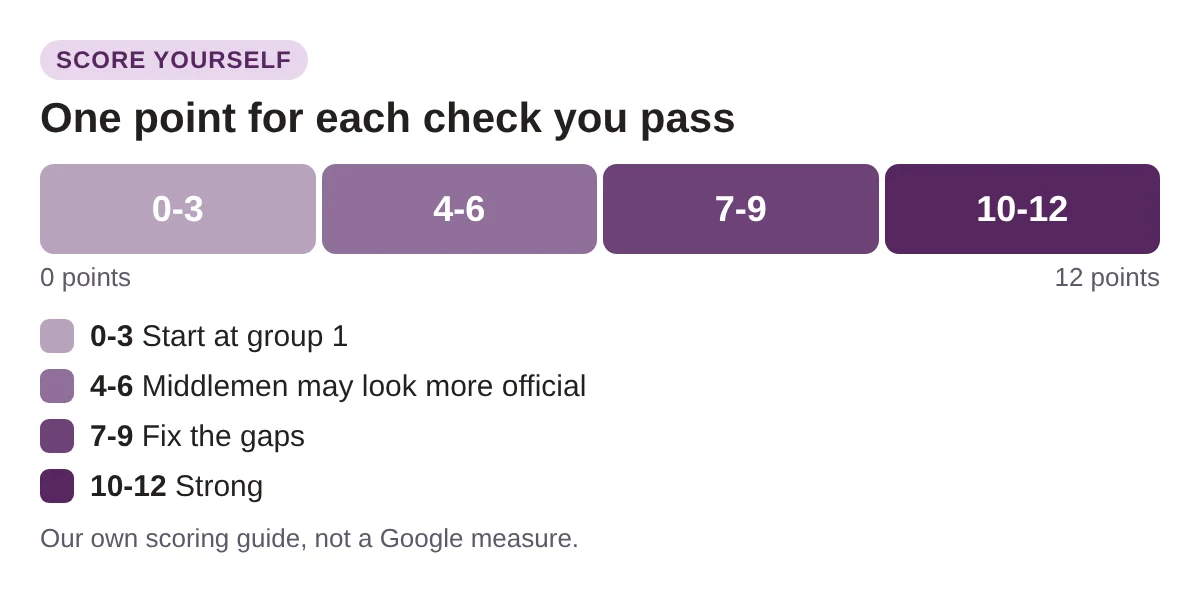
Fix things in this order:
- Group 1 first. Everything else depends on one clear website.
- Group 3 next. Profile fixes are usually the quickest wins, often an hour of work.
- Group 2, then group 4. These take more time, so schedule them.
Keep the platforms. You do not need to leave OpenTable, Uber Eats or Yelp. They bring customers. The goal is that when AI looks for your official source, it finds your website first.
Do not fake it. Stuffing the word “official” into titles or building duplicate pages will not make a site official. Fix the real signals and keep your facts honest.
FAQ
Is the official sites section live for Canadian searches?
We could not confirm it. Google announced it on October 15, 2026, and one report calls it a test with no set timing. Search your own business in AI Mode to see what appears for you.
Will Google pick my website if I pass all 12 checks?
Nobody can promise that. Google has not shared how it picks official sites. The checks make your site easier to identify, and they help customers and search in general.
Should I remove my business from booking and delivery platforms?
No. Platforms bring real customers. Keep them, but make sure each profile links back to your site and your own site does the main job well.
Do I need structured data for this?
It is optional. Clear page text and matching profiles come first. Schema is a useful extra that spells out which profiles are yours.
If a machine has to guess which site is yours, it may guess a middleman.
See which site AI points to when someone searches you
Your own audit takes 90 minutes. Radar gives you a first read in about 30 seconds.
Run a free Radar scan to see whether AI names your business, who it names instead, and three quick wins.
No sign-up. No email. Instant results.
Run my free Radar scan →
About the author
Simar Singh runs Digital 6ix, a Toronto agency for SEO, GEO and content. He helps local businesses make sure Google, ChatGPT and other AI tools find the right website and describe them correctly. Connect with Simar on LinkedIn.
Sources
- Google: More ways to connect with the web from Search (AI Mode and AI Overviews updates)
- Search Engine Land: Google updates AI Mode and AI Overview with more links, context, carousels and information on creators
- 9to5Google: Google AI Mode and AI Overview updates work to elevate links
- Android Authority: Google AI Mode will soon be able to find you dinner reservations
- Winbuzzer: Google AI Mode rolls out restaurant booking to 8 countries
Is AI sending people to you?
See if AI names your business and which site it links to. Radar runs a free 30-second check.
Run my free scanBook a free audit call
Want a second pair of eyes on your profiles and site? We will walk through the audit with you.
Book my call