
Google’s AI Mode Now Watches for New Restaurants, Pop-Ups and Deals for Your Customers. Here’s How to Be the Alert They Get
If you read one thing: Google’s AI Mode can now watch the web for a customer and alert them when something new appears. New restaurants and pop-ups are one of Google’s own examples. You can’t buy a place in that alert. You can make your news easy to find, easy to read and the same everywhere. Start with your next opening, event or deal.
A customer used to search for “new restaurants near me” once and move on.
Now they can ask Google to keep looking for them.
That changes who gets noticed. The business that is clear, current and easy to read can show up in an alert the customer never had to search for again. This guide covers what Google launched, what we know about how it works, and what to publish this month.
What did Google just launch?
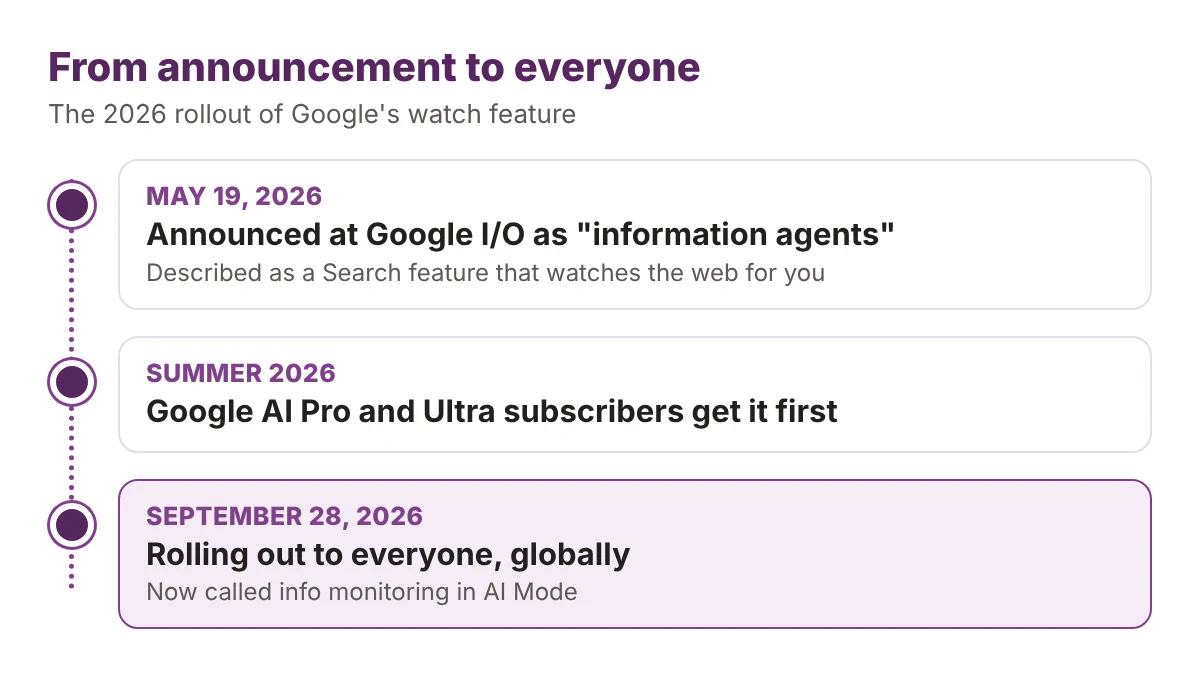
Google calls it info monitoring in AI Mode. At I/O on May 19, 2026, it first appeared as “information agents,” a Search feature that watches the web for you. Digital Trends reported that Google planned to give it to Google AI Pro and Ultra subscribers first.
At the end of September, Google’s Robby Stein said it was rolling out to everyone globally. Search Engine Journal and Search Engine Roundtable covered the rollout.
Stein gave three examples:
- New restaurants or pop-ups opening nearby
- Local holiday things to do with kids
- Back-in-stock and price-drop updates
Two of the three are local discovery. That is your territory.
What does a customer actually do?
They tell AI Mode exactly what to look for. Then Search keeps checking and updates them when something changes.
Search can also suggest a watch task while someone is searching. So a customer who looks up “pop-ups this weekend” may be offered an alert without asking for one.
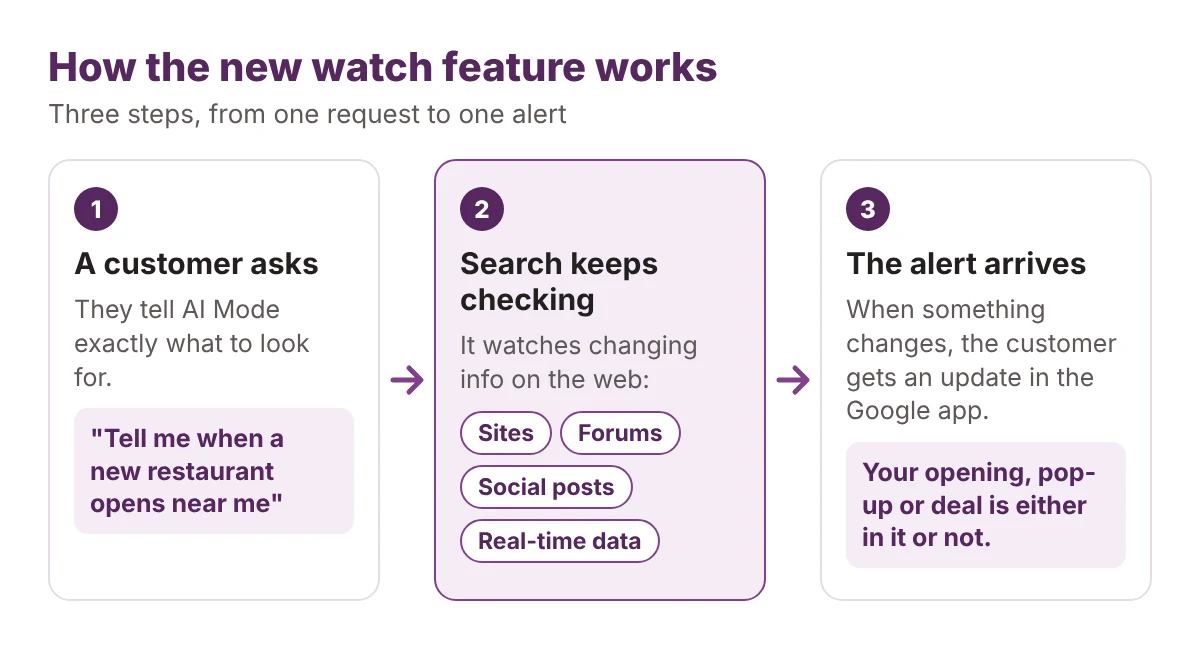
The customer does the asking once. After that, the only question is whether your news is in what Search finds.
Where does the alert get its information?
Stein said Search checks “sites, forums and social posts,” real-time data sources, and the Shopping Graph, which covers more than 60 billion products.
Read that list as a business owner:
- Sites. Your own website is the one source you fully control.
- Forums and social posts. What locals say about you counts too, not only what you post.
- Real-time data. Fresh facts, such as hours and dates, are worth keeping current.
- Shopping Graph. This is about products, so it mostly matters for deals and stock.
Google has not said how it picks sources or ranks them for an alert. We don’t know. The sensible move is to be clear and consistent in every place Google names.
Which businesses should care first?
Any business whose news is time-sensitive and local:
- Restaurants, cafes and bars with openings, seasonal menus or specials
- Pop-up shops, markets and food events
- Retailers with sales, limited drops or back-in-stock items
- Family activities and holiday events
If you run a restaurant or hospitality business, our restaurant and hospitality marketing work is built around being found at exactly these moments.
A business with no news to share still benefits from accurate basics. But the alert is a news feature. It rewards the business with something new to say.
What should you publish to be the alert?
An alert can only repeat what it can read. So write your news the way you would want it summarized.
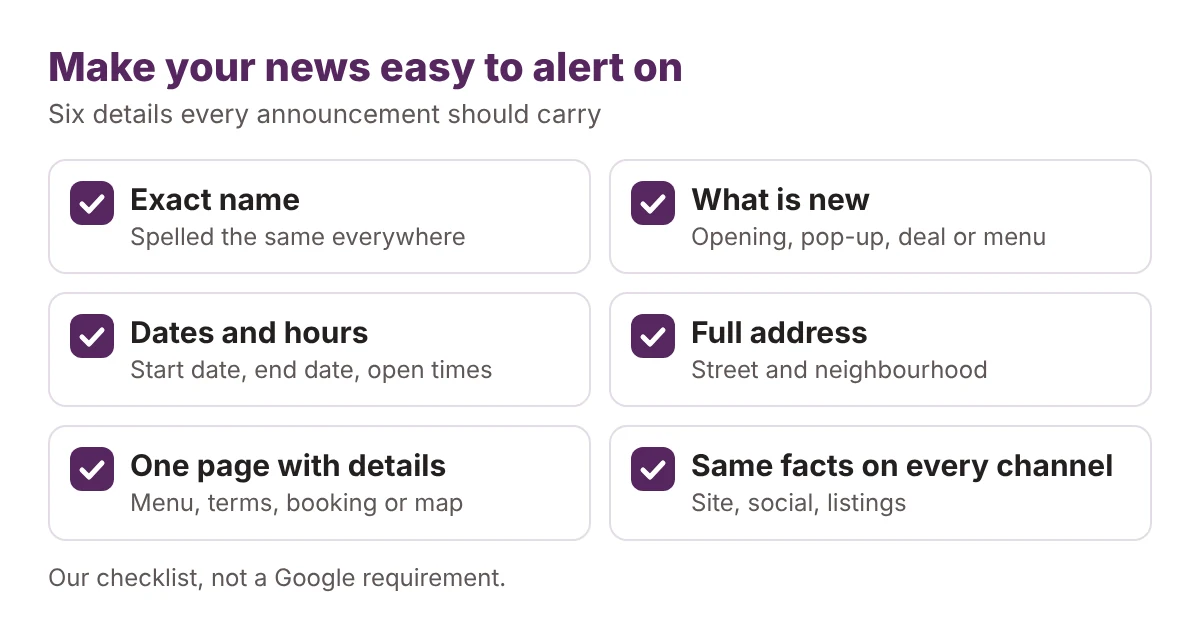
Here is the difference in practice:
| News | ✕ Easy to skip | ✓ Easy to alert on |
|---|---|---|
| Opening | “Coming soon. Stay tuned.” | Name, opening date, address and hours on one page, posted before opening day. |
| Pop-up | “Find us this weekend.” | Dates, start and end times, the exact location and what is on offer. |
| Deal | “Big savings, limited time.” | What the deal is, the end date, any conditions and the page to claim it. |
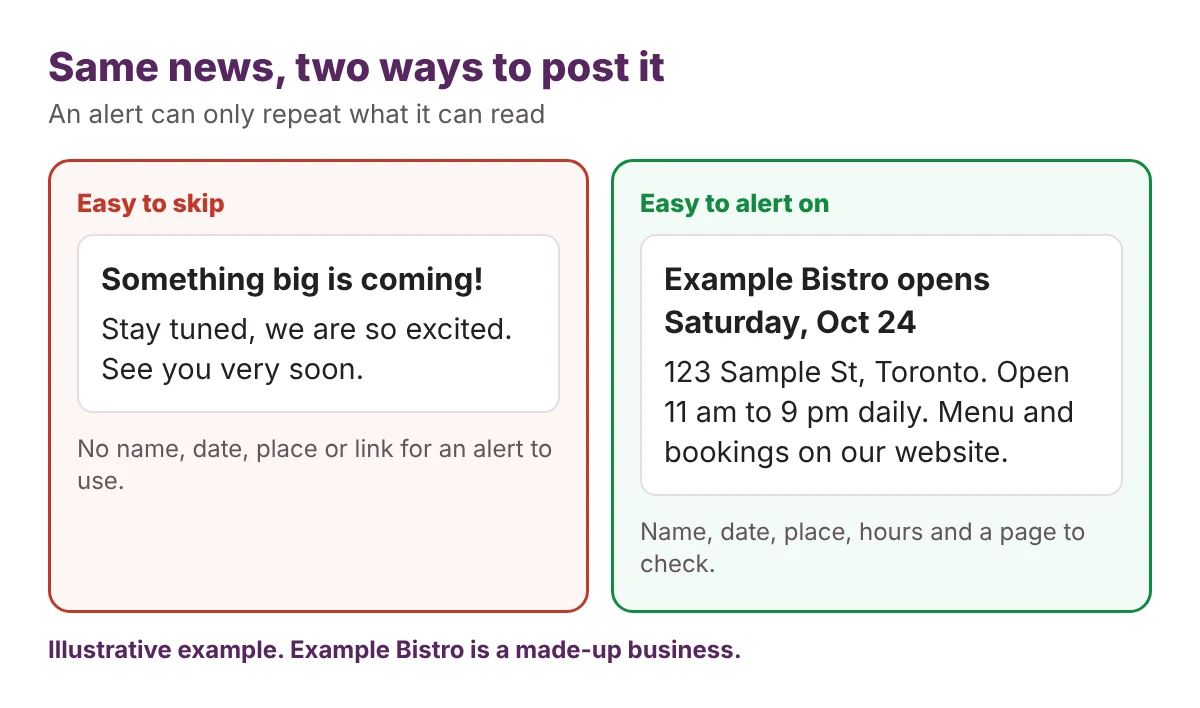
Then follow through in four places:
- Give every announcement its own page. One URL per event or deal, with the details in plain text, not only in an image.
- Say it the same way everywhere. Match your site, social posts and listings. A date that differs between them gives an alert two answers.
- Plan ahead. A watch can only find what is already published. Our event marketing calendar template helps you line up announcements before the date.
- Keep your basics right. Hours, address and menu should match across the web. Our Google Maps case study shows what that clean-up work looks like.
Our view: Google hasn’t published rules for who appears in these alerts. The steps above are good practice that fits the sources Google named. They are not a guarantee.
How can you test whether you would be the alert?
You can try it yourself in about 15 minutes. The rollout is staged, so if you don’t see the feature yet, check back in a few days.
- Search like a customer. Ask AI Mode for “new restaurants opening in [your neighbourhood]” or “pop-ups this weekend in [your area].”
- Read the answer closely. Are you in it? If you have recent news, is it there?
- Check the details. Compare names, dates, hours and addresses with what you want customers to see.
- Note the sources. See which sites and posts it leans on, and whether they are yours.
- Set a watch. Ask it to keep you updated on your category in your area, and see what arrives over the next few weeks.
Answers can differ between runs, so repeat the check. For a faster first look, our free AI visibility check shows whether AI recommends your business at all.
What do we still not know?
Open questions: Google hasn’t explained how it chooses sources. Early coverage also notes that the announcement doesn’t say whether updates link to websites, or which languages are supported.
That last gap matters. If an alert sends no one to your site, you could be named without getting a visit. Our guide to tracking AI traffic in GA4 covers one part of this, Gemini’s tagged links. We haven’t confirmed whether AI Mode monitoring updates carry a tag.
So plan for both outcomes. Be easy to read in the alert. Be easy to act on if the customer clicks.
Be the news worth watching
The customer sets the watch once. Your job is to make sure that when Search checks, your news is the clearest thing it finds.
Clear news travels. Vague news gets skipped.
See whether AI would send customers your way
Customers are starting to ask AI to find what is new near them. Do you know if your business is part of the answer?
Run a free Radar scan in 30 seconds. See if AI recommends you, who it names instead, and three quick wins.
No sign-up. No email. Instant results.
Run my free Radar scan →
About the author
Simar Singh founded Digital 6ix, a Toronto agency that helps local businesses get found in Google and in AI answers. He writes about what changes in search and what owners should do about it. Connect with Simar on LinkedIn.
Sources
- Robby Stein, Google, on X: info monitoring in AI Mode rolling out globally
- Search Engine Journal: Google rolls out AI Mode info monitoring to all users globally
- Search Engine Roundtable: Google globally rolls out monitoring capabilities in AI Mode
- Digital Trends: Google Search is getting AI agents that will monitor the web for you
Is AI naming your business?
Wondering if AI shows your business when people ask about your area? Run a 30-second Radar scan. See who it names instead, and three quick fixes.
Run my free scanTalk through your next launch
Have a launch, pop-up or deal coming up? We will look at how easy it is to find and where to tighten it.
Book my call