
ChatGPT’s “Claim Your Business” Hub: What Local Businesses Should Do Before It Launches
Bottom line first: OpenAI appears to be testing a Search Console for ChatGPT. A “Claim your business in ChatGPT” banner and a Business Hub were spotted on November 6, 2026, and OpenAI hasn’t announced either one. A claimed profile is unlikely to replace what ChatGPT already reads: your website, reviews, press and directories. So the best prep is to make your facts match everywhere before the button arrives.
Google gave businesses a Business Profile and Search Console. Now OpenAI may be building the ChatGPT version of both.
Nobody outside OpenAI has used it yet. But the early reports tell local businesses what to do now. Here is what was seen, what it may mean, and a short checklist.
What was spotted on November 6, and what OpenAI hasn’t said
On November 6, 2026, Juozas Kaziukėnas, founder of Marketplace Pulse, posted screenshots on LinkedIn. They showed a banner that read “Claim your business in ChatGPT”. It points to a larger Business Hub.
Search Engine Roundtable described it as a tool like Search Console or Webmaster Tools, built for businesses to manage and track how they do in ChatGPT. Reports say access is limited to businesses that verify ownership. Connecting a Shopify store was one example.
What we don’t have:
- An announcement from OpenAI
- A launch date
- Which businesses or countries get access, Canada included
- Verification rules beyond the Shopify example
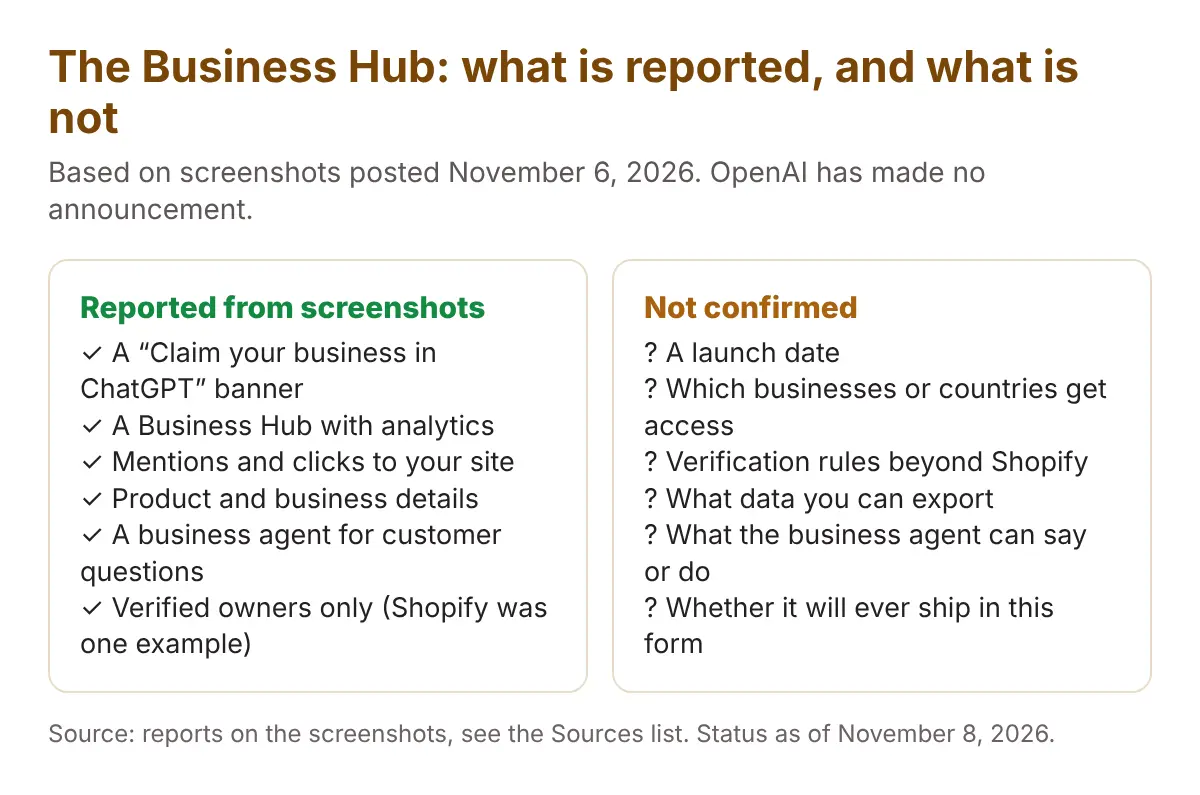
Treat every detail as unconfirmed. It all comes from screenshots and one person’s account. The feature could change before launch, or never launch.
The four things the hub is reported to offer
Coverage describes four jobs. In plain English:
| Reported feature | In plain English | What it could mean for you |
|---|---|---|
| Mention counts | How often ChatGPT names your business in its answers. | A first-party number for something you now have to estimate with other tools. |
| Clicks to your site | How many people click from ChatGPT to your website. | A cross-check against your own analytics. |
| Business and product details | A place to keep your business information current. | A way to correct facts, if it works the way it sounds. |
| A business agent | An AI that answers customer questions for you. | One more place where wrong facts get repeated to customers. |
PPC Land reports that mentions and clicks are logged daily and shown as a chart. That is all we know about the format.
The business agent is not a new idea. Google is already testing an AI messaging agent on Business Profiles that answers from the facts on your profile. If OpenAI’s agent works the same way, it is only as good as your facts.
What the hub won’t show you
Based on what has been reported, the hub does not appear to include:
- The prompts. You would not see what people actually asked.
- Competitor rankings. You would not see who ChatGPT named instead of you.
- The reasons. One analyst quoted in coverage said it won’t explain why mentions or clicks go up or down.
A chart of your own mentions tells you what happened to you. It doesn’t tell you what happened to the business next door.
So third-party AI visibility tracking still matters. You still need to ask the questions your customers ask, and record who comes back in the answer.
Why claiming won’t be enough
This part is our read, not a report. ChatGPT builds an answer from many places. Your claimed profile may become one of them. It won’t be the only one.
ChatGPT already leans on:
- Your website
- Reviews
- Press and articles
- Reddit and forum threads
- Directories
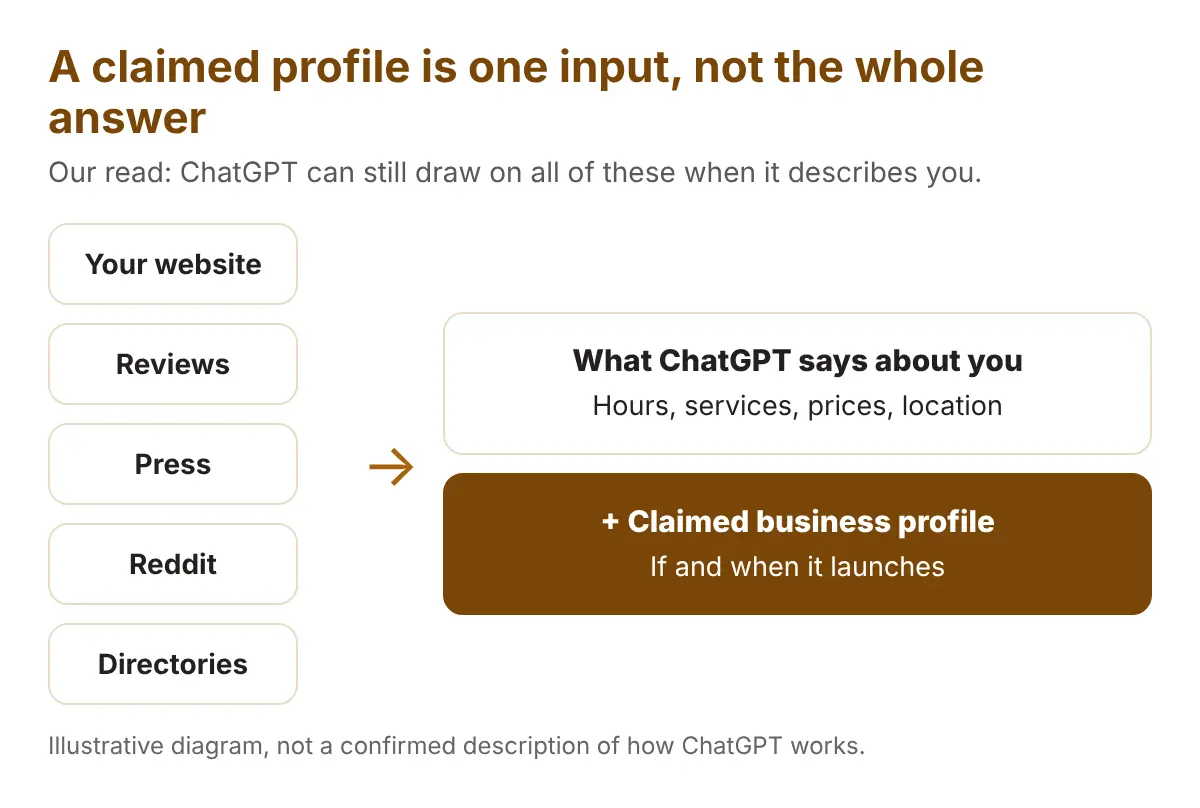
Picture a clinic. Its website says open Saturdays. An old directory says closed. A review mentions a Saturday wait. A claimed profile can state the right hours, but it cannot delete the other two. This example is illustrative, not a real case.
The businesses that win on launch day will be the ones whose facts are already clean everywhere. Fixing that mismatch is the core of AI search optimization.
Verification when you don’t run Shopify
Reports mention a Shopify connection as one way to prove ownership. They also say the banner asks you to confirm you’re authorized to represent the business. OpenAI hasn’t published the rules.
A Toronto restaurant, clinic or contractor has no Shopify store to connect. We can’t know what OpenAI will ask. These are proofs common on other business platforms, so it costs little to have them ready:
- Your legal business name and address, spelled the same way everywhere
- A business email on your own domain
- Admin access to your website and domain settings
- Owner or manager access to your Google Business Profile
- Business registration or licence documents
- The name of the person who is allowed to represent the business
Sort out who holds the logins now. The most common delay on any claim is that nobody knows who set up the account.
The pre-launch checklist
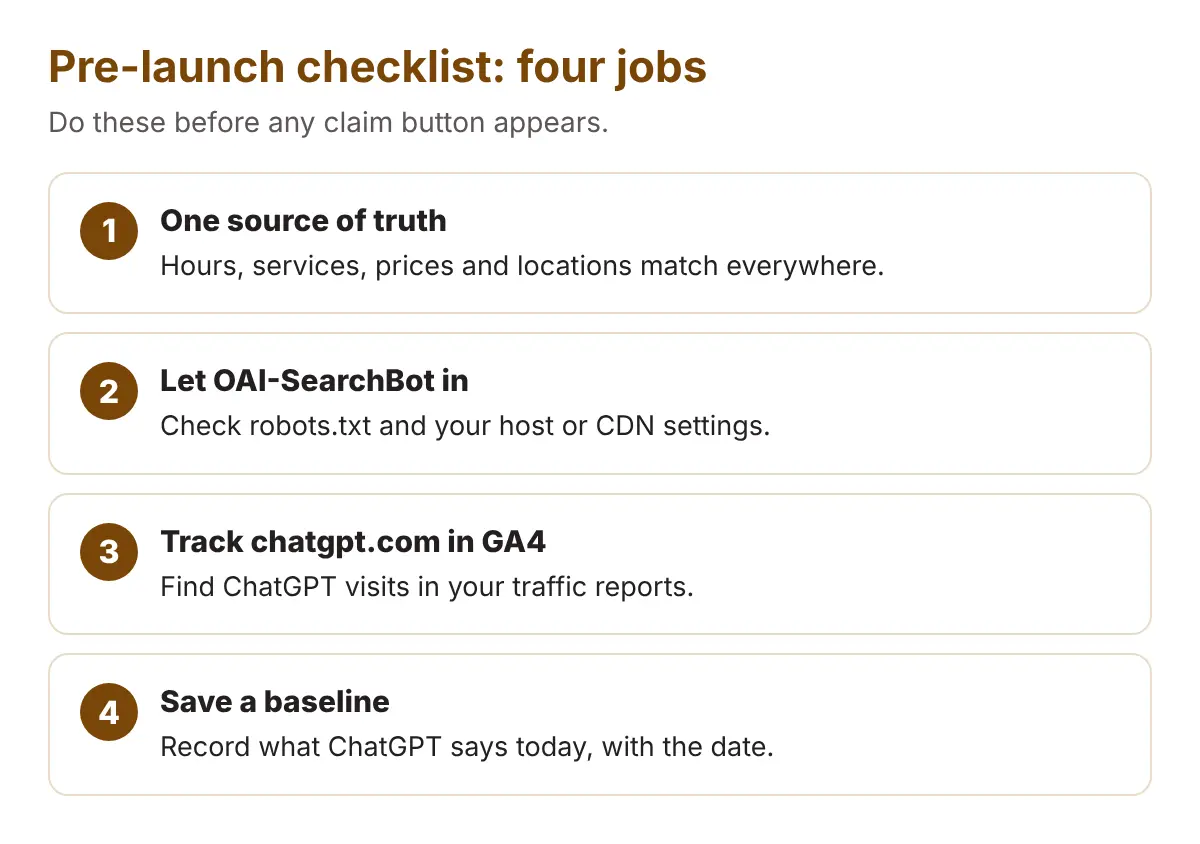
Four jobs. None of them needs the hub.
- One source of truth. Write down your hours, services, prices and locations once, in one document. Then update your website, Google Business Profile, Apple Business, Bing Places and directory listings from that document. Fix the small mismatches too, like “St.” against “Street”.
- Let OAI-SearchBot in. OpenAI’s documentation says OAI-SearchBot is the crawler used for ChatGPT search. It is separate from GPTBot, so you can allow one and block the other. Check your robots.txt, and check any firewall or CDN settings that could block it by accident. We cover the details in our post on ChatGPT’s search index and OAI-SearchBot.
- Track chatgpt.com visits in GA4. ChatGPT links can carry utm_source=chatgpt.com. Build a GA4 view of sessions where the source contains chatgpt.com, so you can see your real clicks today and compare them with the hub’s numbers later. Our walkthrough on how to tag AI visits in GA4 shows the steps.
- Save a baseline snapshot. Ask ChatGPT ten questions a customer would ask, such as “best [your service] in [your neighbourhood]”. Save each answer with the date. A free AI Visibility Check gives you a second view to store beside it.
How it fits with Google, Apple and Bing, and what to do on launch day
Google Business Profile, Apple Business and Bing Places already let you manage how your business appears in their products. The ChatGPT hub looks like the same idea for ChatGPT.
That is why step one matters. Every one of these places should say the same thing, from the same document.
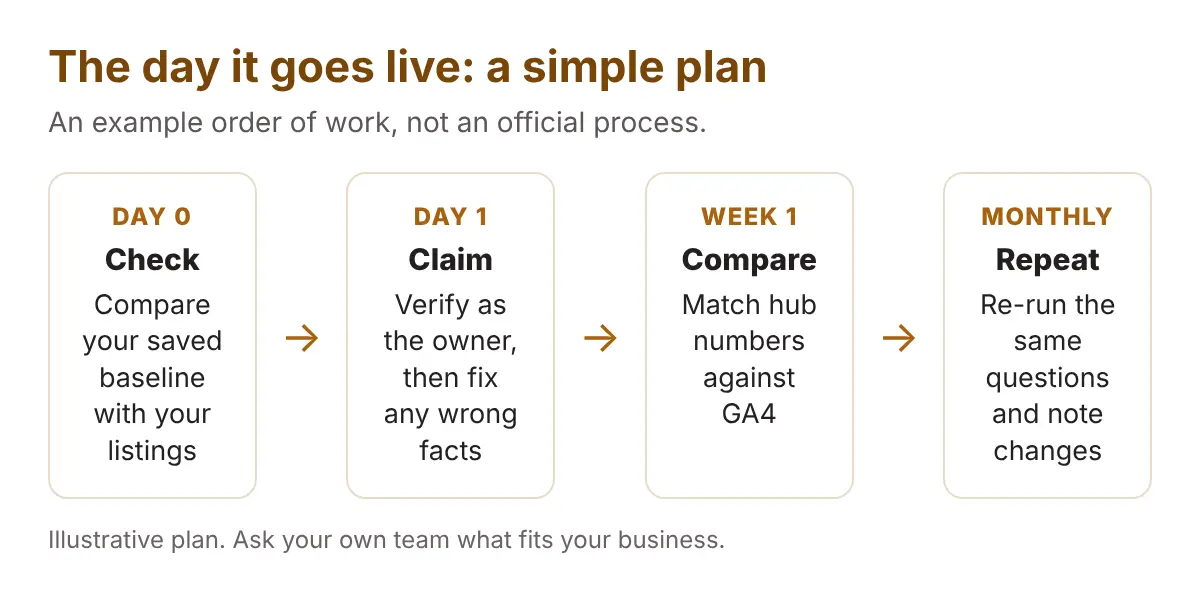
If the hub goes live, a calm plan works best:
- Check first. Compare your baseline with your listings before you claim anything.
- Claim as the owner. Use the proofs you prepared, and fix any wrong facts the hub shows.
- Compare numbers in week one. Match the hub’s clicks against your GA4 view.
- Repeat monthly. Run the same ten questions and note what changed.
Be careful with anyone selling a “guaranteed ChatGPT listing” now. OpenAI hasn’t announced the hub, so there is nothing official to sell yet.
Frequently asked questions
Is the ChatGPT Business Hub live?
Not as far as anyone has confirmed. It was spotted in screenshots on November 6, 2026, and OpenAI has not announced it or given a launch date.
Is there a “claim your business” button I can use today?
Not that we can confirm. The banner has only been reported from screenshots, and access appears limited to verified businesses.
Will claiming my business make ChatGPT recommend me?
Nothing reported so far says it will. The features described are measurement, business details and a customer-answering agent. ChatGPT may still rely on your website, reviews, press and directories.
What should a business without Shopify do now?
Get your facts consistent everywhere, allow OAI-SearchBot, tag chatgpt.com traffic in GA4 and save a baseline. Then gather the documents that prove you own and represent the business.
Clean first. Claim second.
The hub may arrive next month or never. The work above pays off either way, because ChatGPT, Google and your customers all read the same facts.
Get your facts clean now, so the claim button is the easy part.
See what ChatGPT says about your business before the hub arrives
Your baseline is the one thing you can’t get back later. Right now ChatGPT is describing your business to customers, and you may not know how.
Run a free Radar scan. It checks whether AI names you, who it names instead, and what to fix first.
No sign-up. No email. Results in about 30 seconds.
Run my free Radar scan →
About the author
Simar Singh runs Digital 6ix, a Toronto agency that helps local businesses get their facts right across Google, Maps and AI answers like ChatGPT. He writes about what changes in AI search and what a small business should do about it. Free audit and tracking templates are at digital6ix.ca/templates. Connect with Simar on LinkedIn.
Sources
- Search Engine Roundtable: OpenAI working on ChatGPT tools for business for analytics and citations
- PPC Land: ChatGPT builds mention and click charts for verified businesses
- The State of AI: OpenAI appears to be building a ChatGPT Search Console for businesses
- Technori: Is OpenAI planning to release a tool to track ChatGPT mentions?
- OpenAI: Overview of OpenAI crawlers
Check what ChatGPT says today
Ask Radar what AI says about your business today. You get who it names, who it skips and three quick fixes. It takes about 30 seconds.
Run my free scanBook a free audit call
Want a second pair of eyes on your listings and website facts? We will go through them with you and point to what to fix first.
Book my call