
Google, Microsoft, OpenAI and Anthropic Now Agree on One AI Opt-Out. How to Block AI Training Without Disappearing From AI Answers
Bottom line first: Google, Microsoft, OpenAI and Anthropic now back one shared robots.txt opt-out for AI training. Training and grounding are two different jobs. Training teaches future models. Grounding is when an AI tool looks up your page to answer a customer today. A local business can usually block the first and should think hard before blocking the second, because blocking the wrong one may quietly remove you from Copilot, Gemini or ChatGPT recommendations.
On October 30, 2026, Google published a post about a shared AI training control for websites. Microsoft announced new Bing controls the same day. The headlines say one opt-out for everyone. The detail says something more useful for a local business: you now get to decide training and grounding separately.
What changed on October 30
Two announcements landed together.
The shared opt-out. It is a robots.txt policy token called __usage_ai-training. It comes out of the IETF’s AI Preferences (AIPREF) work. Reports say Anthropic has started implementing it and OpenAI said it will honour it in the coming months. The draft behind it is not yet an IETF standard.
Google’s plan. In its Search Central post, Google says it aims to support the control in 2027. When a site uses the shared opt-out and does not mention Google-Extended, Google plans to read that as a Google-Extended disallow. Google-Extended does not affect whether you appear in Google Search, and it is not a ranking signal.
Microsoft’s three controls. Bing now separates AI Training, AI Grounding and Limited Grounding. Bing rankings are not affected by these choices.
- AI Training: whether your content can be used to train AI models. Microsoft is extending it to the page level, so a meta tag or HTTP header can override robots.txt for one page.
- AI Grounding: whether your content can be used to help generate AI answers. It is set separately, with a meta tag or HTTP header.
- Limited Grounding: the middle option. Your content can support Microsoft’s own AI products, but not the third-party grounding services Microsoft sells to other companies.
Check Bing’s own documentation for the exact tag names before you edit anything. The coverage so far describes the settings but not every value.
Training and grounding, side by side
Most of the confusion comes from treating these as one thing. They are not.
| Training | Grounding | |
|---|---|---|
| What it does | Feeds your pages into the data used to build or improve a model. | Lets an AI tool read your page at the moment someone asks a question. |
| When it happens | Before any customer asks anything. | While the customer is asking. |
| What you get | Nothing direct. No link, no credit. | A chance to be named, cited and clicked. |
| If you block it | Future models learn less from your pages. | You may drop out of AI answers that would have mentioned you. |
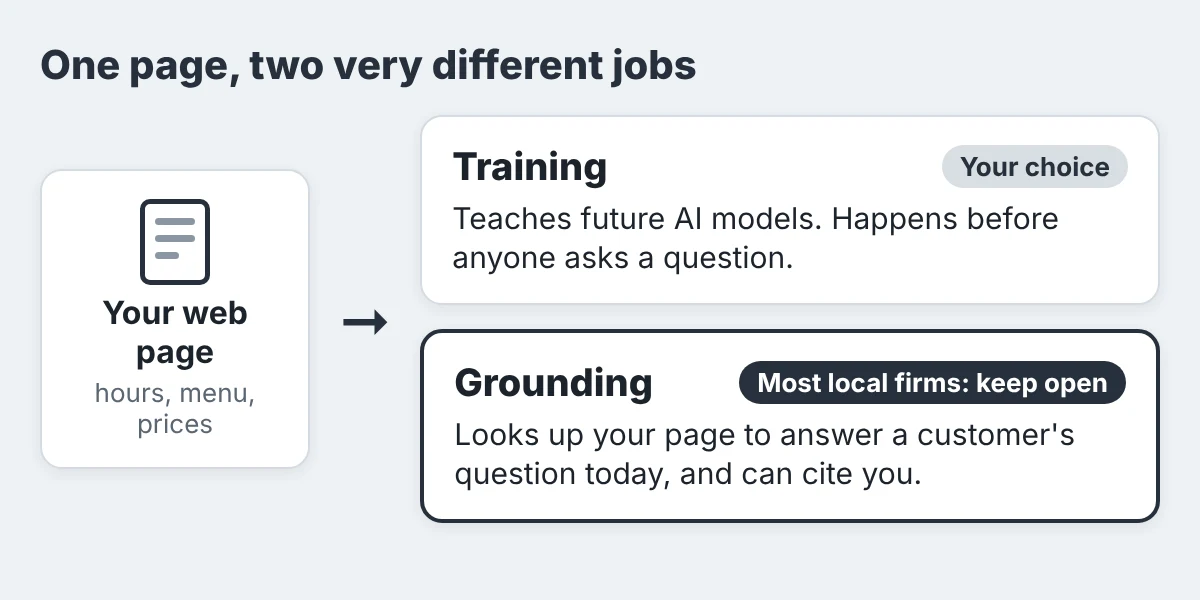
For a restaurant, clinic or plumber, the second row is the one that pays. Customers who ask an AI tool for a place to eat, a clinic that is open Saturday or an electrician who covers Scarborough are asking for grounded answers. If your page is closed to grounding, someone else gets named.
Three settings that can remove you by accident
The new opt-out is a good tool. The trouble is the older switches around it, which do not separate the two jobs.
- A blanket “block AI” setting. Many hosts, CDNs and plugins offer one toggle for all AI crawlers. It can shut out the bots that fetch pages to answer questions, not just the ones that train models. Our post on ChatGPT’s search crawler and Cloudflare shows how easily that happens.
- NOARCHIVE or NOCACHE tags. Bing has tied these to AI use. In the earlier setup they could keep a page out of Copilot answers. After March 1, 2027, Microsoft says it will no longer read them as an AI preference. If you added them years ago for another reason, they may be doing more than you think right now.
- Disallowing Google-Extended. It does not touch Search. But Google says it also covers grounding in Gemini Apps, and it plans to read the shared training opt-out the same way. A site that explicitly allows Google-Extended stays eligible to appear and get clicks through Gemini grounding.
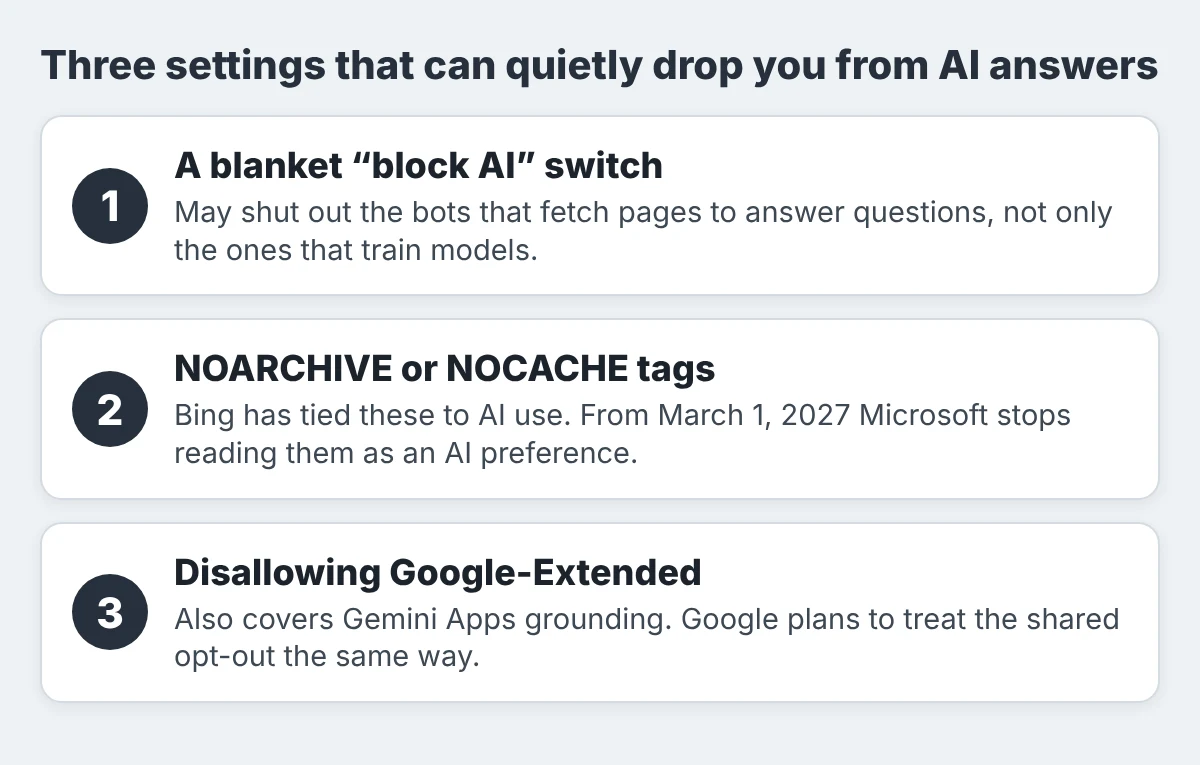
Watch this one. Adding the shared training opt-out without checking your Google-Extended line may block Gemini grounding too. Read both lines together before you save the file.
Which setting fits your business
Nobody has to block anything. If you are fine with AI models learning from your public pages, leaving training open is a legitimate choice. If you would rather opt out, the table shows how the two decisions usually split.
| Business | Training | Grounding |
|---|---|---|
| Restaurant or café | Your call | Keep open. People ask AI for hours, menus and dietary options. |
| Clinic or wellness studio | Your call | Keep public service and location pages open. Keep portals and patient pages private. |
| Trades and home services | Your call | Keep open. Service areas, call-out fees and licences are what AI quotes. |
| Retailer | Block if your product copy and photos are original and you object to reuse. | Keep open on product, stock and price pages. |
| Paid content or original publisher | Often block. | Consider Limited Grounding or page-level rules, and test the effect. |
Notice the pattern. For almost every local business the grounding column says keep open. Our free SEO and GEO audit template has a place to record these decisions next to your other AI visibility checks.
A 15-minute audit of your own site
You do not need a developer for the first pass. Open a notepad and work through this list.
- Read your robots.txt (3 minutes). Visit yourdomain.com/robots.txt. Look for
Disallowlines under Google-Extended, GPTBot, OAI-SearchBot, ClaudeBot or a generalUser-agent: *that blocks everything. Write down each line and what it blocks. A technical SEO review covers this and the next step if you want a second pair of eyes. - Search your page source (3 minutes). Open a key page, view source and search for
noarchiveandnocache. If you find them, note which pages carry them. - Check your CDN or host (3 minutes). If you use Cloudflare or a similar service, open its bot or AI crawler settings and see whether a blanket AI block is on.
- Check your site builder or plugin (3 minutes). Wix, Squarespace and many WordPress SEO or security plugins offer a “block AI crawlers” option. Read what it says it blocks before you leave it on.
- Verify your site in Bing Webmaster Tools (3 minutes). Microsoft’s temporary grounding controls arrive there on December 15, and only for eligible sites that use NOARCHIVE or NOCACHE. A verified site is ready when they appear.
Then run a real test. Ask Copilot, Gemini and ChatGPT for your business by category and neighbourhood, and see whether you are named. Our AI search optimization service includes this check, and the free scan in the sidebar gives you a quick first read.
The dates to put in your calendar
- October 30, 2026. Google and Microsoft announce the new controls. Read your robots.txt and meta tags.
- December 15, 2026. Temporary grounding controls appear in Bing Webmaster Tools, for eligible sites that use NOARCHIVE or NOCACHE. Verify your site and record your grounding choice.
- February 1, 2027. One report says Microsoft starts honouring AI Training and AI Grounding preferences as it crawls. Have your page-level tags decided.
- March 1, 2027. NOARCHIVE and NOCACHE stop counting as an AI preference. Replace old tags with the new settings if you still want them.
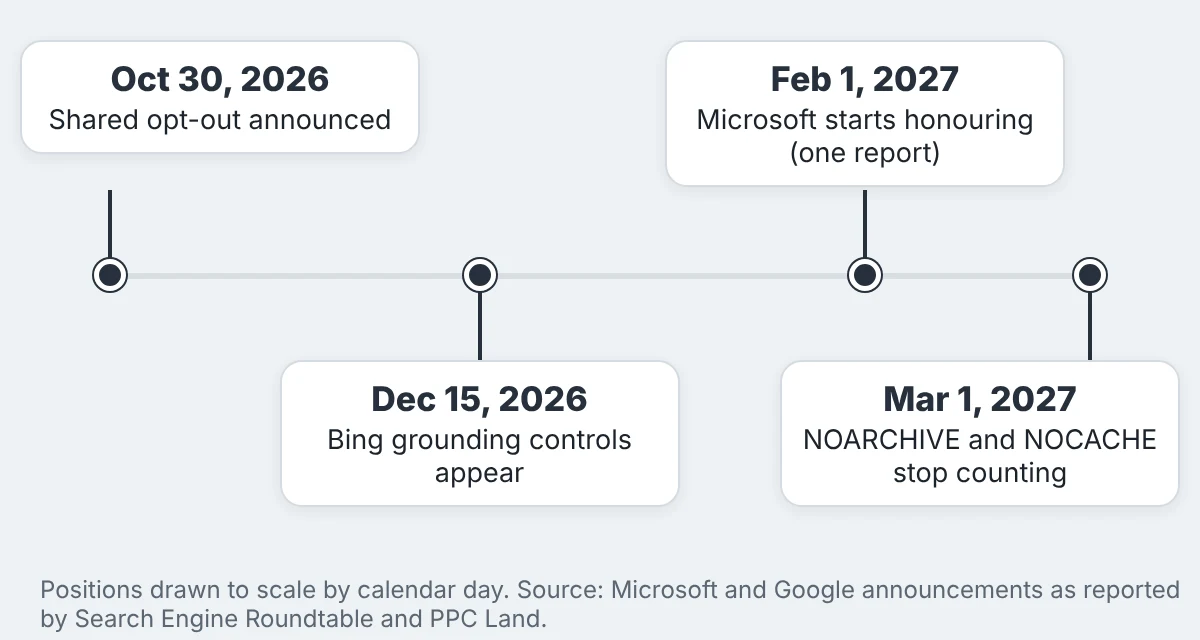
Google’s own timing is “2027”. The October 30 post does not give a day, so there is nothing to circle yet. Check Google’s crawler documentation again in the new year.
Toronto checklist: what stays open, what can stay private
Run through your site with one question: would a customer ask an AI tool about this page?
- Hours and holiday hours. Toronto customers search these on long weekends and during events.
- Menu, services and prices. AI tools quote what they can read. If the menu is a PDF, add the text to a page.
- Booking or order page. If the tool cannot reach it, it cannot send anyone there.
- Location pages. One page per neighbourhood or branch, with the address, parking and transit notes.
- Reviews and FAQ pages. Short, direct answers get quoted.
What can stay private: staff and login pages, client portals, staging or draft pages, cart and checkout steps, and internal documents. A restaurant group that wants its AI presence in order can start with our restaurant and hospitality marketing page.
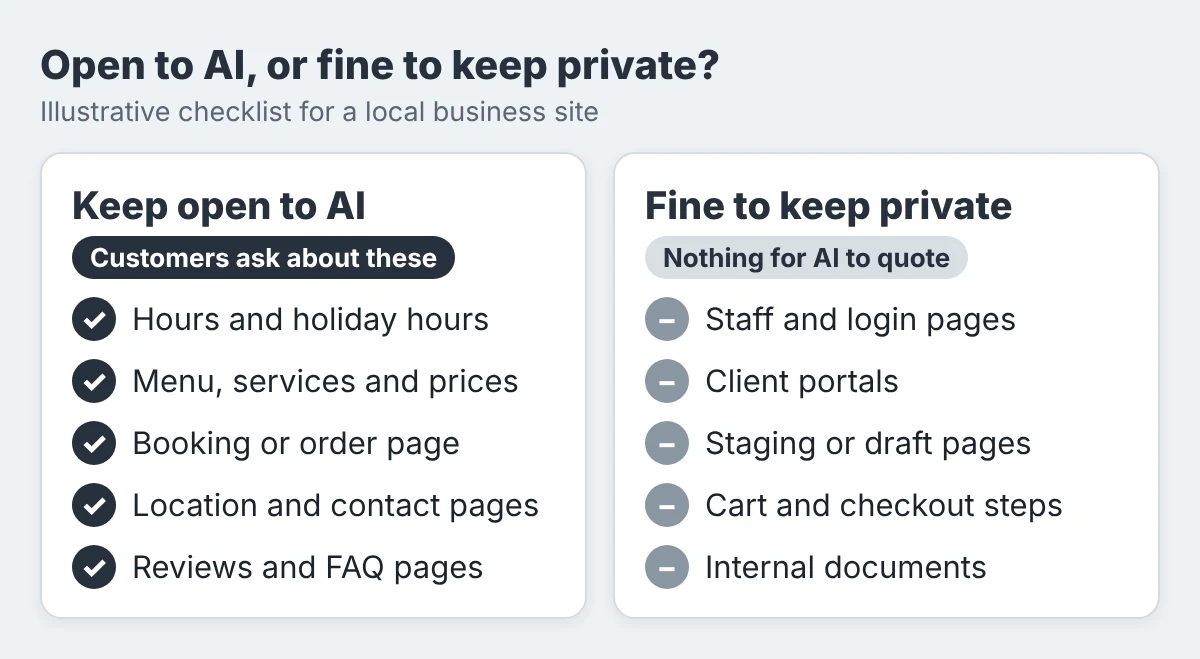
Illustrative checklist. Your own site may have pages that do not fit these groups.
Frequently asked questions
Will blocking AI training remove my business from Google Search?
No. Google says Google-Extended does not affect inclusion in Google Search and is not a ranking signal. The risk is grounding in Gemini Apps, not your Search listing.
What is the difference between AI training and AI grounding?
Training uses your pages to build or improve a model, before anyone asks a question. Grounding uses your page to help answer a question at the moment it is asked, and it can cite you.
Should a local business block AI training?
It depends on how you feel about reuse. Blocking training does not by itself remove you from AI answers on Bing, and most local businesses want to stay open to grounding either way.
What is Limited Grounding in Bing?
It lets your content support Microsoft’s own AI products but not the third-party grounding services Microsoft sells to other companies. Most local businesses have no reason to choose it.
Does the shared opt-out work today?
Not everywhere yet. Google aims to support it in 2027, OpenAI said it will honour it in the coming months, and Microsoft’s dates run from December 2026 to March 2027. The draft is not yet an IETF standard.
Block the training. Keep the answers.
You do not need to choose between protecting your content and being found. The new controls are built so you can do both, as long as you set them on purpose.
Training is a choice about the past. Grounding is a choice about your next customer.
See whether AI can still find and name you
A wrong robots.txt line looks harmless until a customer asks an AI tool for a business like yours and gets someone else.
Run a free Radar scan in 30 seconds. See whether AI recommends you, who it names instead, and three quick wins.
No sign-up. No email. Instant results.
Run my free Radar scan →
About the author
Simar Singh founded Digital 6ix, a Toronto agency that works on SEO, GEO and content. He helps local businesses understand how ChatGPT, Gemini, Copilot and Google’s AI features find and describe them. Digital 6ix shares its audit and planning templates free at digital6ix.ca/templates. Connect with Simar on LinkedIn.
Sources
- Google Search Central Blog: Supporting a shared AI training control for websites
- Search Engine Roundtable: Microsoft Bing separates AI training from AI search grounding
- Search Engine Land: Microsoft Bing gives publishers more control over how AI uses their content
- PPC Land: Google, Microsoft, OpenAI and Anthropic back one AI training opt-out
Instant AI visibility scan
Run a 30-second test scan of your business with Radar. See if AI recommends you, who it names instead, and three quick wins to fix it.
Run my free scanBook a free audit call
Want a deeper review? We will walk through your AI visibility, what competitors are doing, and where to start.
Book my call