Read Time:

14–21 minutes

Modified Date:

Structured Data And FAQ Schema For AI Search In 2026: The Complete Guide

In 2026, when someone searches for something, there’s a pretty good chance they’re not even clicking through to a website. They’re getting their answer from an AI Overview at the top of Google, or they’re asking ChatGPT directly, or they’re using Perplexity to research.

And, if your content isn’t structured in a way that AI tools can easily extract and understand, you’re invisible in all of those scenarios. 

You could have the best answer on the internet, but if it’s buried in a wall of text with no clear structure, the AI just skips over you and cites someone else.

That’s where the FAQ schema comes in.

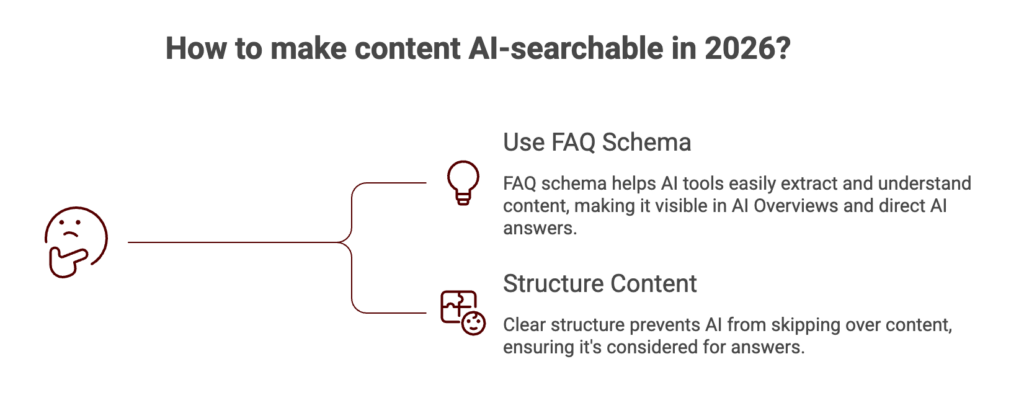
Infographic titled ‘How to make content AI-searchable in 2026?’ highlighting two key actions: ‘Use FAQ Schema’ to help AI tools extract and understand content for AI Overviews and direct answers, and ‘Structure Content’ to ensure clear organization so AI systems properly evaluate and surface the content.

TL;DR:

In 2026, search increasingly happens through AI Overviews, ChatGPT, Perplexity, and voice assistants, which extract answers directly from webpages instead of sending users to them. FAQ schema helps AI understand your content by clearly labeling questions and answers using structured data (JSON-LD). When implemented correctly, it makes your content easier for search engines and AI tools to extract, cite, and display in rich results or AI-generated answers.

To implement it, first create a visible FAQ section on the page with real user questions and clear answers, then add JSON-LD FAQ schema markup, validate it with Google’s Rich Results Test or Schema.org validator, and submit the page through Google Search Console. Use FAQ schema mainly on service pages, product pages, guides, and pillar content, while avoiding pages without real Q&A. When combined with strong SEO fundamentals, topical authority, and helpful content, FAQ schema becomes one of the highest-ROI ways to increase AI visibility, rich snippets, and voice search presence.

What Is FAQ Schema (And Why You Should Care in 2026)
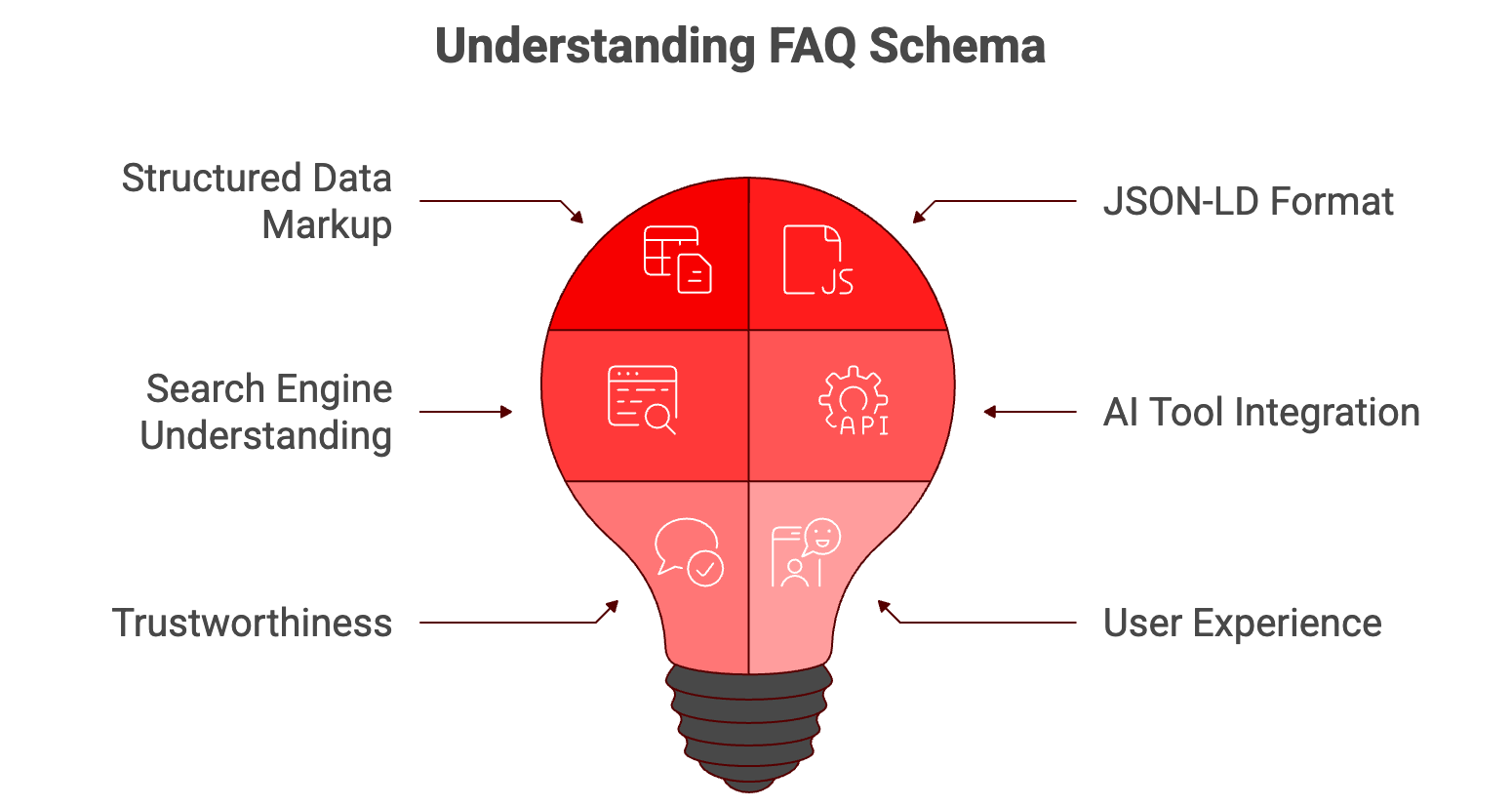
Infographic titled ‘Understanding FAQ Schema’ featuring a red lightbulb divided into sections. Surrounding labels highlight key concepts: Structured Data Markup, JSON-LD Format, Search Engine Understanding, AI Tool Integration, Trustworthiness, and User Experience, illustrating how FAQ schema connects technical implementation with search visibility and user trust.

FAQ schema is a type of structured data markup. You add it to a webpage to explicitly tell search engines: “Here are the questions this page answers, and here are the exact answers.”

It uses a standardized format called JSON-LD (more on that later) that Google, Bing, and increasingly AI tools like ChatGPT and Perplexity can read and understand.

Here’s what it looks like in practice:

You have a service page with an FAQ section at the bottom. Maybe it answers questions like “How much does SEO cost in Toronto?” or “How long does it take to see SEO results?”

Without FAQ schema, Google sees that content as just… text. It has to infer what’s a question, what’s an answer, and whether those answers are trustworthy.

With FAQ schema, you’re handing Google a clean, structured version of those Q&A pairs. You’re saying: “This is a question. This is the definitive answer. Here’s who wrote it and when.”

And Google loves that. AI tools love that even more.

Why This Matters More in 2026 Than It Did in 2023?

Two years ago, FAQ schema was mostly about trying to get a rich snippet in Google search results, those expandable dropdown boxes that let people see your answers without clicking.

In 2026, it’s about way more than that. Here’s what changed:

AI Overviews Are Everywhere

Google’s AI Overviews now appear in approximately 16% of all searches, a figure that continues to grow month over month. And guess what content Google’s AI loves to pull from? Pages with clean, structured FAQ schema.

ChatGPT Search Is Live

ChatGPT Search launched late last year. People are now asking ChatGPT questions instead of Googling them. And it’s search engine prioritizes content that’s easy to extract from.

Perplexity AI Is Growing Fast

 One of the fastest-growing AI search tools, especially with researchers and professionals. It cites its sources directly in answers. If your FAQ schema is set up right, you’re more likely to get cited.

Voice Search Still Relies on Structured Data

Google Assistant, Siri, Alexa – all prefer pulling answers from structured data because it’s cleaner and more reliable than scraping random paragraphs.

Why FAQ Schema Specifically (Not Just Any Schema)
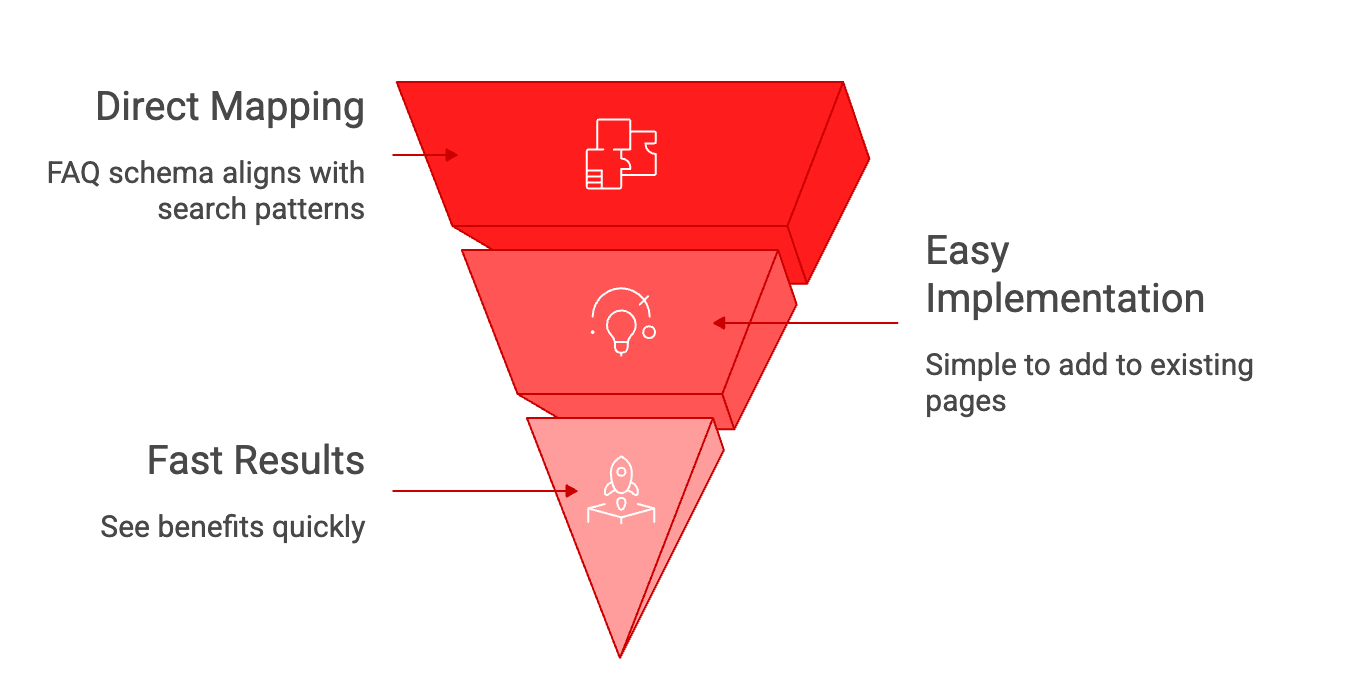
Infographic showing an inverted three-layer funnel explaining why FAQ schema is effective. Top layer labeled ‘Direct Mapping - FAQ schema aligns with search patterns,’ middle layer ‘Easy Implementation - Simple to add to existing pages,’ and bottom layer ‘Fast Results - See benefits quickly,’ illustrating a progression from alignment to quick impact.

There are dozens of different types of schema markup – Article, Product, LocalBusiness, Event, HowTo, and so on. So why focus on FAQ schema?

Because FAQ schema has a unique advantage: it directly maps to how people search.

Most search queries are questions. “How much does X cost?” “What’s the best way to do Y?” “Why does Z happen?” People type questions into Google. They ask questions to ChatGPT. They want answers.

FAQ schema is literally designed to answer questions. It’s a perfect match.

“Here’s the other thing: FAQ schema is one of the easiest types of schema to implement and one of the fastest to see results from.”

You don’t need to restructure your entire site. You don’t need to hire a developer. You can add FAQ schema to an existing page in 10 minutes if you know what you’re doing.

How to Implement FAQ Schema: The Technical Stuff (Made Simple)
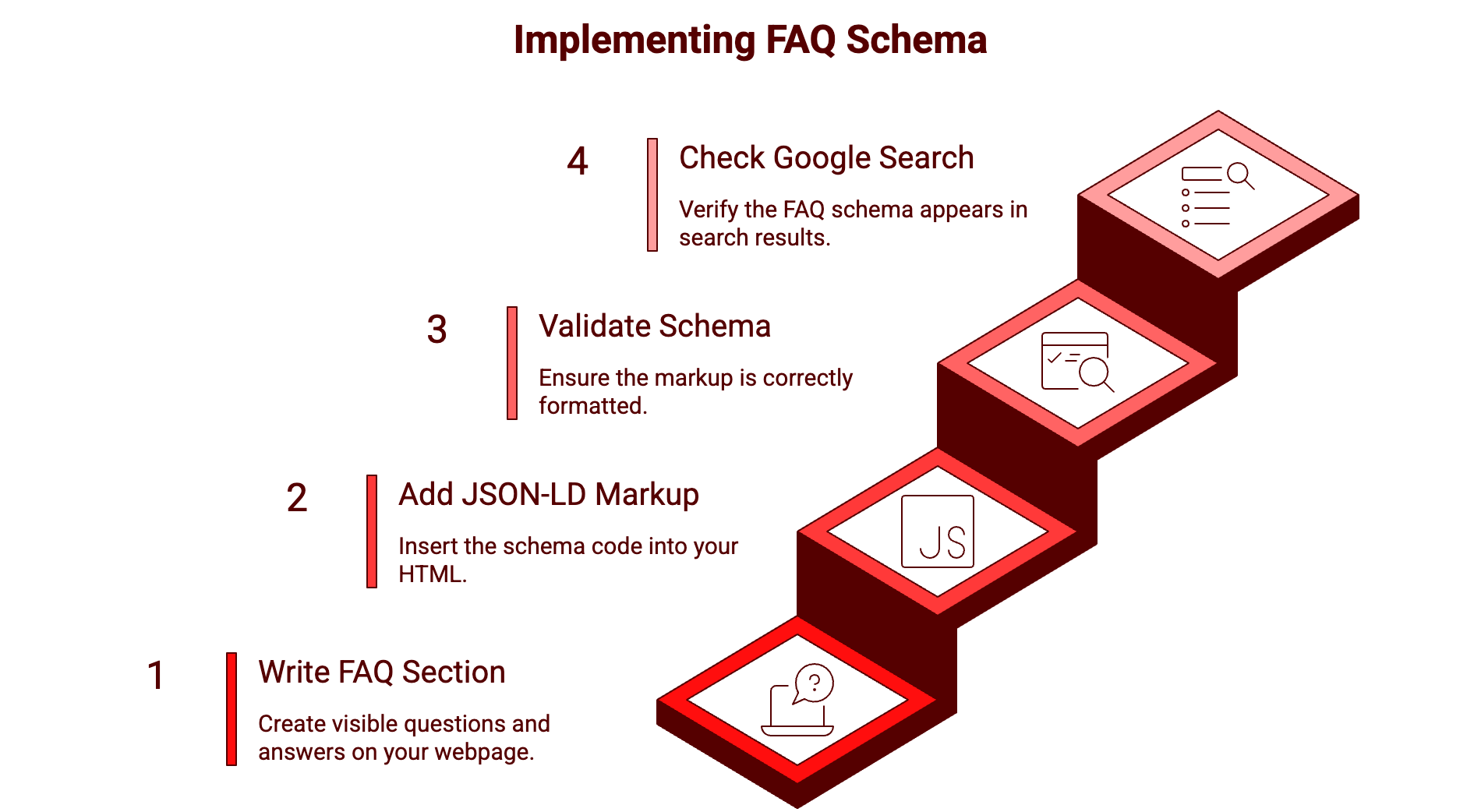
Infographic titled ‘Implementing FAQ Schema’ showing a four-step staircase process. Step 1: Write FAQ Section – create visible questions and answers on your webpage. Step 2: Add JSON-LD Markup – insert the schema code into your HTML. Step 3: Validate Schema – ensure the markup is correctly formatted. Step 4: Check Google Search – verify the FAQ schema appears in search results.

Okay, let’s talk about how to actually do this. There are three main formats for adding schema markup to a webpage: JSON-LD, Microdata, and RDFa. 

Google recommends JSON-LD because it’s clean, it doesn’t mess with your HTML, and it’s easy to validate. We’re going to use JSON-LD

Step 1: Write Your FAQ Section on the Page (Visible to Users)

This is critical: your FAQ schema must match content that’s actually visible on the page. You can’t just add schema markup for questions you don’t answer on the page. Google will ignore it, and in some cases, it can hurt you.

So first, write out your FAQ section. Make sure the questions are real questions your customers actually ask. Make sure the answers are clear, concise, and helpful.

Example FAQ section for a Toronto SEO agency service page:

Q: How much does SEO cost in Toronto?
A: SEO pricing in Toronto typically ranges from $1,299 to $10,000+ per month depending on the scope of work, competitiveness of your industry, and whether you’re working with a freelancer, small agency, or large firm. Most local businesses see good results in the $3,000–$6,000/month range.

Q: How long does it take to see results from SEO?
A: Most businesses start seeing measurable improvements in organic traffic within 3–6 months. Significant ranking gains and revenue impact usually take 6–12 months. SEO is a long-term strategy, not a quick fix.

Q: What’s the difference between SEO and paid search?
A: SEO (organic search) is about earning rankings through content, technical optimization, and backlinks. It takes longer but compounds over time. Paid search (Google Ads) gets you immediate visibility but stops the moment you stop paying. Most businesses benefit from doing both.

Step 2: Add the JSON-LD Schema Markup

Now you’re going to add a block of JSON-LD code to your page. This code sits in a <script> tag, usually in the <head> section of your HTML or right before the closing </body> tag.

Here’s what the schema markup looks like for the example above:

<script type=”application/ld+json”>
{
  “@context”: “https://schema.org”,
  “@type”: “FAQPage”,
  “mainEntity”: [
    {
      “@type”: “Question”,
      “name”: “How much does SEO cost in Toronto?”,
      “acceptedAnswer”: {
        “@type”: “Answer”,
        “text”: “SEO pricing in Toronto typically ranges from $1,500 to $10,000+ per month depending on the scope of work, competitiveness of your industry, and whether you’re working with a freelancer, small agency, or large firm. Most local businesses see good results in the $2,500–$5,000/month range.”
      }
    },

{
      “@type”: “Question”,
      “name”: “How long does it take to see results from SEO?”,
      “acceptedAnswer”: {
        “@type”: “Answer”,
        “text”: “Most businesses start seeing measurable improvements in organic traffic within 3–6 months. Significant ranking gains and revenue impact usually take 6–12 months. SEO is a long-term strategy, not a quick fix.”
      }
    },

{
      “@type”: “Question”,
      “name”: “What’s the difference between SEO and paid search?”,
      “acceptedAnswer”: {
        “@type”: “Answer”,
        “text”: “SEO (organic search) is about earning rankings through content, technical optimization, and backlinks. It takes longer but compounds over time. Paid search (Google Ads) gets you immediate visibility but stops the moment you stop paying. Most businesses benefit from doing both.”
      }
    }
  ]
}
</script>

Let’s break down what’s happening here:

– “@context” and “@type” tell search engines this is FAQPage schema
– “mainEntity” is an array, a list of all your Q&A pairs
– Each question gets a “name” field (the question text)
– Each answer gets a “text” field (the answer text)
– The answer must be plain text (no HTML formatting inside the schema, though your visible FAQ on the page can have formatting)

Step 3: Validate Your FAQ Schema For AI Search 2026

Before you publish, you need to make sure your schema is correct. Google won’t tell you if it’s broken until weeks later when it doesn’t show up in search results.

Use these two validators:

1. Google Rich Results Test
   https://search.google.com/test/rich-results
   Paste in your URL (after publishing) or paste in your HTML code. Google will tell you if the schema is valid and if you’re eligible for rich results.

2. Schema.org Validator
   https://validator.schema.org/
   Paste in your JSON-LD code. It checks for syntax errors and schema structure issues.

If both validators give you a green checkmark, you’re good.

Step 4: Submit to Google Search Console

Once your page is live, go to Google Search Console and request indexing for that URL. This speeds up Google’s discovery of your new schema markup.

Navigate to: URL Inspection → paste your URL → Request Indexing

Step 5: Monitor in Search Console

After a few weeks, check Google Search Console under Enhancements → FAQ to see if Google recognized your schema and whether you’re getting any rich result impressions.

Not every page with FAQ schema gets a rich snippet – Google is selective. But even if you don’t get the visual rich result, your schema still helps with AI Overviews and voice search.

Where to Use FAQ Schema (And Where Not To)

Great Places to Use FAQ Schema:

Service pages –  answer common objections and questions about pricing, process, timeline
Product pages – answer questions about features, compatibility, shipping, returns
Blog posts – especially how-to guides and explainer content
Local business pages – hours, service area, appointment process
Pillar content – comprehensive guides that naturally answer multiple questions

Don’t Use FAQ Schema On:

Contact pages (these should have LocalBusiness schema instead)
About pages (no clear questions being answered)
Category/archive pages
Pages where the FAQ is just keyword stuffing and not genuinely helpful

Google’s Unofficial Guidelines:

Use 3-10 FAQ items per page (not 1, not 50)
Each answer should be 50-300 words (not a sentence, not an essay)
Questions should be phrased the way real people ask them
Answers should directly answer the question (no dodging or sales pitches)

Common Mistakes That Kill Your Results
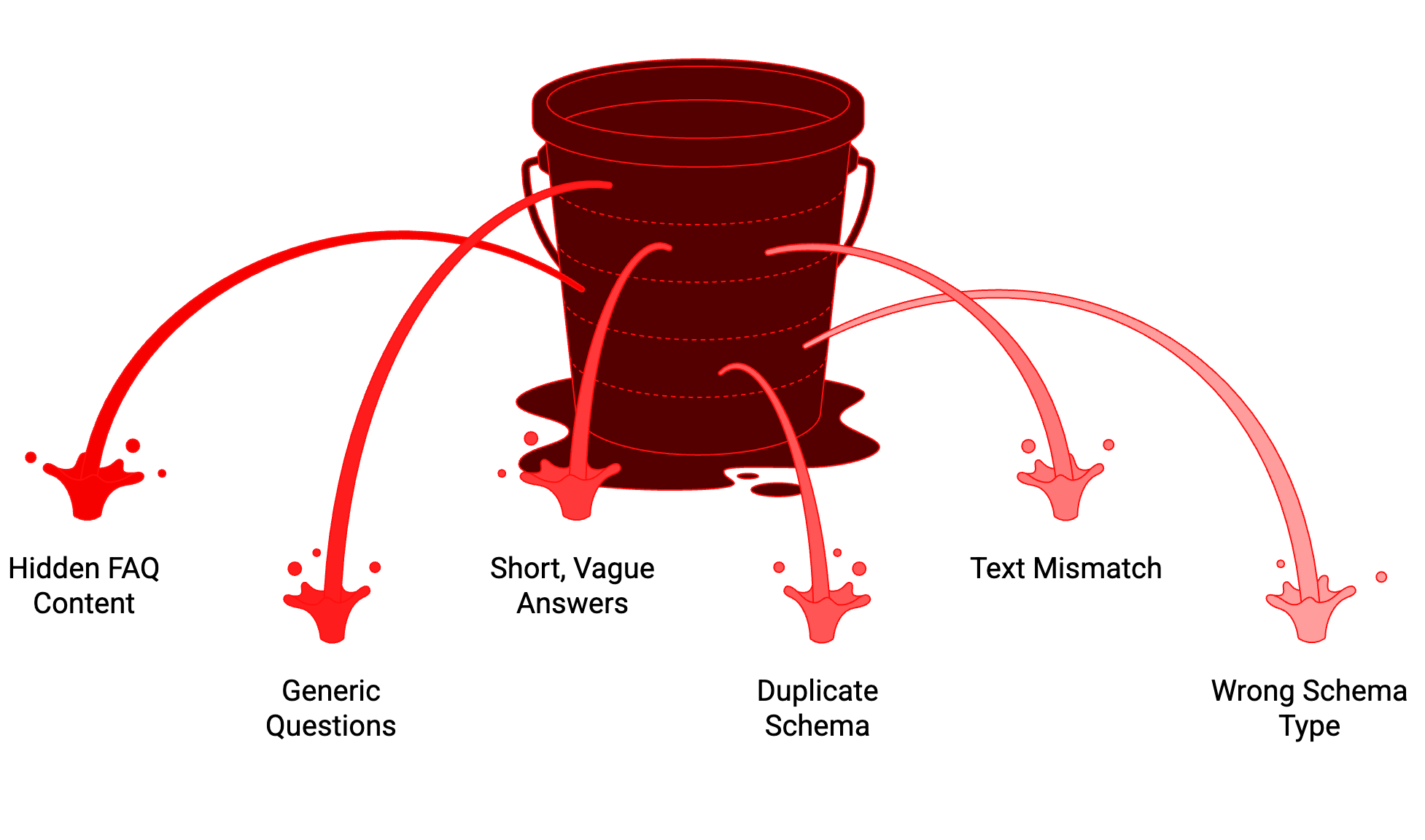
Illustration of a leaking red bucket with multiple streams of liquid spilling out in different directions, symbolizing common mistakes that drain or reduce your SEO and FAQ schema results.

#1: The FAQ Isn’t Actually on the Page

Some people add FAQ schema to the code but don’t display the FAQ visibly on the page. Google catches this and ignores the schema. The FAQ must be visible to users.

#2: Generic, Useless Questions

“What services do you offer?” “Why choose us?” “What makes us different?” These aren’t real questions your customers ask. Replace them with actual questions from sales calls, support tickets, and keyword research.

#3: Answers That Are Too Short

“How long does SEO take?”
Answer: “It varies.”
That’s not an answer. That’s a cop-out. Give a real answer with context.

#4: Duplicate FAQ Schema Across Multiple Pages

If you answer “How much does SEO cost?” on five different pages with identical schema, Google might ignore all of them. Each page’s FAQ should be unique and relevant to that specific page.

#5: Not Matching the Visible FAQ Text

Your JSON-LD schema text must match what’s visible on the page. If your visible answer says “Most businesses see results in 3-6 months” but your schema says “Results vary,” Google sees that as a mismatch and might ignore it.

#6: Adding FAQ Schema to Pages That Don’t Answer Questions

Your pricing page lists prices in a table. That’s not a FAQ. Don’t force FAQ schema onto it. Use Offer schema or Product schema instead.

What Results Should You Expect?

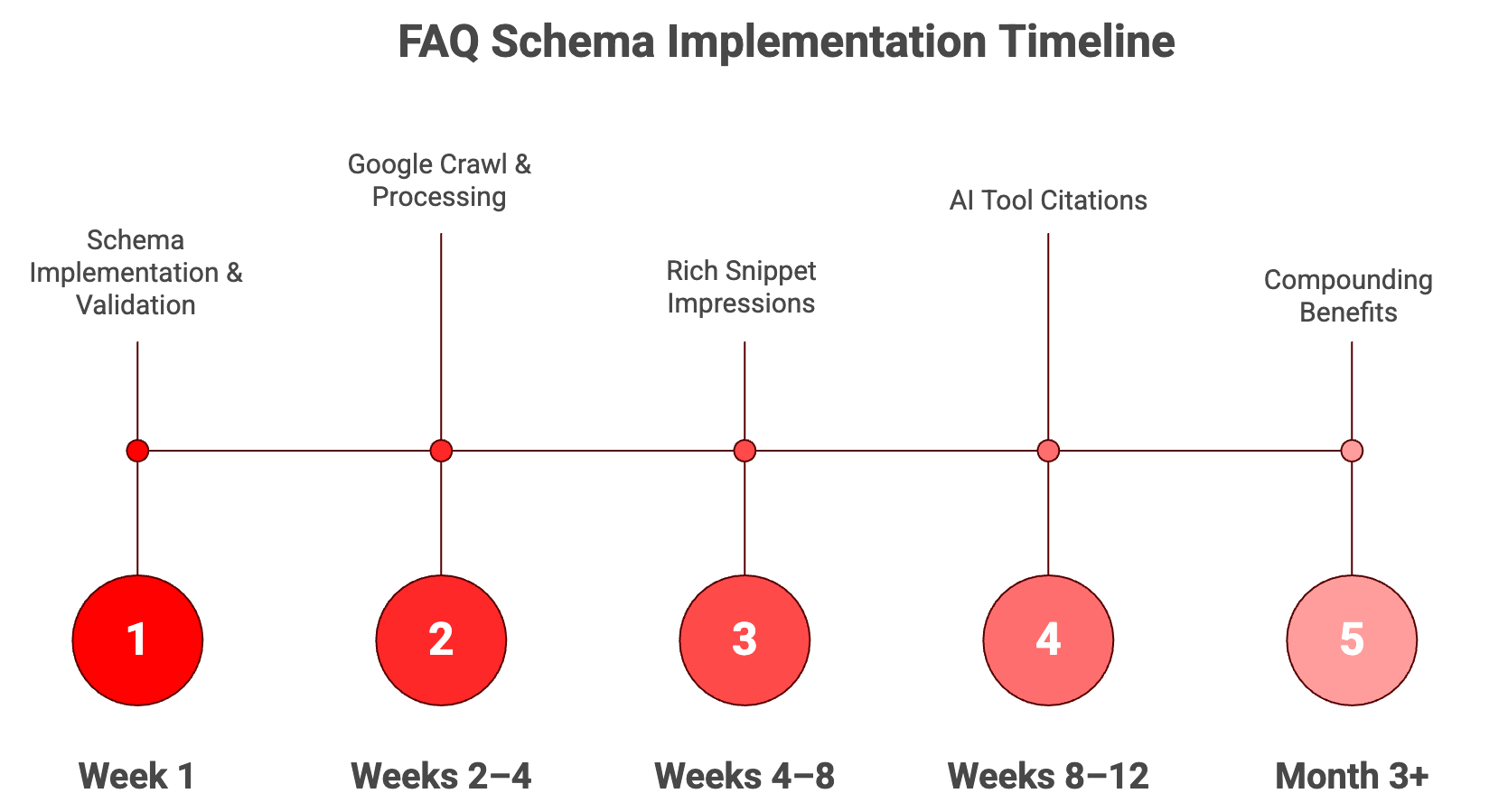
nfographic titled ‘FAQ Schema Implementation Timeline’ showing a five-stage timeline: Week 1 – Schema Implementation & Validation; Weeks 2–4 – Google Crawl & Processing; Weeks 4–8 – Rich Snippet Impressions; Weeks 8–12 – AI Tool Citations; Month 3+ – Compounding Benefits, illustrating the expected progression of results after implementing FAQ schema.

What Results Should You Expect?

Week 1: Implement schema, validate, submit to Search Console
Week 2–4: Google crawls and processes the schema
Week 4–8: You may start seeing rich snippet impressions in Search Console
Week 8–12: AI tools start picking up the structured content for citations
Month 3+: Compounding benefits as more content gets schema markup

What We’ve Seen With Clients:

We added FAQ schema to about 15 key pages for a Toronto B2B SaaS client. Within 6 weeks:

4 pages earned FAQ rich snippets in Google (the expandable boxes)
Organic CTR on those 4 pages increased by 18% on average
We started seeing the brand cited in Google AI Overviews for 3 of our target queries
Voice search traffic (tracked via GA4) went up about 12%
Not every page got a rich snippet. But every page with FAQ schema became more visible to AI tools. That’s the real win in 2026.

How FAQ Schema Fits Into the Bigger SEO Picture

FAQ schema isn’t a standalone tactic. It’s part of a bigger strategy.

In the context of our 8 Levels of Modern SEO framework:

FAQ schema is part of LEVEL 2 (AI Search Optimization) and LEVEL 4 (LLM Answer SEO).

Level 2 is about structuring your content so it’s easy for AI tools to extract and understand. FAQ schema does exactly that.

Level 4 is about becoming a cited source in AI-generated answers. FAQ schema increases your citation likelihood because it hands AI tools clean, structured Q&A pairs they can use directly.

Think of FAQ schema as an amplifier. It takes good content and makes it 10x more discoverable to AI search tools. But it doesn’t fix bad content.

FINAL THOUGHTS

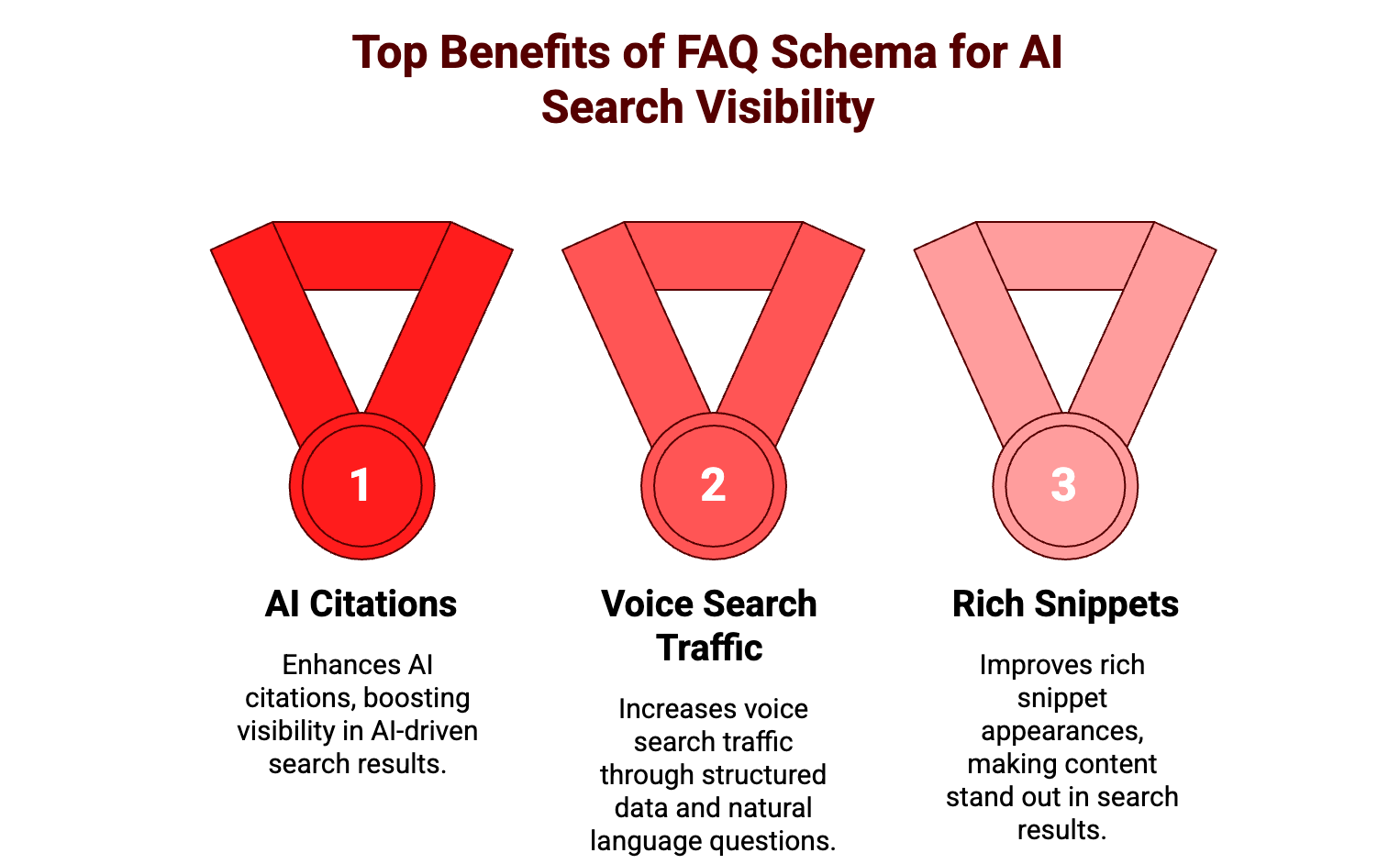
Infographic titled ‘Top Benefits of FAQ Schema for AI Search Visibility’ showing three medal icons labeled 1, 2, and 3, representing the top three benefits of implementing FAQ schema for improved AI-driven search visibility.

FAQ schema is one of the easiest, highest-ROI things you can do for AI search visibility in 2026.

Most of your competitors still don’t have it. Most businesses don’t even know what schema markup is. That’s your opportunity.

Start with your top-performing pages. Add real, helpful FAQ sections. Mark them up with a clean JSON-LD schema.

Do that across 10–20 key pages over the next quarter, and you’ll see measurable improvements in AI citations, voice search traffic, and rich snippet appearances.

And most importantly, you’ll be building a foundation for the next evolution of search, where AI tools are the primary interface between users and information, and structured data is the language they speak.

Your content might be great. But if it’s not structured for AI extraction, it’s invisible.

FAQ schema fixes that.

This Blog is written by Diana Yang, Lead Content Strategist at Digital 6ix with 6+ years of experience helping Toronto businesses grow through data-driven content and SEO strategies. Google Analytics and Google Search Console certified, with a strong focus on improving visibility, engagement, and qualified lead generation.

Frequently Asked Questions

Leave a Comment

Your email address will not be published. Required fields are marked *