
Read Time:
Modified Date:
The Content Audit Guide: How to Turn Old Blog Posts Into SEO Assets
Your blog archive is probably full of posts that took hours to write and now sit there doing nothing. Meanwhile, you’re grinding out new content hoping something finally sticks.
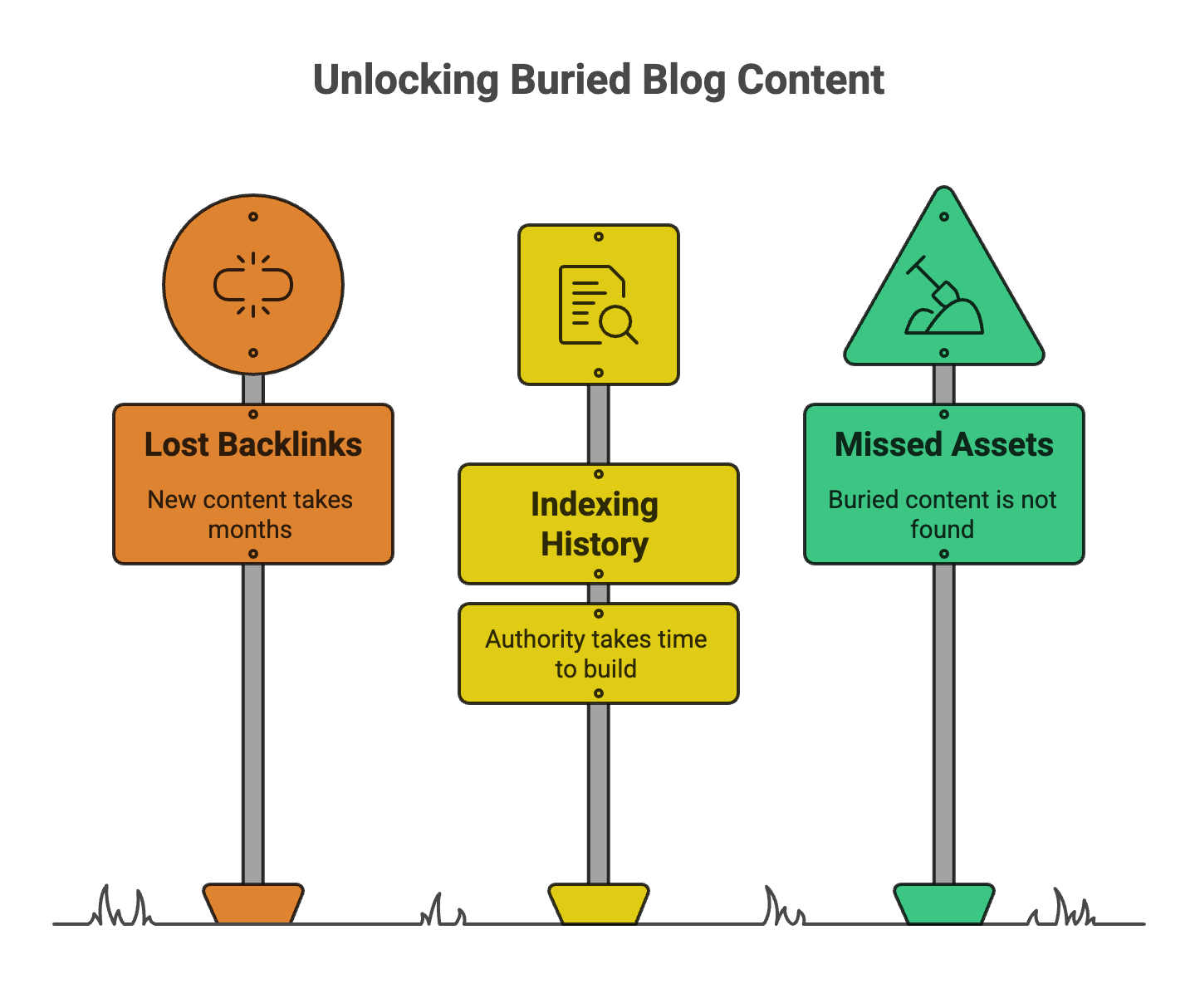
Here’s what most businesses miss: your old posts already have backlinks, indexing history, and authority that new content takes months to build. A content audit helps you find those buried assets and turn them into traffic and leads. This guide walks you through the full process, from building your inventory to deciding what to update, merge, or delete.

TL;DR:
A content audit is the process of reviewing every blog post on your site to determine which pieces are performing well, which need improvement, and which should be removed. Instead of constantly creating new content, an audit helps you unlock the value already sitting in your archive – posts that may have backlinks, indexing history, and authority that new pages don’t yet have.
The process involves building a full content inventory, analyzing performance data, scoring each post, and deciding whether to update, merge, or delete it. Updating strong but outdated posts, combining overlapping topics, fixing technical SEO issues, and adding new insights can quickly restore rankings and traffic. Done regularly, a content audit turns your blog from a passive archive into a compounding SEO asset that drives traffic, leads, and long-term growth.
- The Content Audit Guide: How to Turn Old Blog Posts Into SEO Assets
- What is a content audit
- Why old blog content deserves a second look
- When to conduct a content audit
- How to conduct a content audit step by step
- How to decide which posts to update, merge, or delete
- What to add when refreshing underperforming content
- Technical SEO updates that revive old posts
- Essential tools for your content audit
- How to measure the success of content updates
- Common content audit mistakes that hurt rankings
What is a content audit
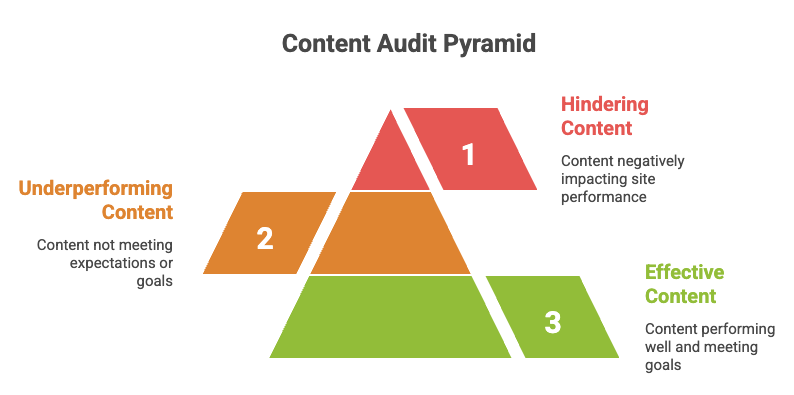
A content audit is a systematic review of every blog post on your website. The goal is to evaluate what’s performing well, what’s underperforming, and what’s dragging your site down. Instead of constantly publishing new posts, you’re looking at what you already have and figuring out how to make it work harder.
During an audit, you assess each post across three dimensions. First, performance: how much traffic, how many conversions, and where it ranks. Second, quality: is the information accurate, relevant, and thorough? Third, technical health: are there broken links, slow load times, or mobile issues?
The outcome is a clear action plan. Some posts get updated, some get merged together, and some get deleted entirely. What remains is a leaner, stronger blog that actually drives results.
Why old blog content deserves a second look
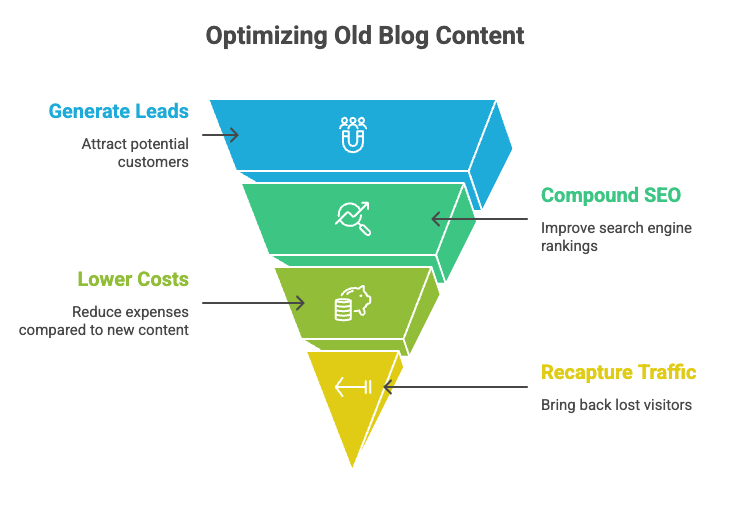
Generate more leads from existing content
Older posts have had time to accumulate backlinks and build authority with search engines. When you update a post that already has signals working in its favor, you’re not starting from zero. You’re amplifying something that’s already partway there.
A new post, by contrast, has to earn every link and every ranking from scratch which takes months. Refreshing an existing post can show results in weeks – HubSpot saw a 106% increase in organic search views by updating old posts.
Compound SEO authority without starting over
Google considers how long a page has existed and what signals it has built over time. When you delete an old post and replace it with a new one, you lose that history. When you update the same URL, you keep it.
Link equity, which refers to the ranking value passed through backlinks, stays intact when you refresh rather than replace. That’s a significant advantage.
Lower cost compared to creating new content
Writing a new blog post from scratch involves research, outlining, drafting, editing, and promotion. Updating an existing post skips much of that work. The structure is already there. The topic is already defined. You’re refining, not rebuilding.
For businesses with limited marketing resources, updating old content often delivers better ROI than chasing new topics.
Recapture lost traffic and rankings
Content decay is real. A post that ranked on page one two years ago may have slipped to page three as algorithm updates shifted priorities and competitors published fresher, more comprehensive content. An audit identifies which posts have decayed and gives you a path to recover lost ground.
When to conduct a content audit
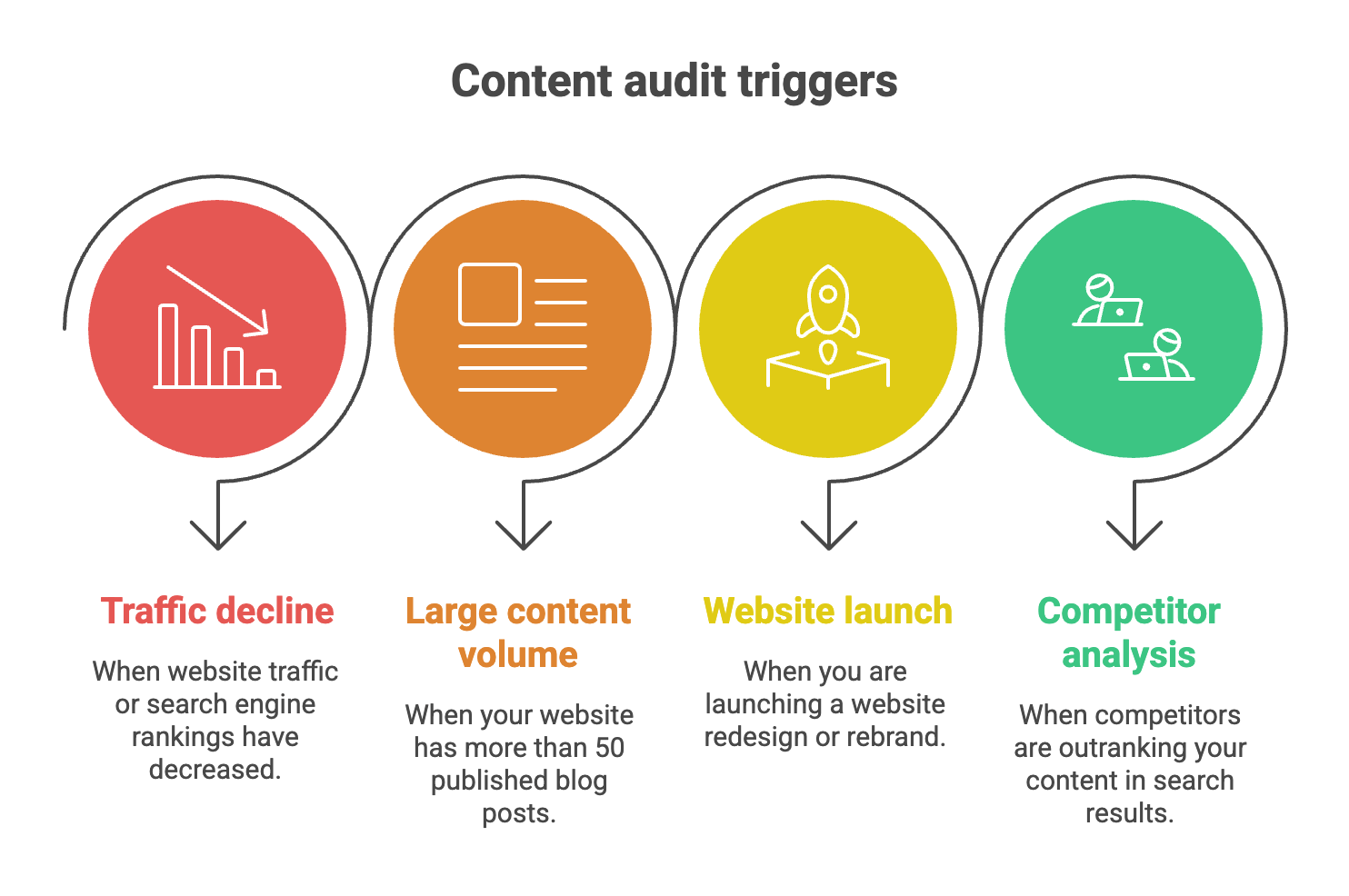
Not every website requires an audit right now. However, certain situations make an audit especially valuable:
| Trigger | What the Audit Reveals |
|---|---|
| Traffic decline | Content decay, ranking drops, or algorithm changes affecting performance. |
| 50+ published posts | Keyword cannibalization, thin content, or overlapping topics across pages. |
| Rebrand or redesign | Outdated messaging, broken internal links, or pages needing structural updates. |
| Competitor gains | Content gaps in topical depth, freshness, or search intent coverage. |
How to conduct a content audit step by step
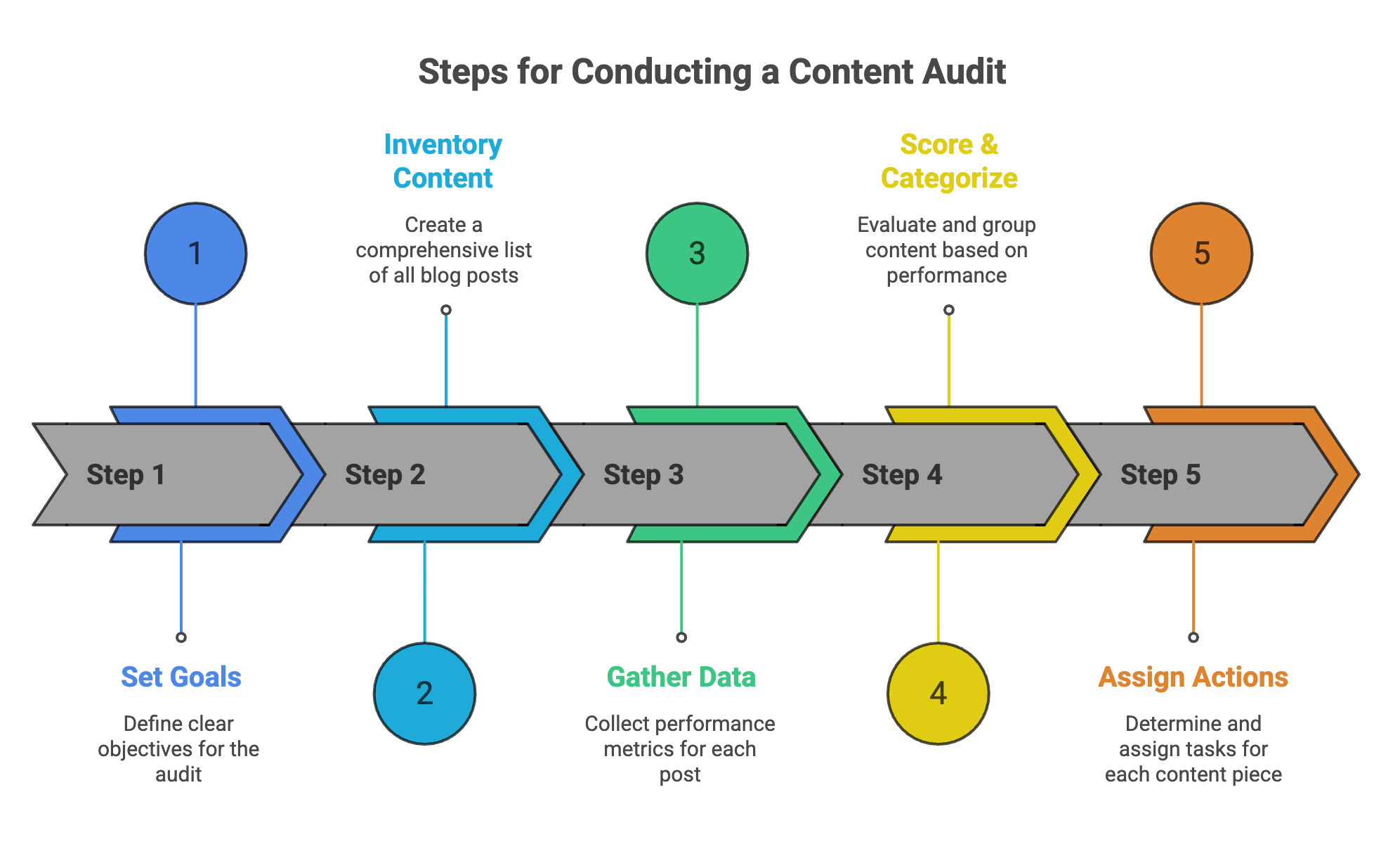
1. Set clear goals for your audit
Before pulling any data, define what you’re trying to achieve. Are you focused on increasing organic traffic? Improving conversion rates? Reducing content bloat? Your goals shape how you’ll evaluate and prioritize each post.
2. Build a complete content inventory
Export every blog URL into a spreadsheet. For each post, include the title, URL, publish date, word count, and primary keyword. You can pull this data from your CMS or use a crawling tool like Screaming Frog. This inventory becomes your working document for the entire audit.
3. Gather performance data for each post
Next, add performance metrics from Google Analytics and Google Search Console. For each URL, record sessions, impressions, clicks, average position, bounce rate, and any conversion data you track. Without this data, you’re guessing. With it, you’re making decisions based on evidence.
4. Score and categorize every piece of content
Create a simple scoring system. You might use A, B, and C grades, or a numerical scale. The point is to sort posts into clear categories based on their current value.
| Score | Category | Criteria |
|---|---|---|
| A | High-performing | Strong organic traffic, high engagement, solid keyword rankings, and measurable conversions. |
| B | Underperforming | Some traffic and rankings but declining performance or weak conversions. |
| C | Low-value | Minimal traffic, outdated information, or content that no longer aligns with the site’s goals. |
5. Assign actions based on your scoring
Once every post has a score, assign an action: update, merge, or delete. High-performing posts may only require minor refreshes. Underperforming posts often benefit from significant updates. Low-value posts are candidates for removal or consolidation.
How to decide which posts to update, merge, or delete
This decision framework, sometimes called “keep, combine, kill,” gives you a clear action for every post in your inventory.
Content worth updating
Posts worth updating typically have existing traffic, backlinks, or ranking potential but contain outdated information or weak on-page optimization. Look for posts ranking on page two, posts with backlinks but stale data, or posts generating impressions but few clicks.
Updating means refreshing the content while keeping the same URL. You preserve the authority the post has built.
Content worth merging
When you have multiple short posts covering similar topics, they may be competing against each other in search results. This is called keyword cannibalization. The solution is to combine them into one comprehensive post and redirect the old URLs to the new one.
Merging works well when you have three posts about slightly different angles of the same topic. One strong post will outperform three weak ones.
Content worth deleting
Some posts have no traffic, no backlinks, and no strategic value. Keeping them clutters your site and wastes crawl budget. Google’s documentation confirms that unimportant URLs consume crawling resources meant for valuable pages.
If a post has had zero organic traffic for 12 months or longer and serves no business purpose, removing it often improves overall site quality.
What to add when refreshing underperforming content
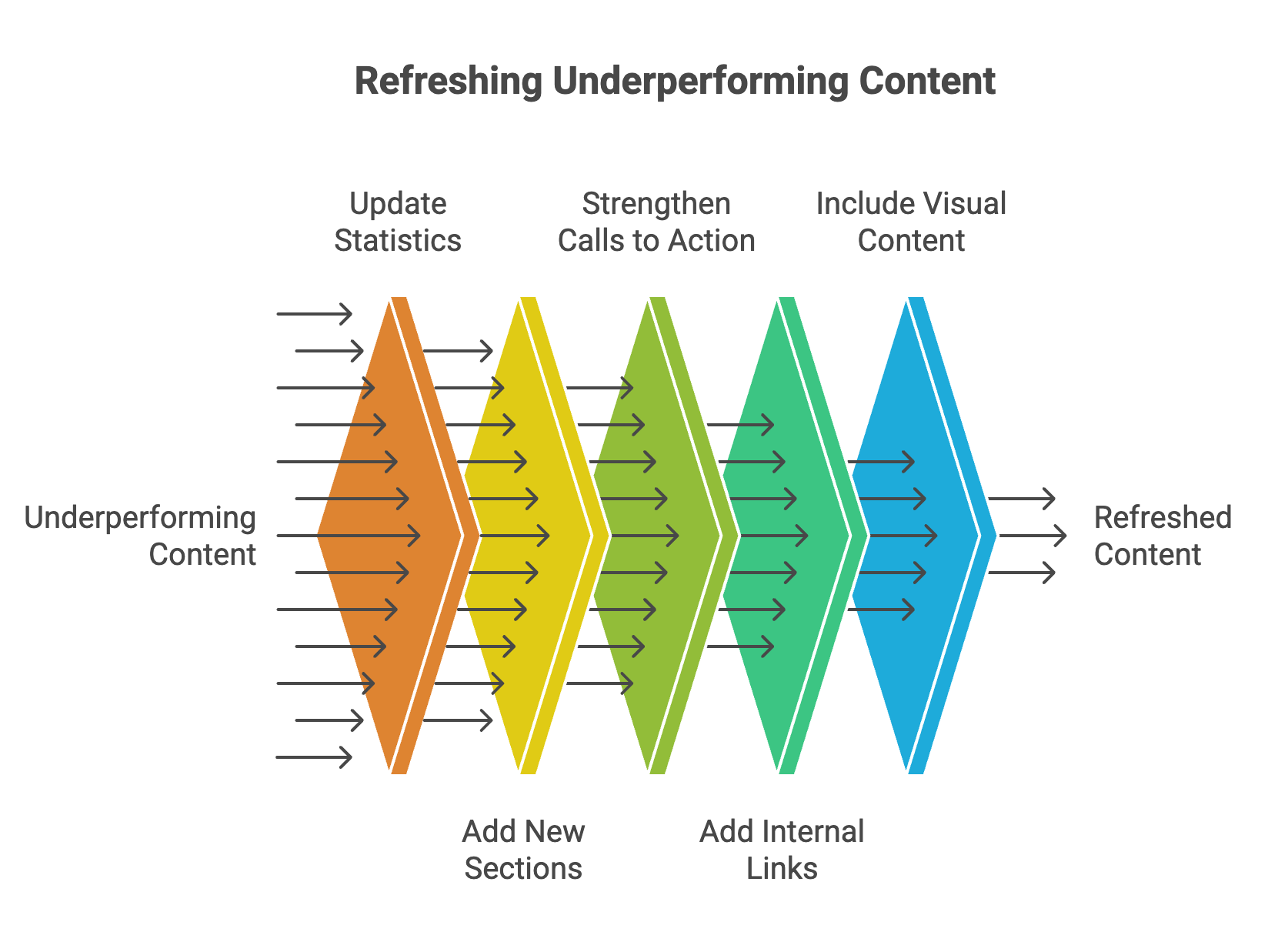
When you’ve identified a post worth updating, the changes you make determine whether the refresh actually moves the needle. Focus on additions that directly improve relevance, depth, and user experience.
Technical SEO updates that revive old posts
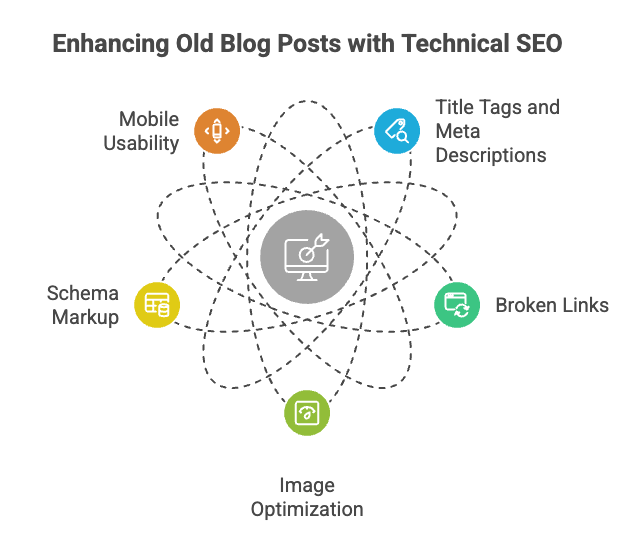
Content updates alone won’t maximize results if technical issues hold the page back. When refreshing a post, work through a full SEO audit to address the technical elements as well.
Essential tools for your content audit
You don’t require expensive software to run an audit, though advanced tools can speed up the process.
| Tool Category | Examples | Primary Use |
|---|---|---|
| Analytics | Google Analytics, Google Search Console | Measure organic traffic, impressions, click-through rates, and keyword rankings. |
| Crawling | Screaming Frog, Sitebulb | Perform technical audits, identify broken links, analyze site structure, and build content inventories. |
| Keyword Research | SEMrush, Ahrefs | Track keyword rankings, analyze competitors, and identify keyword opportunities. |
| Content Quality | Clearscope, Surfer SEO | Evaluate content optimization, identify topic gaps, and improve relevance for search queries. |
Google Analytics and Search Console are free and provide the foundation for any audit. For larger sites, crawling tools like Screaming Frog help you build a complete inventory and identify technical issues at scale.
How to measure the success of content updates
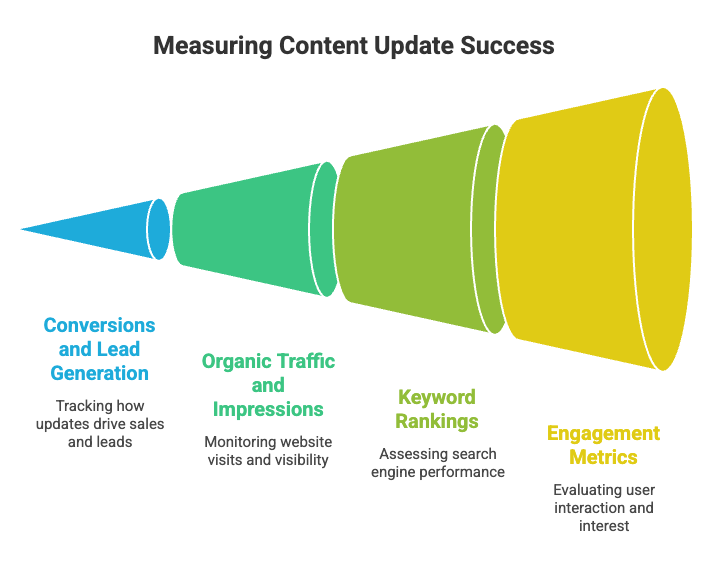
After refreshing content, track whether the changes actually improved performance. Focus on metrics tied to business outcomes rather than vanity numbers.
Document baseline metrics before making any changes. Without a “before” snapshot, you won’t be able to measure improvement accurately.
Common content audit mistakes that hurt rankings
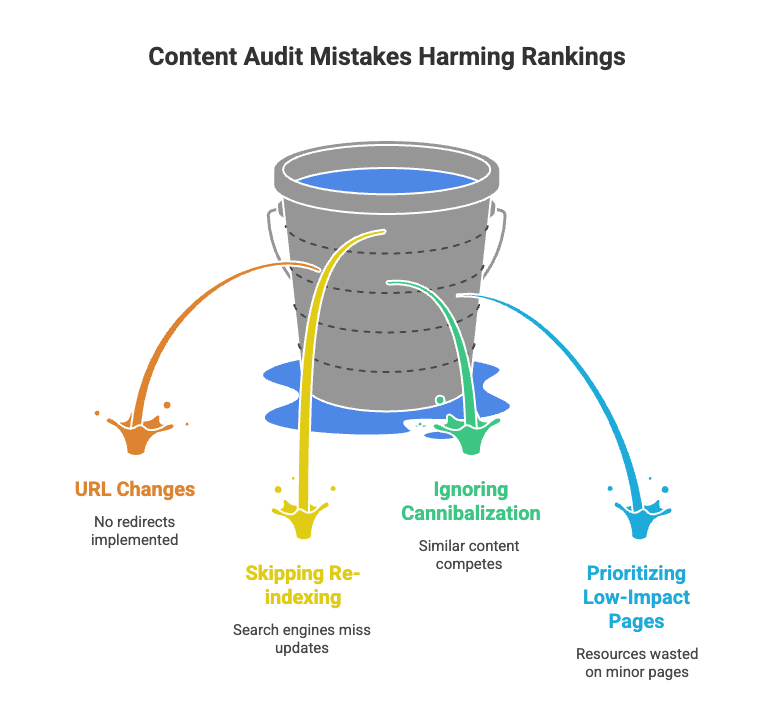
Even well-intentioned audits can backfire if you make certain errors.

A content audit transforms your blog from a passive archive into an active lead generation asset. By systematically improving what you’ve already published, you build a content ecosystem that compounds over time.
Explore Digital 6ix’s SEO services to learn how we help Toronto businesses turn underperforming content into measurable results
This Blog is written by Simar Singh, Founder of Digital 6ix and a data-driven storyteller with 7+ years of experience helping Toronto businesses grow through performance-led digital strategies. Certified in Google Analytics and Google Search Console, with a strong focus on turning insights into measurable business outcomes.
What is the ROI of updating old blog content compared to creating new content?
Refreshing existing content typically delivers faster results because the post already has indexing history and backlinks. New content builds authority from scratch, which takes longer and requires more resources.
How long does a full content audit take to complete?
Timeline depends on blog size. A site with under 100 posts can typically complete a comprehensive audit within one to two weeks using the right tools and a structured process.
Can a small business conduct a content audit without hiring an agency?
Yes. A basic audit is possible using free tools like Google Analytics and Search Console. However, agencies bring advanced tools and strategic expertise that’s especially valuable for larger sites or competitive industries.
How often should you conduct a content audit?
Most sites benefit from a full audit once or twice a year. If you publish frequently or operate in a fast-moving industry, a lighter quarterly review of your top 20 posts by traffic keeps content fresh without the overhead of a full audit cycle.
What’s the difference between a content audit and an SEO audit?
A content audit evaluates what you’ve published — quality, relevance, performance, and whether each post should be updated, merged, or removed. An SEO audit focuses on technical health — site speed, crawlability, broken links, and indexing issues. Both are complementary and ideally done together, but they answer different questions.
Should you noindex pages before deleting them?
No. The right approach is to delete the page and implement a 301 redirect to the closest relevant URL. Noindexing first orphans the page without preserving its link equity. A 301 redirect passes authority to the destination page and prevents a 404 error for any users or crawlers still hitting the old URL.