
Read Time:
Modified Date:
Core Web Vitals for SEO: How to Improve LCP, INP & CLS in 2026
Core Web Vitals are three metrics Google uses to measure how your website actually feels to visitors – how fast it loads, how quickly it responds to clicks, and whether the layout stays stable while everything renders. They’ve been a confirmed ranking factor since 2021, and they’re not going anywhere.
The tricky part is that most site owners know their Core Web Vitals scores are a problem but have no idea what’s actually causing the issues or where to start fixing them. This guide breaks down each metric, shows you how to measure your current performance, and walks through the specific fixes that move the needle.

TL;DR:
Core Web Vitals are three performance metrics Google uses to measure how your site feels to users: LCP (loading speed), INP (responsiveness), and CLS (visual stability). They’ve been ranking factors since 2021 and now act as a competitive tiebreaker when content quality is similar. More importantly, poor scores directly hurt user experience, increasing bounce rates and reducing conversions.
To improve them, focus on what’s actually failing: optimize and preload your main content for faster LCP, reduce heavy or blocking JavaScript to improve INP, and reserve space for images, ads, and dynamic elements to fix CLS. Measure performance using Google Search Console and PageSpeed Insights (field data matters most), prioritize high-traffic pages first, and treat performance as an ongoing process – not a one-time fix. Done consistently, strong Core Web Vitals become a long-term competitive advantage.
- Core Web Vitals for SEO: How to Improve LCP, INP & CLS in 2026
- What Are Core Web Vitals
- Why Core Web Vitals Matter for SEO and User Experience
- The Three Core Web Vitals Metrics and Score Thresholds
- How to Measure Your Core Web Vitals
- How to Improve Your Core Web Vitals
- How to Prioritize Core Web Vitals Fixes
- Turn Core Web Vitals Optimization Into a Competitive Advantage
What Are Core Web Vitals
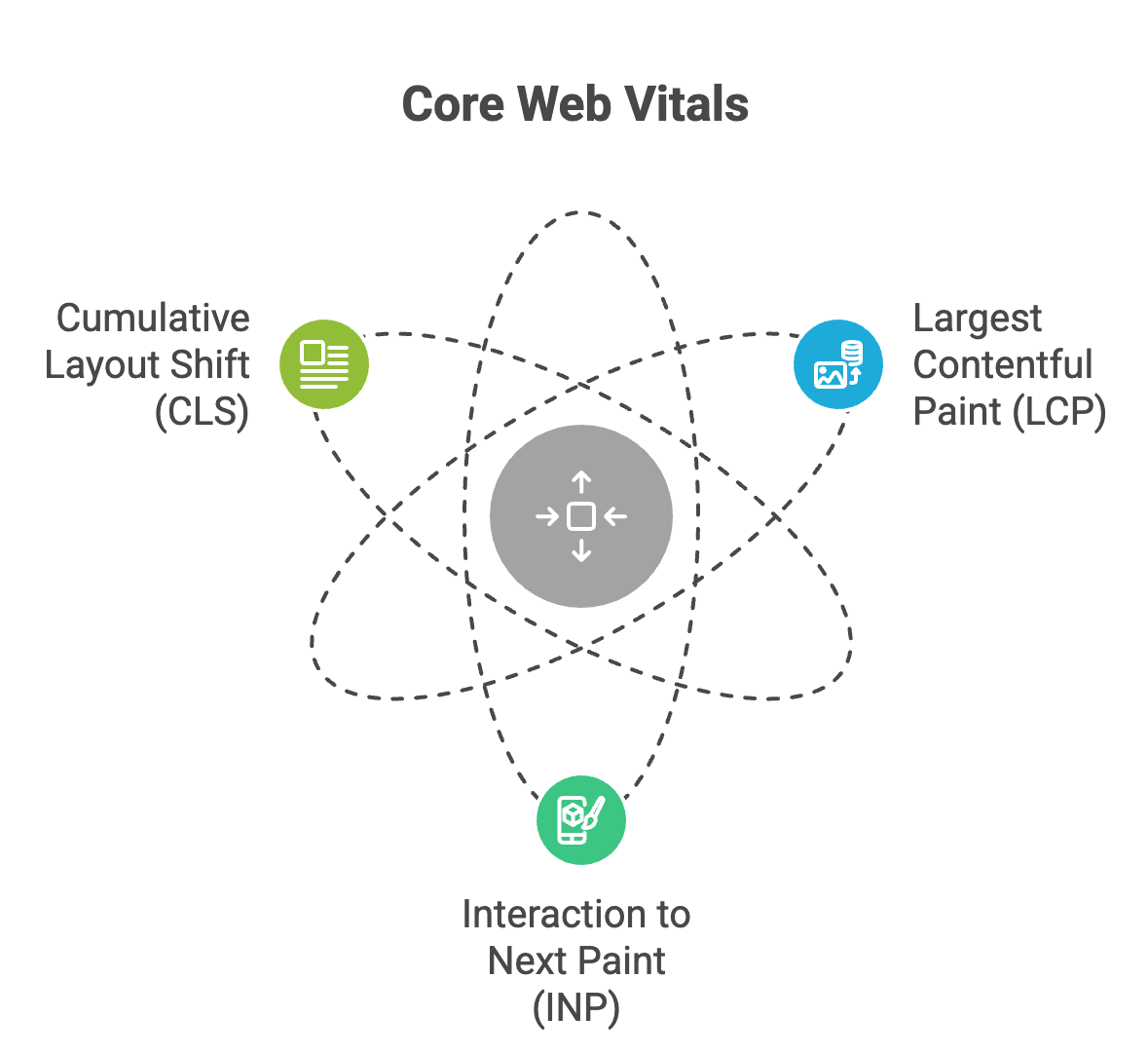
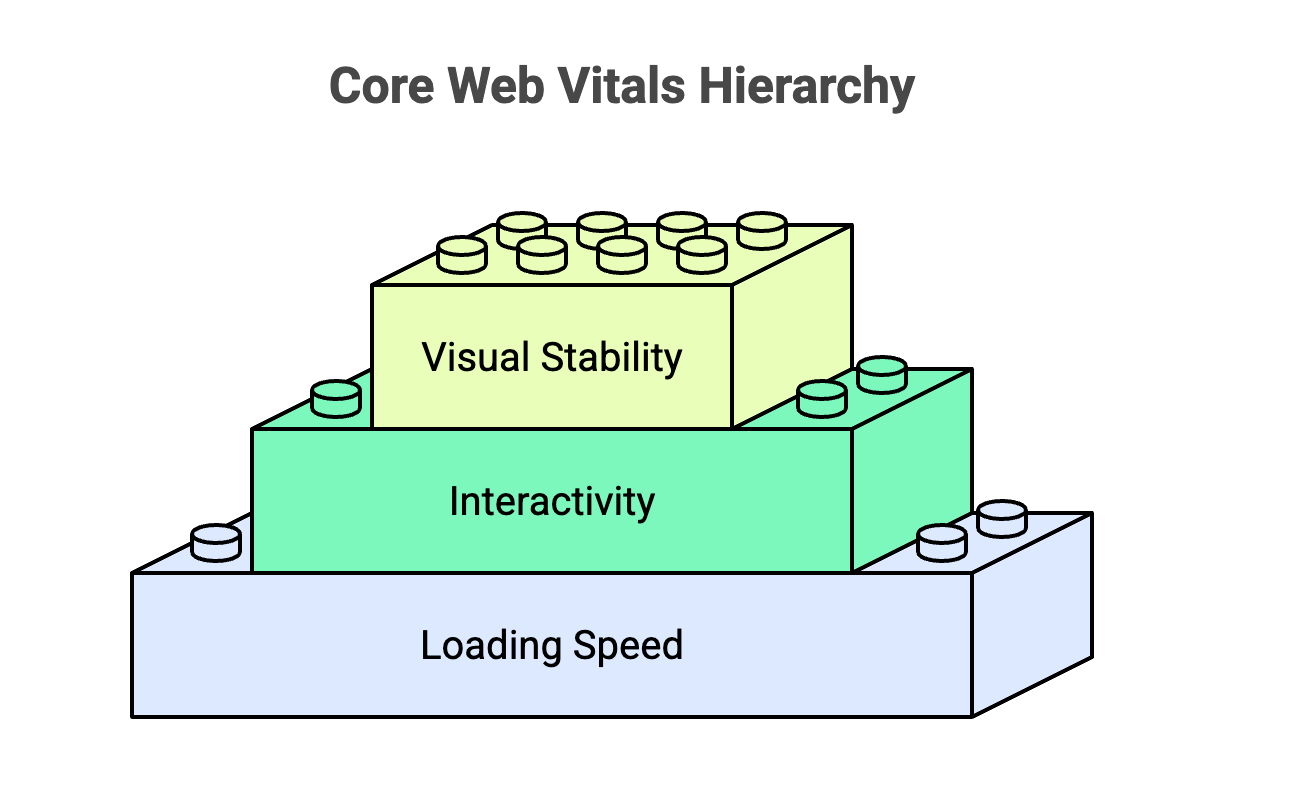
Core Web Vitals are three specific metrics Google uses to measure how a webpage feels to use. The three metrics are Largest Contentful Paint (LCP), Interaction to Next Paint (INP), and Cumulative Layout Shift (CLS). Together, they capture loading speed, responsiveness, and visual stability.
You’ve probably experienced what poor Core Web Vitals feel like without knowing the technical name. A page that takes forever to show content, a button that doesn’t respond when you tap it, or text that jumps around while you’re trying to read it. Google created Core Web Vitals to put numbers to those frustrations, and as of early 2026, only 55.7% of sites pass all three.
The “Core” in Core Web Vitals matters. Google tracks many performance metrics, but only these three are considered essential enough to influence search rankings directly.
Why Core Web Vitals Matter for SEO and User Experience
Google confirmed Core Web Vitals as a ranking factor, and they remain part of what Google calls “page experience signals.” In practical terms, when two pages have similar content quality, the one with better Core Web Vitals tends to rank higher.
The ranking impact is real, though it’s not dramatic. Core Web Vitals function more like a tiebreaker than a primary ranking factor. Content relevance still dominates. However, in competitive markets where many pages cover similar topics well, performance becomes the differentiator.
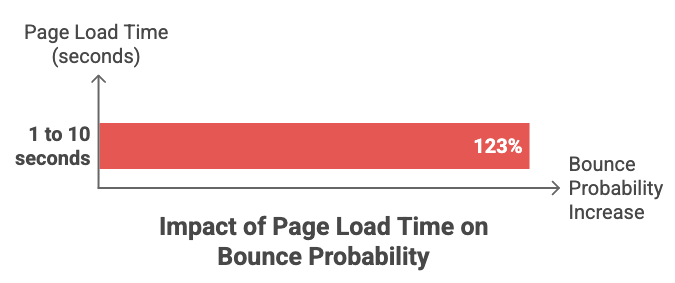
Beyond rankings, there’s a more immediate business case. Slow, unresponsive, or jumpy pages frustrate visitors. Frustrated visitors leave – Google research found that bounce probability increases 123% as page load time goes from one to ten seconds. And visitors who leave don’t become customers, don’t fill out contact forms, and don’t make purchases.
The Three Core Web Vitals Metrics and Score Thresholds
Largest Contentful Paint (LCP)
LCP measures how long it takes for the largest visible element to fully appear on screen. On most pages, the LCP element is either a hero image, a large headline, or a video thumbnail. The metric captures what users perceive as “the page has loaded.”
Identifying your specific LCP element is the first step toward improving it. In a blog post, the LCP element might be the featured image. On a product page, it’s likely the main product photo. On a text-heavy landing page, it could be a large heading.
The 2.5-second threshold might sound generous, but it’s measured from when the user first requests the page. Server response time, resource loading, and rendering all count against that clock.
Interaction to Next Paint (INP)
INP measures how quickly your site responds to user interactions throughout an entire visit. When someone clicks a button, taps a link, or types in a form field, INP tracks the delay between that action and the visual response.
Google replaced the older First Input Delay (FID) metric with INP in March 2024. The reason: FID only measured the first interaction. A page could score well on FID but become sluggish after additional JavaScript loaded. INP captures responsiveness across all interactions, giving a more accurate picture.
The 200-millisecond threshold for “good” INP is tight. Anything slower feels noticeably laggy to users, even if they can’t articulate why.
Cumulative Layout Shift (CLS)
CLS quantifies how much page elements move around unexpectedly during loading. The score is calculated based on how much content shifts and how far it moves. A CLS of 0 means nothing shifted. A CLS above 0.25 means significant, frustrating layout movement.
You’ve experienced bad CLS when you try to tap a button and the page suddenly jumps, causing you to click an ad instead. Or when you’re reading an article and the text shifts down as an image loads above it.
Layout shifts happen when the browser doesn’t know how much space an element will occupy, often the result of website design mistakes like images without specified dimensions, ads that load after the page renders, and fonts that swap in after text appears.
| Metric | What It Measures | Good | Needs Improvement | Poor |
|---|---|---|---|---|
| LCP | Loading speed | ≤2.5s | 2.5s–4s | >4s |
| INP | Interactivity | ≤200ms | 200ms–500ms | >500ms |
| CLS | Visual stability | ≤0.1 | 0.1–0.25 | >0.25 |
Each Core Web Vital has a specific threshold that separates “good” from “needs improvement” from “poor.” Google publishes these thresholds, and they apply universally regardless of your industry or site type.
The thresholds represent the 75th percentile of page loads. So when Google says your LCP is “good,” it means 75% of visitors experience an LCP of 2.5 seconds or less. The remaining 25% might have slower experiences due to their device or connection.
How to Measure Your Core Web Vitals

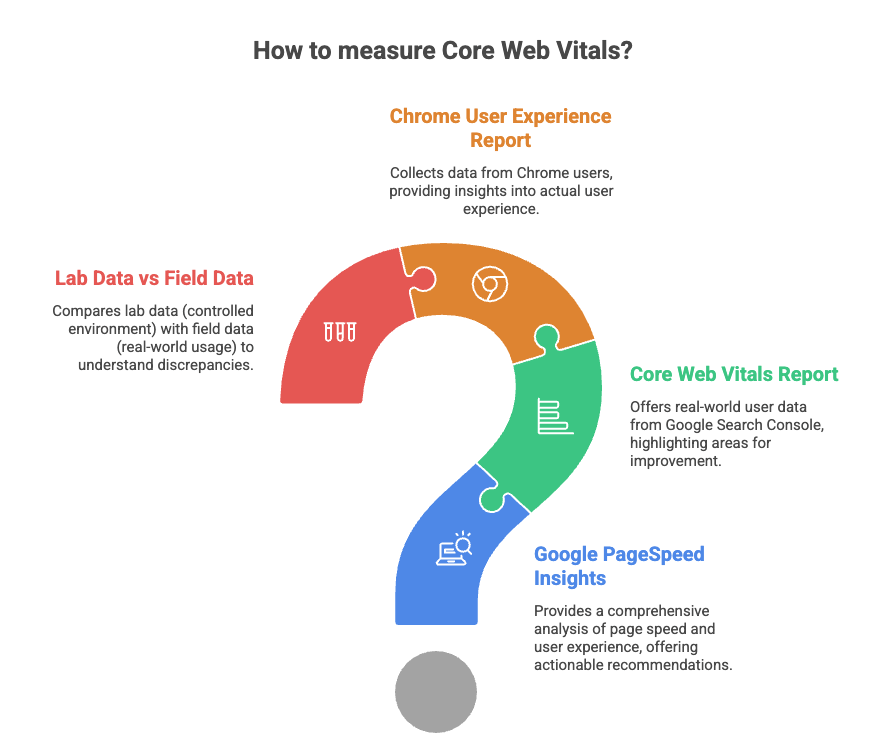
Before fixing anything, you want accurate data on where your site currently stands – a structured SEO audit is the best way to establish that baseline. Two types of data exist for Core Web Vitals: lab data and field data. The distinction matters because Google uses field data for ranking purposes.
Google PageSpeed Insights
PageSpeed Insights is a free tool that analyzes any URL you enter. It provides both lab data (from a simulated test) and field data (from real Chrome users, when available). The field data section appears at the top and shows your actual Core Web Vitals scores.
Below the scores, PageSpeed Insights lists specific recommendations for improvement. The recommendations are prioritized by estimated impact, so the items at the top typically offer the biggest gains.
Core Web Vitals Report in Google Search Console
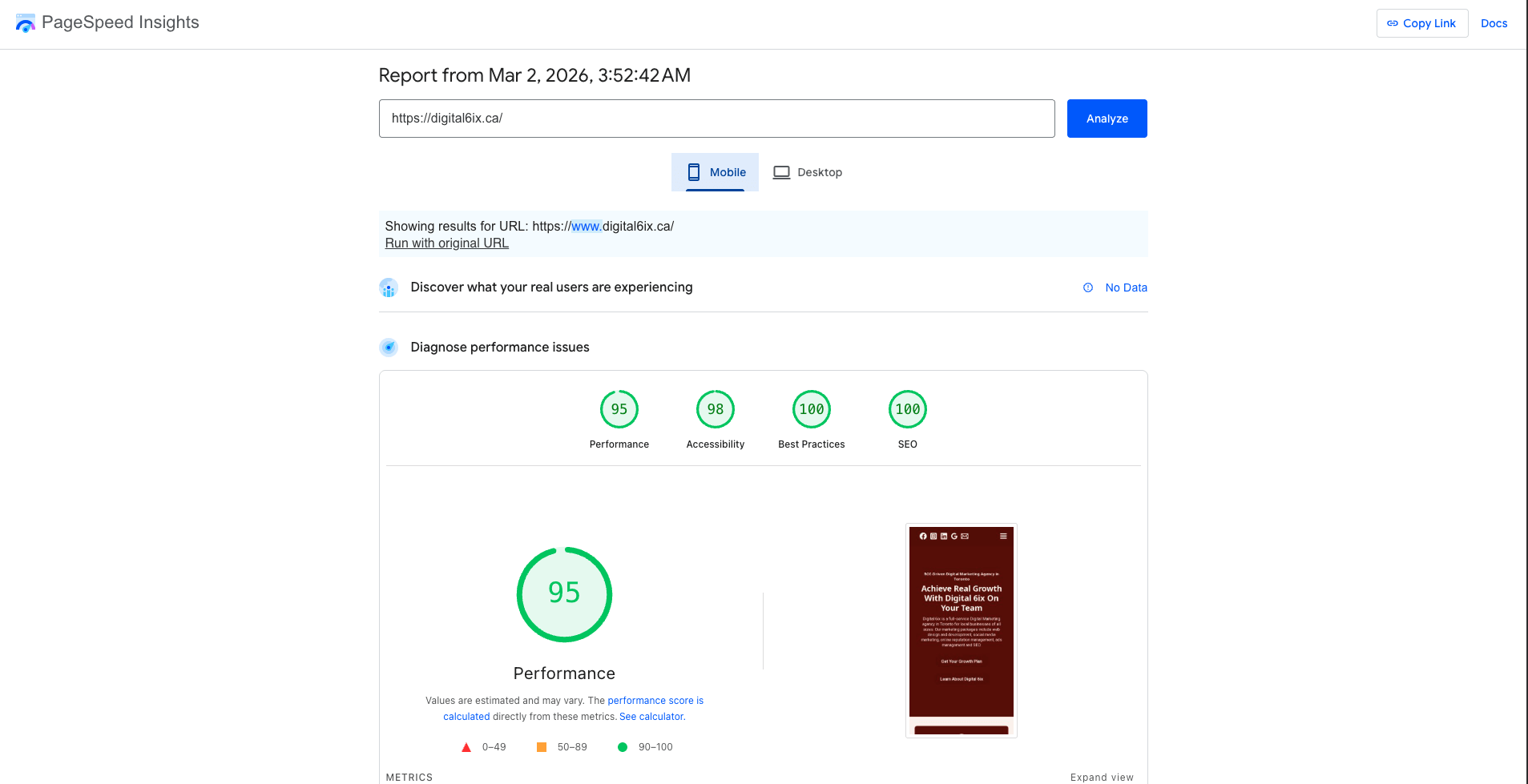
Search Console’s Core Web Vitals report shows performance across your entire site, not just individual URLs. It groups similar pages together, which helps identify patterns. If every blog post fails LCP, for instance, the problem is likely in your blog template rather than individual posts.
The report separates mobile and desktop performance because they often differ significantly. HTTP Archive CrUX data shows only 49.7% of mobile sites pass compared to 57.1% on desktop, largely due to slower connections and less powerful devices.
Chrome User Experience Report
CrUX (Chrome User Experience Report) is Google’s public dataset of real-world performance data collected from Chrome users who have opted in. PageSpeed Insights and Search Console both pull from CrUX data. You can also access CrUX directly through BigQuery or the CrUX API, though most site owners find the other tools more practical.
Lab Data vs Field Data
Lab data comes from running a test in a controlled environment with consistent device specs and network conditions. Field data comes from real users with varying devices, connections, and locations.
A page might score well in lab tests but fail in the field. The reason is often that lab tests simulate fast connections, while many real visitors use slower mobile networks. When lab and field data disagree, field data reflects what Google sees and what your actual visitors experience.
How to Improve Your Core Web Vitals
Improvements target the specific metric that’s failing. A site with poor LCP but good INP and CLS requires different fixes than a site struggling with CLS. The sections below cover the most effective fixes for each metric.
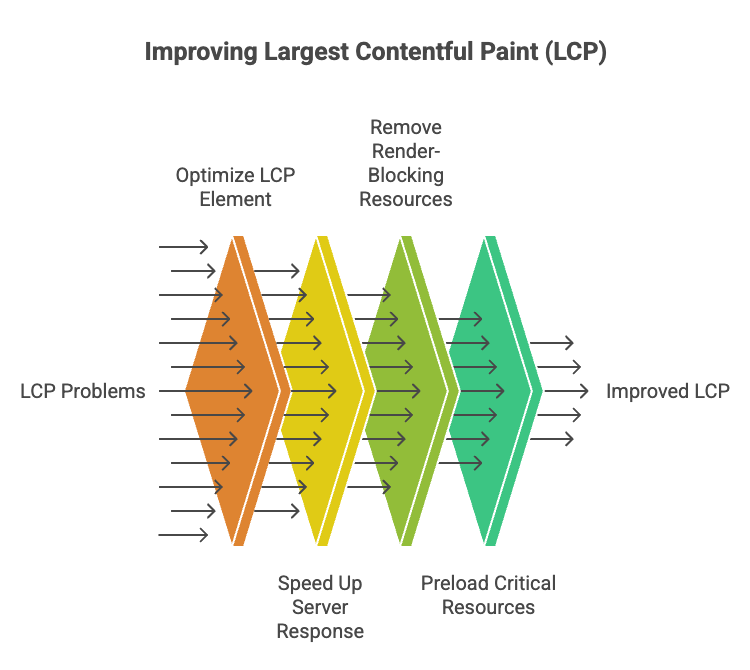
How to Improve LCP

LCP problems typically trace back to three areas: slow server response, unoptimized images, or resources that block rendering.
How to Improve INP
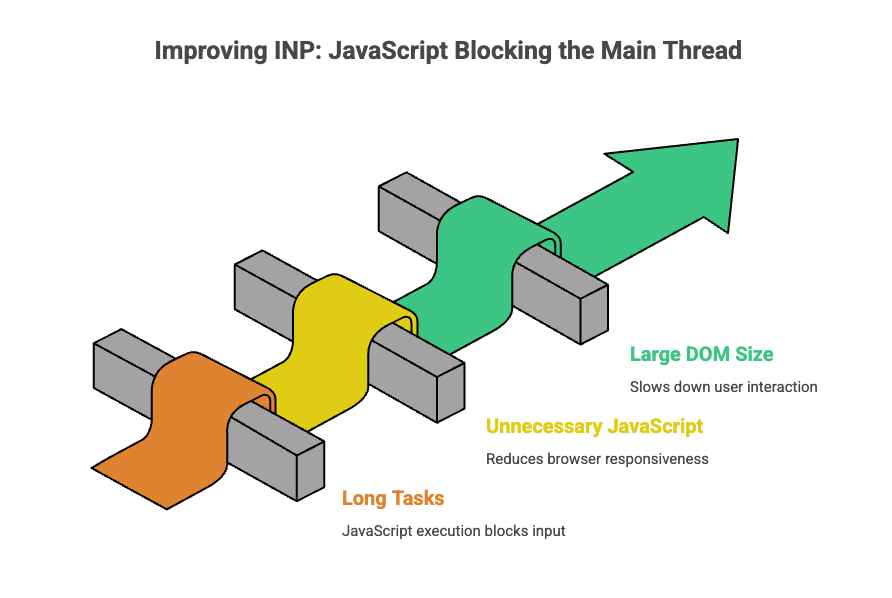
INP issues almost always involve JavaScript blocking the main thread. When JavaScript runs, the browser can’t respond to user input until the script finishes executing.
How to Improve CLS
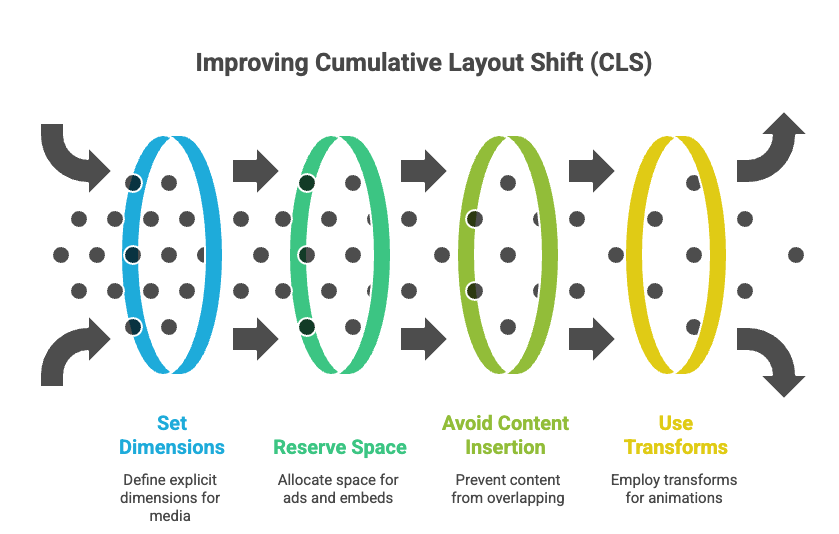
CLS fixes center on reserving space for elements before they load. The goal is ensuring the browser knows exactly how much room each element occupies from the start.
How to Prioritize Core Web Vitals Fixes

Not every fix delivers equal impact, and development resources are limited. A practical approach starts with the metric that’s furthest from the “good” threshold, then focuses on pages that matter most to your business.
Your homepage and primary landing pages likely drive more traffic and conversions than deep archive content. Fixing Core Web Vitals on high-value pages first produces faster business results.
Some fixes take hours while others take weeks. Image optimization and caching configuration are relatively quick wins. Refactoring JavaScript architecture is a larger project. Starting with quick wins builds momentum and often produces noticeable improvements before tackling bigger changes.
Tip: Test changes in a staging environment before pushing to production. Performance optimizations occasionally break functionality, and catching issues before they affect real visitors saves headaches.
Turn Core Web Vitals Optimization Into a Competitive Advantage
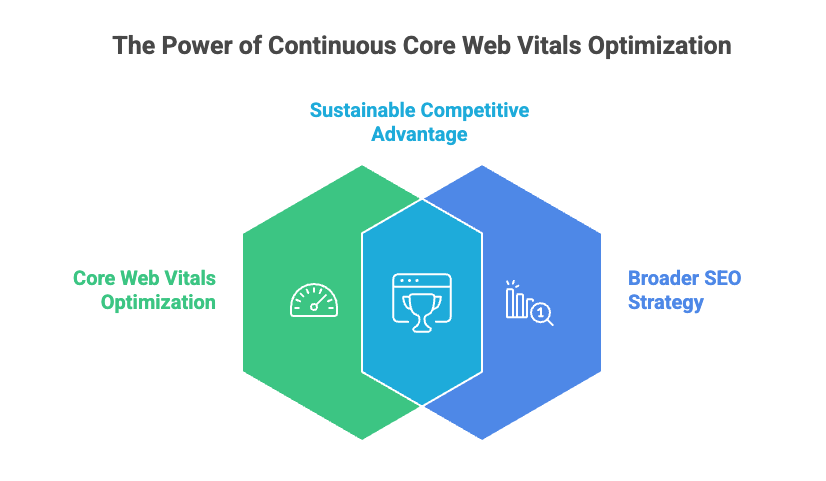
Most businesses treat Core Web Vitals as a one-time project. Fix the issues, check the box, move on. The problem with that approach is that every new plugin, feature, or design change can introduce performance regressions.
Sites that consistently outperform competitors build performance monitoring into their broader SEO strategy. They catch issues before rankings or conversions suffer. In competitive markets, that ongoing attention to performance creates a durable advantage.
Digital 6ix’s technical SEO services include Core Web Vitals audits and ongoing optimization as part of building sites that convert visitors into customers.

This Blog is written by Simar Singh, Founder of Digital 6ix and a data-driven storyteller with 7+ years of experience helping Toronto businesses grow through performance-led digital strategies. Certified in Google Analytics and Google Search Console, with a strong focus on turning insights into measurable business outcomes.
How much do Core Web Vitals actually affect Google rankings?
Core Web Vitals act as a tiebreaker when competing pages have similar content quality. Strong scores alone won’t outrank better content, but they can provide an edge over competitors with equally relevant pages. The indirect impact through improved user behavior metrics like lower bounce rates often matters more than the direct ranking signal.
How long does it take to see ranking improvements after fixing Core Web Vitals?
Google’s field data updates approximately every 28 days, so changes typically appear in Search Console within a month. Ranking improvements may take longer depending on how competitive your keywords are and how much your scores improved.
Can I pass Core Web Vitals without redesigning my entire website?
Yes. Many Core Web Vitals issues respond to targeted fixes like image compression, caching configuration, and reserving space for dynamic content. A full website redesign is only necessary when fundamental architecture problems or an outdated content management system prevent effective optimization
Why did Google replace First Input Delay with Interaction to Next Paint?
First Input Delay only measured the delay of the first interaction on a page. A site could score well on FID but become sluggish after additional JavaScript loaded later in the session. INP captures responsiveness across all interactions throughout a visit, providing a more complete and accurate picture of how responsive a site actually feels.
How often should I test my Core Web Vitals scores?
Testing after any significant site change catches regressions early. New features, plugins, theme updates, and design changes can all affect performance. Monthly monitoring at minimum ensures issues don’t persist long enough to impact rankings or user experience significantly.